1
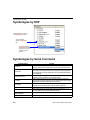
Symbologies
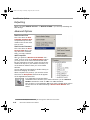
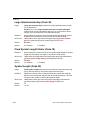
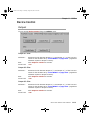
Code 93
Usage:
Definition:
Used occasionally in clinical industry.
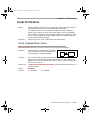
Code 93 is a variable length, continuous symbology employing four element
widths. Each Code 93 character has nine modules that may be either black
or white. Each character contains three bars and three spaces.
Code 93 Status
Serial Cmd:
Default:
Options:
<K475,status,fixed symbol length status,fixed symbol length>
Disabled
0 = Disabled
1 = Enabled
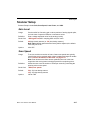
Fixed Symbol Length Status (Code 93)
Definition:
Serial Cmd:
Default:
Options:
When enabled, the scanner will check the symbol length against the symbol
length field. When disabled, any length is considered a valid symbol.
<K475,status,fixed symbol length status,symbol length>
Disabled
0 = Disabled
1 = Enabled
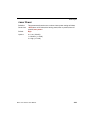
Symbol Length (Code 93)
Usage:
Definition:
Serial Cmd:
Default:
Options:
Fixed Symbol Length helps prevent truncations and increases data integrity by ensuring that only one symbol length will be accepted.
Specifies the exact number of characters that the scanner will recognize
(this does not include start and stop and check digit characters). The scanner ignores any symbol not having the specified length.
<K475,status,fixed symbol length status,fixed symbol length>
10
1 to 64
MS-3 Laser Scanner User Manual
5-19