1
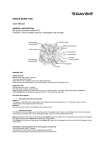
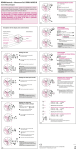
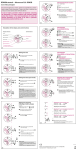
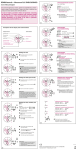
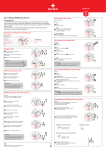
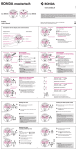
�� MON �������������������� �� � �� �� � � �� �� � � � �� � �� Setting the date (quick mode) Setting the time Second hand �� * Pull out the crown to position III (the watch stops). �� �� � �� �� �� � � �� �� � � MON ������������������������ � �� ��� � � Turn the crown until you reach the correct time 8.45. �� � �� � �� � � � �� Turn the crown until the correct date 1 appears. Push the crown back into position I. * Push the crown back into position I. MON �� � �� � � �� �� � � �� �� �� � �� � �� � � � �� ��� 18 Please note: * In order to set the time to the exact second, must be pulled out when the second hand is in position «60» (I). Once the hour and minute hands have been set, must be pushed back into position I at the exact second. MON �� �� � �� � � Please note: During the date changing phase between 9 PM and 12 PM; the date must be set to the date of the following day. �� �� � � �� continues to run). �� Date �� Pull out the crown to position II (the watch �� �� � �� � �� � � � �� 19 An extreme acceleration in setting the date with quick mode can induce a false date indication. The synchronization is re-established by setting the date from 01 till 31 (crown in position II).