1
OPERATION
▪ Factory Reset
3) Data Store Procedure
The above Offset value set by the user can be initialized to the
1) PM (Power Meter) Mode
factory settings.
When the power of WPM-16 is on, tester’s initial operating mode,
a. Press the “ZERO” button for over
PM (Power Meter) mode, is displayed on LCD screen. When you
want to change to PMIL (Insertion Loss Meter) mode, push “MODE”
2 seconds.
b. “rSET” is indicated as Factory
button. If PM mode is selected, the measured optical power and
Reset. After 1 second, it is initialized
wavelength will be displayed on the LCD screen automatically.
by factory settings and return to the measuring mode.
▪ Data Store or Data Check
Data Store or Check is available
in PM mode and PMIL mode both.
a. Press “STORE” button.
b. The measured value is marked
with dots will start flashing.
c. Save the measured value by “ENTER” button.
※ Please make sure that the input optical signal should be just
2) PMIL (Insertion Loss Meter) Mode
wavelengths simultaneously.
▪ Measuring method in PMIL mode
a. Select the PMIL mode by using “MODE” button.
▪ Detecting the Wavelength
This WPM-16 has the function of automatic wavelength detection
b. Connect the cable or the DUT (Device Under Test) between
the external Laser Source and WPM-16.
In CWDM-Demux side. Therefore users don’t need to select
c. Turn on and set the output power of the laser source.
Wavelength before testing.
d. Carry out the “Zero Set” process as described in the section
▪ Offset
e. Measure the insertion loss.
If the measured value is different from the actual optical power, it
※ Prior to IL test process, “Zero Set” should be preceded.
of “Zero Set” below.
Laser Source by using a reference
optical cord.
b. Turn on and set the output power
of the laser source.
c. Convert the LCD Display to the Zero Set screen by pressing the
a. Connect the reference cord (master cord) between the
external laser source and WPM-16.
b. Turn on and set the output power
of the laser source.
c. After stabilization of laser, press
“ZERO” button. At this time, the displayed measurement data
“ZERO” button. And then the value
with dots will start flashing.
Laser Source by using the “UP” or “DOWN” button.
e. After finishing adjustment, complete the Zero Set process by
pressing the “ZERO” button.
• Thousand-digit and Hundred-digit : Wavelength
Example; 27XX [1270nm], 55XX [1550nm], 61XX [1610nm]
• Ten-digit and First-digit : Counting 00 to 99
▪ Data Deletion
a. Individual Deletion: Select data which you want to delete in
Data Check mode by using “UP/DOWN” and push “ZERO”.
b. Whole Deletion: In the Data Check mode, push “ZERO”
▪ Zero Set
will start flashing.
d. Adjust the displayed value to the output power set value of the
[digit information]
for over 2 seconds.
can be adjusted by using the “ZERO” button.
a. Connect the WPM-16 to the external
d. By “UP/DOWN”, you can check all the saved data.
e. Return to the measuring mode by press “STORE” button.
one signal. WPM-16 is not supposed to measure two or more
d. Press “ZERO” button to finish the Zero Set. The values
marked will be changed to “0.00dB”.
※ Zero set initialization to the factory settings (see the above
Factory Reset)
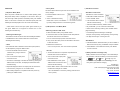
4) Battery Indicator and Charge Lamp
Battery Indicator shows three stages. In case that battery is
very low status, Indicator is flashing a one second interval.
Full
Low
Very Low
The color of Charge Lamp is red under charging and the
color goes to green after full charging.
TheFibers Inc.
#1103 K-Center Bldg.
1591-9 Kwanyang-Dong, Anyang-City, Korea
Tel: +82-31-381-6108
Fax: +82-31-381-6109
[email protected]
www.thefibers.com