1
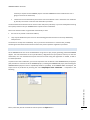
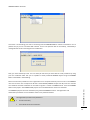
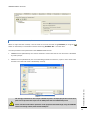
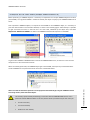
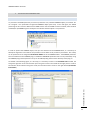
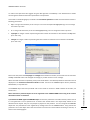
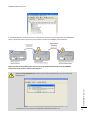
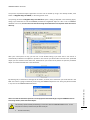
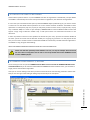
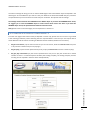
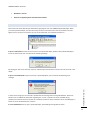
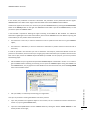
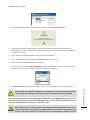
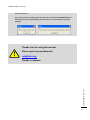
AXMEDIS DRM for dummies The process of protected object registration and save can be started by using in the Activity toolbar, with button 7.Register keys on AXCS, or from the general menu. The pressing of button 7.Register keys on AXCS will open a dialog as depicted in the following figure, asking if you would like to save the AXMEDIS protected and registered object to a file or into an AXMEDIS database. In this case, the tour does not include the usage of the data base so that please select the save on disk only. After your choice (Save on File), you will see a new window asking if you want that a new license is automatically created for the object for yourself. In this manner you will be able to access to the protected object you have created. Please select Yes, otherwise for you would not be possible to open the protected object. This will be clarified later in this document. AXMEDIS DRM for dummies By selecting YES, a confirmation message will be shown, as below, and a license for you will be stored in the PMS. The license is going to authorize you for using that AXMEDIS object for ever. Every play will be tracked in any case on the AXMEDIS DRM AXCS server. Please note that all the above operations can be performed automatically by using the AXMEDIS Content Processing solution, AXCP mentioned before. This activity is performed by establishing a connection with the AXMEDIS DRM servers. To this end, failures of this procedure may be due mainly to: Lack of connection; 27