1
PiezoDrive PDQ High-Speed Charge Drives
9. Overload Protection
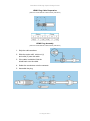
There are two overload indicators on the front panel: Overheat and Overload.
The Overload indicator will illuminate if there is more than 2 Volts difference between
the desired output voltage and the actual output voltage. This can occur if the
maximum current limit is exceeded or if the bandwidth of the input signal is too high.
This overload indicator does not represent a fault condition and is present mainly to
alert the user that the input signal is not being faithfully reproduced.
The Overheat indicator will illuminate during a shutdown caused by an average
current overload or if the amplifier overheats as a result of excessive ambient
temperature, poor air-flow, or fan failure. None of these conditions should occur
during normal operation. Hence, if an overheat shutdown occurs, the amplifier and
attached actuator should be thoroughly inspected. The most common cause of an
overheat shutdown is intermittent short-circuits produced by a damaged actuator.
The behaviour of the amplifier during an average current overload is discussed in
Output Current Limitations.
If the amplifier overheats, the output stage is immediately disabled. When the
temperature returns to a safe level, the amplifier will automatically reset. This may
take a few minutes.
During an Overheat shutdown caused by excessive average current or temperature,
the output current reduces to a few mA. It is important to note that this does not
mean that the output voltage will be zero. Dangerous potentials may still exist.
External Shutdown
In addition to the internal shutdown triggers, the output stage of the amplifier can also
be disabled by applying a positive voltage to the external shutdown connector (+2V
to +12V).
The impedance of the external shutdown input is approximately 2.5kΩ.
The external shutdown is useful for implementing thermal protection of an actuator or
for disabling a feedback system.
V4 August 2011