1
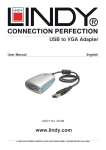
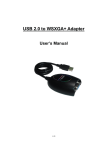
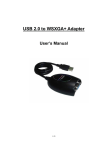
USER MANUAL INTRODUCTION Thank you for purchased the USB DISPLAY ADAPTER. The USB DISPLAY ADAPTER enables you to connect one display devices (CRT/LCD monitor, projector) to your desktop or notebook PC. The connected display can act as mirrored or extended desktop of the main display on your PC. The flexibility of the common USB 2.0 technology saves the need to open the computer or struggling with compatibility issues related to the VGA card. FEATURES USB 2.0 compliant Support display resolution up to VGA : 1600 x 1200 / DVI : 1680 x1050 Plug-and-Play USB connectivity Support Function Display Modes: Primary, Extended, Mirror Display Rotation: 0°, 90°, 180°, 270° Friendly software targeted to ease your daily USB Display experience Identify Monitors Multi-Display Control Panel Shortcut to access Windows Display Setting dialog SYSTEM REQUIREMENTS Available USB 2.0 port Minimum Requirement to use one (1) USB Display Adapter: CPU: Intel/AMD Single Core 1.5GHz or higher processor RAM: 512MB memory or higher 2~3 Displays: (additional USB Display Adapters) CPU: Intel/AMD Single Core 2.4GHz or higher processor RAM: 1GB memory or higher 4~6 Displays: (additional USB Display Adapters) CPU: Intel/AMD Dual Core 2.0GHz or higher processor RAM: 2GB memory or higher Windows 2000 SP4, Windows XP and Vista (32-bit or 64-bit) PACKAGE CONTENTS USB DISPLAY ADAPTER USB 2.0 cable CD (User Manual, Driver and Utility) Quick Installation Guide 3