1
8
Illustration 7.37: Graph showing thermal values ............................................................................... 74
Illustration 7.38: Thermograph Icon .................................................................................................. 75
Illustration 7.39: Thermograph Display ............................................................................................. 75
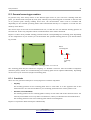
Figure 8.1: Starting position of a scan area ....................................................................................... 79
Figure 8.2: Scan modes to measure an area ...................................................................................... 80
Figure 8.3: Effects of changing the number of impulses and their distance ...................................... 81
Figure 8.4: Comparison of low and high number of impulses ............................................................ 81
Figure 8.5: Different walking speeds during scanning ....................................................................... 82
Illustration 9.1: Position of Super Sensor ........................................................................................... 88
Illustration 9.2: Add additional marks to the Super Sensor aids in the scan. ..................................... 89
Illustration 9.3: Super Sensor Orientation ......................................................................................... 90
Illustration 9.4: Control Scan the same line in both directions. ......................................................... 91
Illustration 9.5: Traditional control scan procedure ........................................................................... 92
Illustration 10.1: Unrecoverable System Error .................................................................................. 94
Illustration 10.2: Cannot Open Data Port ........................................................................................... 94
Illustration 10.3: Internal Hardware Error ........................................................................................ 95
Illustration 10.4: Self Power Off - Fail ................................................................................................ 95
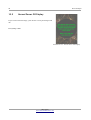
Illustration 10.5: Normal Power Off Display ...................................................................................... 96
OKM GmbH
www.okmmetaldetectors.com