1
© ETB Instruments LTD 2007
DigiDash2 Tools
10 Changing the X axis
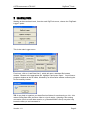
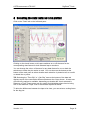
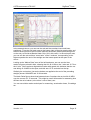
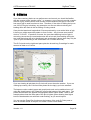
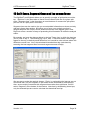
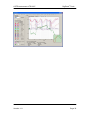
The data tab (left hand pane) gives the option to change the data used for the X axis
from the default of “time” to any one of the main DigiDash2 Pro data features.
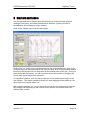
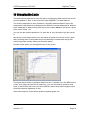
The obvious alternative to time is distance- choosing distance allows 2 laps to be
compared so that (apart from allowances for different recorded distances for different
lines, wheelspin or brake lockup) each lap is at the same place on the lap for a given
point on the X axis. So:
you can see the relative speeds etc. for each lap at, say, the apex of the first corner,
or
see where in one lap the driver is on the brakes at a later point on the circuit (rather
than just being later on the brakes as he was behind the comparative lap by that
point but perhaps actually braking at the same place).
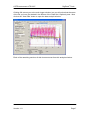
Another useful option is to plot against revs on the X axis.
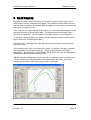
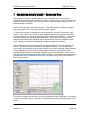
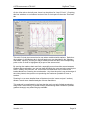
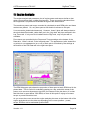
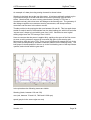
The figure above shows oil pressure plotted on the Y (vertical) axis, with RPM on the
X axis, for a single lap with the oil heated up. You can see how oil pressure rises
more or less linearly with revs until around 65PSI, where the pressure bypass valve
limits the pressure regardless of revs.
Other uses might be to plot airbox pressure against speed, etc.
Version: 1.0
Page 23