1
Turning PowerSight On
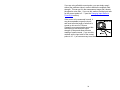
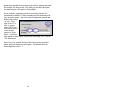
Simply press the red push-button switch on the front panel and
PowerSight will be operating (pressing the button again, turns the
unit off). The message that the meter is performing a system test
will appear for a few seconds and then the greeting will appear.
You can change this greeting at any time by following the
directions in the administrative functions that are accessed by
pressing the [Admin] key. Please note that turning PowerSight on
does not automatically start monitoring and logging. Refer to the
Putting it all Together (Monitoring for the First Time) section for
how to start monitoring and logging.
Turning PowerSight Off
To turn PowerSight off, simply press the red push-button switch
on the front panel. This provides a graceful software/firmware
shutdown. If pressing the button briefly does not turn the meter
off, press and hold the push-button down for 3 seconds to force a
hardware shutdown. If this is a recurring problem, contact
[email protected].
35