1
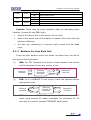
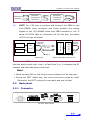
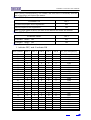
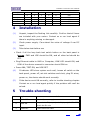
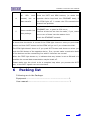
Interface converter User Manual 6 5 4 3 2 1 0 0 0 0 0 0 0 0 0 0 0 0 1 1 0 0 0 0 0 0 1 1 0 0 1 0 1 0 1 0 384 320 256 192 128 64 4 Installation (1) Unpack, inspect the Packing List carefully. Confirm that all items are included with your carton. Contact us or our local agent if there is anything missing or damaged. (2) Check power supply. Care about the value of voltage if use DC input. (3) Take below test before use Check if all the loop back test switch button on the back panel is loosen, PWR and LOS should be ON, and all other led should be OFF. Plug Ethernet cable to HUB or Computer, LINK LED should ON, and LINK of the device connect to converter should ON too. Press ANA, TEST ON, and LOS OFF (4) If indicator LED show system work well, loosen all switch on the back panel, power off, set slot switches and clock, plug E1 wires, power on, the device should work normally. (5) If the device work UN-normally, refer to trouble shooting chapter. Contact us or our local agent quickly if the problem still can’t be solved. 5 Trouble shooting phenomenon 1 PWR OFF 2 LOS ON 3 LINK OFF solution Check if power supply connect ok Loop back TX(output)and RX(input),if LED OFF, check the E1 wire Check Ethernet cable www.vafcorp.com 8