1
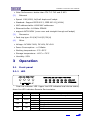
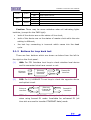
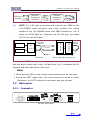
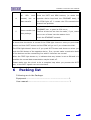
Interface converter User Manual PTOK green TEST Yellow PWR Green On Off On Off On Off PBRS check OK PBRS check failure Device is on test status No test Power connected Power not connected Caution: There may be some mistakes when all indicating lights twinkles, (except for the PWR light). both of the device are on the status of line clock; both of the device are on the status of master clock while the rate setting is different; the test key connecting is incorrect which cause into the dead cycle. 3.1.2 Buttons for loop back test There are four buttons which are shown as below from the left to the right on the front panel. (1) ANA: For FE1 Interface local loop to check whether local device and its connected circuit are correct or not. Ethernet interface (2) Ethernet –Framed E1 converter Framed E1 interface DIG: For 10/100BASE-T Local loop to check the opposite device and optical circuit Ethernet interface (3) Ethernet –Framed E1 converter Framed E1 interface REM: For remote ETHERNET self-loop back. It is only available when using framed E1 mode. Invalidate for unframed E1 (all time slot are used to transfer ETHERNET data) mode. www.vafcorp.com 4