1
User interface design with matrix algebra
·
21
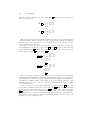
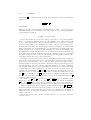
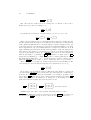
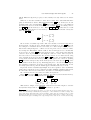
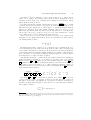
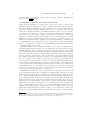
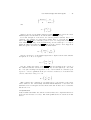
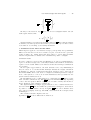
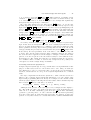
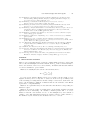
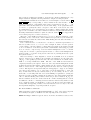
has no further effect:
0 0
0 1
(d m)
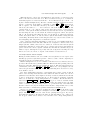
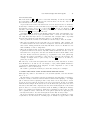
In fact, since
0 0
0 1
0 0
0 1
2
=
= (0 m)
0 0
0 1
n
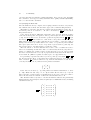
we can prove that AC = AC for all n > 0; it is clear that pressing AC has no
effect beyond what can be achieved by pressing it just once (in technical terms, it
is idempotent). Users who repeatedly press the AC button seem superstitious “we
must press it once, so pressing more times will be better” — or are not certain that
the AC button works reliably. On the other hand, if users feel they need to press
AC multiple times to ensure it is definitely pressed, what does this say about the
perceived reliability of other buttons needed for a calculation?
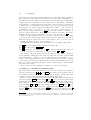
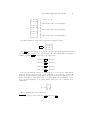
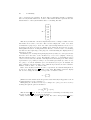
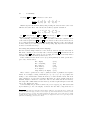
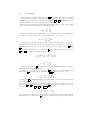
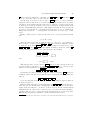
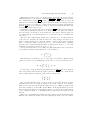
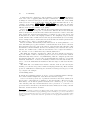
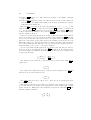
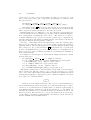
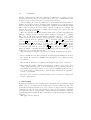
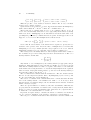
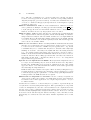
The Casio HL-820LC has other buttons. What are their corresponding 2 × 2
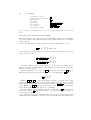
matrices? Here are some definitions:
M+ =
M- =
add display to memory
1 −1
0 1
AC =
MRC =
MRC MRC =
1 1
0 1
0 0
0 1
0 0
1 1
0 0
1 0
subtract display from memory
clear display
recall memory
recall and clear memory
Other buttons on the calculator are equals, digits, and the usual operators for addition and subtraction, etc. I will not discuss them further in this paper.7 However,
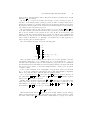
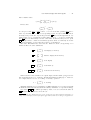
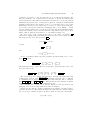
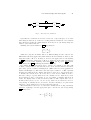
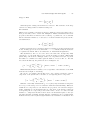
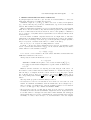
for completeness we need a ‘do nothing’ or identity operation:
1 0
I =
do nothing
0 1
Anything multiplied by I is unchanged. (This standard bit of notation is useful
in much the same way that 0 is useful in ordinary arithmetic to represent nothing.)
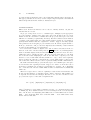
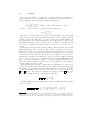
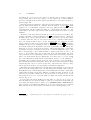
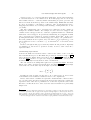
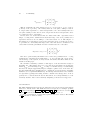
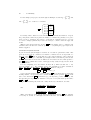
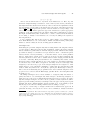
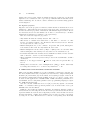
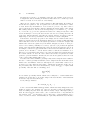
Note that MRC MRC is defined specially by Casio; it does not mean the same as
MRC pressed twice, which we can work out:
7 Over
the chosen two dimensional space, some operators are not linear (division and square root
being obvious examples). Some keys require bigger matrices than we are using; see Appendix 8.1.