1
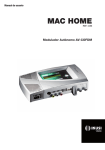
MAC HOME HD modulator guide
General use of the unit
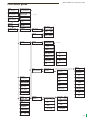
The following sections describe how to operate the unit using the control button and how to interpret the visual prompts displayed on the LCD screen. The programme comprises a main menu
made up of submenus that can be selected to modify the unit’s basic operation settings.
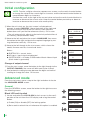
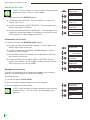
Visual prompts on LCD screen
This symbol indicates that you can scroll vertically.
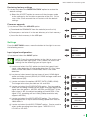
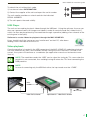
Vertical button movement
In the menus and submenus, you can move the button up or down to scroll
upwards or downwards, one step at a time.
In the settings, move the button up or down to change the values, one step at a
time.
NOTE. To browse or modify the values faster, keep the
button pressed up or down.
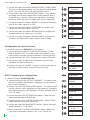
Horizontal button movement
In the menus, you can move the button to the left or right to select or go back,
one step at a time.
In the settings, move the button to the left or to the right to browse, select or go
back, step by step.
NOTE. Too browse faster, keep the button pressed to the left
or to the right.
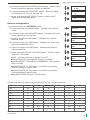
Press button
In the menus, this selects the submenu.
In the submenus, this selects the settings.
In the settings, this selects the parameter value.
8