1
76
CHAPTER 8. PROGRAMMING
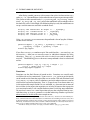
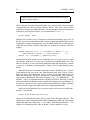
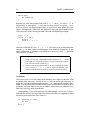
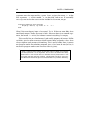
while exp {
do something
}
Replace exp with some expression such as `i’ < 20 or `statement’ == 0.
Presumably, at some point `i' won’t be less than 20 and `statement' won’t
be false (in Stata, the logical expression false evaluates to 0). When that time
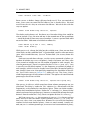
comes, the loop ends. Otherwise, the loop won’t ever end; you’ll need to manually stop Stata from running the code. Consider the following example.
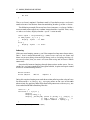
local i = 1
while `i' < 20 {
display `i'
local i = `i' + 1
}
Note the inclusion of local i = `i’ + 1. This tells Stata to increment the
counter `i' by one. (What would happen if we failed to include this in our
loop?) Effectively, it redefines itself equal to its previous value, `i' plus one.
After 20 times, it stops.
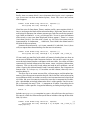
1. Using a while loop, create 100 variables named x1, x2, . . ., x100
each equal to a random draw from a standard normal distribution
(hint: use the function rnomral()).
2. Use while to display the numbers 1-20, but instead of incrementing by local i = `i’ + 1, use an expansion operator (hint:
check out the pdf documentation on macro expansion operators).
if
clauses
I have only used if clauses when error checking user input in ado-files used
by people who aren’t me. Similar to while, they are really only necessary in
programs with lots of unknown possibilities — i.e., programs for people I don’t
know. I can count on one hand how many times I’ve used them in my own Stata
programs, and even then it was only to address some structural problem in my
code I was too lazy to fix immediately.
Nevertheless, if you write programs for other people, if clauses are indispensable for making sure users input the information they’re supposed to when
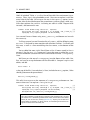
executing your command. Their syntax is
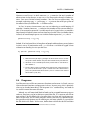
if something is true {
do this
}
else {