1
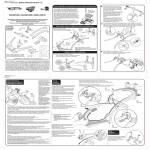
BATTERY INSTALLATION
D-REX™ interactive dinosaur
1. Open battery cover with a Phillips head
screwdriver (not included). 2. Remove battery holder.
3. Install 5 ‘C’ alkaline batteries in the orientation
shown. 4. Replace battery holder. 5. Replace battery
cover and tighten screws.
For best performance, use only alkaline batteries.
Replace batteries in
D-Rex™ when he slows down,
sounds become
distorted or red LED glows.
4
5
1
3
2
BONE CONTROLLER
1. Open battery cover with a
Phillips head screwdriver (not
included). 2. Insert 2 ‘AAA’ alkaline
batteries (not included) in the
orientation shown.
3. Replace battery cover
and tighten screw.
Replace batteries in Bone
Controller when range
drops off or light does not
come on when button
is pushed.
LOW BATTERY INDICATOR
Replace batteries when LED
is lit.
4
5
2
1