1
AVN2XX Quick Start Guide
Introduction
This document is intended to assist users of the AVN2XX series encoders in the initial
configuration and setup of the devices. This document is NOT intended to provide
installation instructions for either the AmiNet or other AVN products (AVN4XX).
Requirements
In order to setup the AVN2XX for streaming, the user must have a valid video source, an
available network address, and some sort of decoder, either software or hardware.
Step 1:
Connect AVN2XX Hardware
1. Connect one or more of your video sources to the appropriate video input(s).
2. Connect one or more of your audio sources to the appropriate audio input(s).
3. Connect the LAN Ethernet cable to the Ethernet RJ-45 connector.
4. Connect the power cable to the AVN2XX Power Supply connector and power on
the AVN2XX. In the case of the AVN220 (blade) the power is supplied via the
MPPXXX chassis.
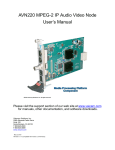
Input Connector Diagrams by Device Type
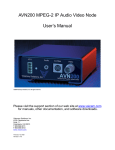
AVN200
Front Panel
Diagram:
2060 Alameda Padre Serra, Suite 100∙ Santa Barbara, CA 93103
Tel: (805) 845-8900 ∙ Fax: (805) 845-8889 www.vsicam.com
2