1
Appendices
u
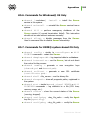
key file (enterprise.key).
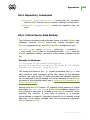
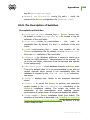
drwcsd verifyconfig <config_file_path> – verify the
syntax of the Server configuration file (drwcsd.conf).
H5.8. The Description of Switches
Crossplatform Switches
u
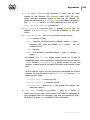
-activation-key=<license_key> — Server license key.
By default, it is the enterprise.key file located in the etc
subfolder of the root folder.
u
-bin-root=<folder_for_executables> —
the
path
to
executable files. By default, it is the bin subfolder of the root
folder.
-conf=<configuration_file> — name and location of the
Server configuration file. By default, it is the drwcsd.conf
file in the etc subfolder of the root folder.
u -daemon — for Windows platforms it means to launch as a
u
service; for UNIX platforms - "daemonization of the process" (to
go to the root folder, disconnect from the terminal and operate
in the background).
u
-db-verify=on — check database integrity at Server start.
This is the default value. It is not recommended to run with an
explicit opposite value, except if run immediately after the
database is checked by the drwcsd verifydb instruction,
see above.
u
-help — displays help. Similar to the programs described
above.
u
-hooks — to permit the Server to perform user extension
scripts located in the var\extensions subcatalog of the
Server’s installation catalog. The scripts are meant for
automation of the administrator work enabling quicker
performance of certain tasks. All scripts are disabled by default.
u
-home=<root> — Server installation folder (root folder). The
structure of this folder is described in p. Installing the Anti-Virus
Server for Windows NT/2000/XP/2003/Vista. By default, it is the
current folder at start.
Administrator Manual
293