1
3 SFC PROGRAM EDITING
MELSOFT
3.9.2 Setting the Block Parameters
Q
L
QnA
A
FX
: Basic model QCPU and Universal model QCPU are incompatible.
This section provides how to set the block parameters.
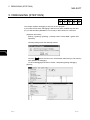
[Operation procedure]
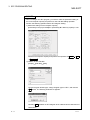
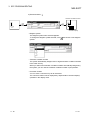
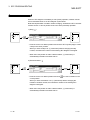
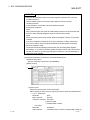
[Tools] [Set SFC information]
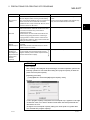
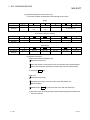
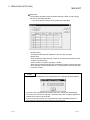
[Setting screen]
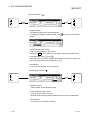
[Block parameter]
1)
2)
3)
[Item explanation]
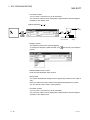
1) Periodic execution block
All blocks from the set block number onward are periodic execution blocks.
To process all blocks every scan, leave the input area blank.
Enter the execution interval within the range 1 to 65535 (ms) in 1ms
increments.
2) Act at block multi-activated
If a start request is made from another block while a block in the designated
range is active, an error occurs and CPU operation stops.
The operation mode in the event of a double start for blocks outside the
designated range is "Wait".
To set "Wait" for all blocks, leave the first and last input areas blank.
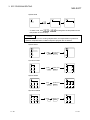
3) Act at step multi-activated
If a double start occurs with respect to any step in the range for which "Waiting
blocks" is designated, operation is suspended until the corresponding step
becomes inactive.
If a double start occurs with respect to any step in the range for which "Stop
blocks" is designated, an error occurs and CPU operation stops.
If a double start occurs with respect to a step outside the specified range, a
forced transition is executed.
3 - 54
3 - 54