1
2 PRECAUTIONS FOR CREATING SFC PROGRAMS
MELSOFT
POINT
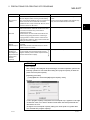
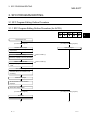
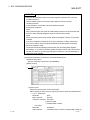
(1) Modifying the program with SW IVD-GPPA
1. Display all SFC diagrams in GX Developer and check blocks that are
incorrectly displayed.
2. Modify the program with SW IVD-GPPA.
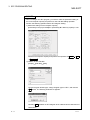
Enter a dummy step/transition for the incorrectly displayed SFC diagram.
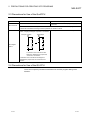
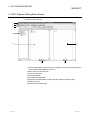
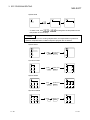
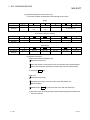
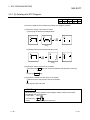
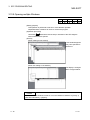
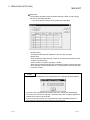
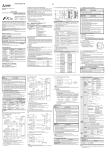
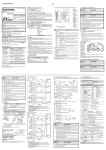
The following figure shows the types of SFC diagrams that are incorrectly
displayed in GX Developer and actions against them.
(Modification example)
No
Step
No
Step
No
Step
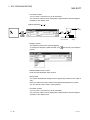
(When adding a dummy step) (When changing to jump transition)
Jump
destination
step
Example of addition
of dummy step
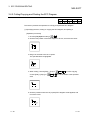
The selective coupling was
changed to jump transition.
The step including a jump
destination is the one next to
the step that included the
selective coupling before the
modification.
3. Read the modified program to GX Developer.
Always check operations for the modified program.
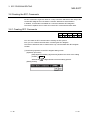
(2) Re-creating a program with GX Developer
When a SFC diagram is incorrectly displayed, it is displayed in partially
corrupted.
Re-create the corrupt part.
2-4
2-4