1
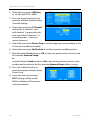
Extended Settings and Functions − Press the yellow function key (OK) to accept the changes made so far and to close the window Rename. − Press the blue function key (CANCEL) to discard the changes made so far and to close the window Rename. 5. Press the green function key to leave the Rename mode. 7.2.6 Delete Individual Channels from Channel List 1. In the submenu Edit Channel – TV Channel List, press the blue function key. 2. Again press the blue function key to access the Delete mode. 3. Mark the channel to be deleted by using the keys PR+ and PR-, and confirm by pressing OK. The respective channel is correspondingly marked . Repeat step 3 as long as all channels to be deleted are marked. 4. Again press the blue function key or the EXIT key to leave the Delete mode. 5. If you agree to overwrite the factory-set channel list when leaving the menu (see above), the marked channels will be deleted. 7.2.7 Delete All To delete all channels 1. Select Delete All in the menu Edit Channel. 2. Press OK. You will be asked if you want to delete all channels. 3. Select the answer Yes or No by using the keys by pressing OK. 7.3 and , and confirm After deletion of all channels, all channel lists will be empty and should be newly created! Rename Favorite Lists In the submenu Favorite of the menu Edit Channel you can rename favorite lists. 1. Select the favorite list to be edited by using the keys PR+ and PR-, and confirm by pressing OK. 2. An on-screen keyboard will be displayed. 58 smart CX01