1
Table of Contents
Introduction︱ .........................................................................................................................2
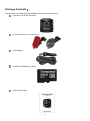
Package Contents︱ ...............................................................................................................3
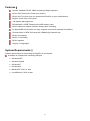
Features︱ ...............................................................................................................................5
System Requirements︱ ........................................................................................................5
Safety Precautions︱..............................................................................................................6
Getting Started︱ ....................................................................................................................7
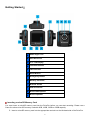
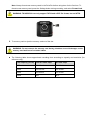
Inserting a microSD Memory Card .......................................................................................... 7
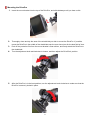
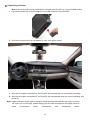
Mounting the DrivePro ............................................................................................................. 9
Connecting to Power.............................................................................................................. 10
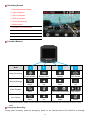
Recording Screen................................................................................................................... 11
Function Buttons.................................................................................................................... 11
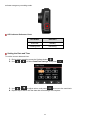
Setting the Date and Time ..................................................................................................... 12
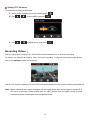
Setting UTC Timezone ........................................................................................................... 13
Recording Videos︱ .............................................................................................................13
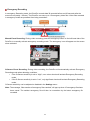
Emergency Recording ........................................................................................................... 14
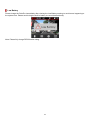
Low Battery............................................................................................................................. 15
Browse and Play Videos︱ ..................................................................................................16
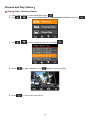
Playing Videos / Browsing Photos ........................................................................................ 16
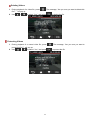
Protecting Videos ................................................................................................................... 17
Settings︱..............................................................................................................................18
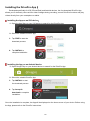
Installing the DrivePro App︱ ..............................................................................................22
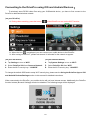
Connecting to the DrivePro using iOS and Android Devices︱ .......................................23
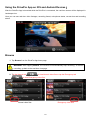
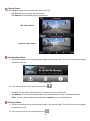
Using the DrivePro App on iOS and Android Devices︱...................................................24
Transferring Files to a Computer︱ ....................................................................................27
Troubleshooting︱................................................................................................................30
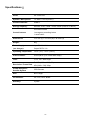
Specifications︱ ...................................................................................................................31
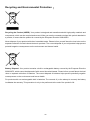
Recycling and Environmental Protection︱ .......................................................................32
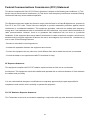
Federal Communications Commission (FCC) Statement .................................................33
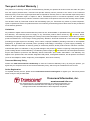
Two-year Limited Warranty︱ ..............................................................................................34
GNU General Public License (GPL) Disclosure .................................................................35
End-User License Agreement (EULA) ................................................................................35