1
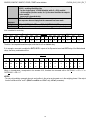
3590EKR, 3590EXP, 3590EXT, CPWE, CPWET series indicator
E-AF09_02.00_13.01_EN_T
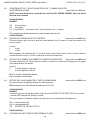
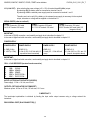
3.2 DESCRIPTION OF THE STEPS
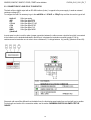
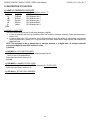
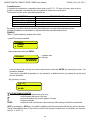
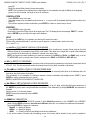
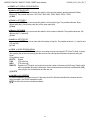
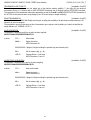
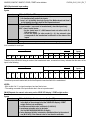
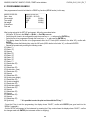
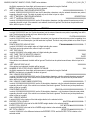
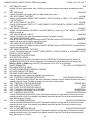
<< LAnG >> FIRMWARE LANGUAGE
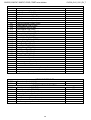
Parameter
- En
- Fr
- dE
- ES
- Gr
- It
(!) En
Language
English
FranÇais
Deutsch
Español
Ellenika
Italiano
Used Codepage (see section 7.2)
1252 Windows Latin 1
1252 Windows Latin 1
1252 Windows Latin 1
1252 Windows Latin 1
1253 Windows Greek
1252 Windows Latin 1
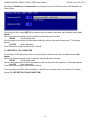
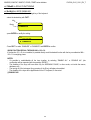
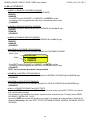
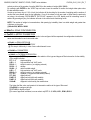
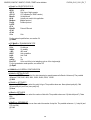
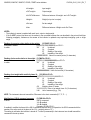
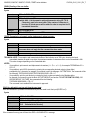
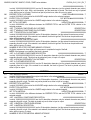
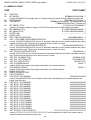
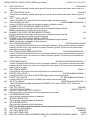
<< CELtyP >> CELL TYPE
This menu allows setting the type of cells used (analogue or digital):
in case of analogue cells it will be possible to enter the number of analogue channels. Follow the instructions in
section 3.3.1.
in case of digital cells / DGX conversion card, it will be possible to enter the number of cells forming the scale and
follow the instructions in section 3.3.6. Only load cells of the same model and the same capacity can compose two
digital platforms.
NOTE: The instrument is able to manage up to 4 analogue channels or 16 digital cells / 16 analogue load cells
converted as digital through DGX conversion cards.
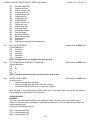
(!) AnALoG
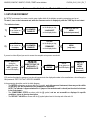
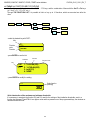
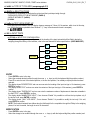
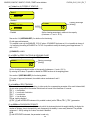
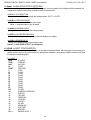
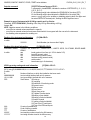
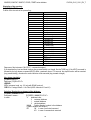
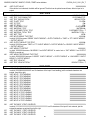
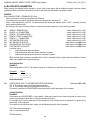
<< DGX.MOD >> DGX FUNCTION MODE
- M.CELLS: Conversion into digital of each single analogue load cell.
- J.boX: for use of the manufacturer.
Follow the instructions in section 3.3.6.
(!) J.boX
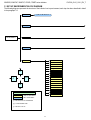
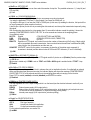
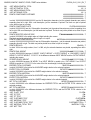
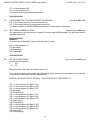
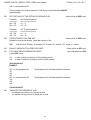
<< DGX.NUM >> NUMBER OF DGX CARDS
This menu allows setting the number of DGX composing ALL THE SCALES.
Follow the instructions in section 3.3.6.
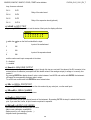
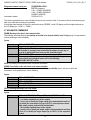
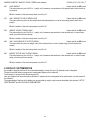
<< CEL.Add >> SET 485 CELLS ADDRESS
See section 3.3.7.
23