1
USING THE FRONT-END HOME PAGE
1
2
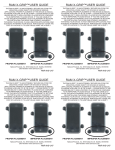
Each LAN-XI module and frame has its own home page containing
information about the module, including configuration, calibration history,
self-test, log file, etc.
To access the home page:
6ch. Input 6ch.
Module
Input
50Module
KHz 50 KHz
Type Type
3050-A-060
3050-A-060
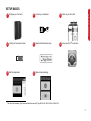
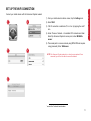
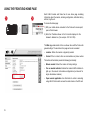
1) With your mobile device connected to the Front-end’s access point,
open a Web browser.
2) Enter the IP address shown in the Front-end’s display into the
browser’s address line, (for example: 192.168.1.229).
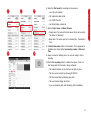
The Main page looks similar to the one shown here with the Front-end’s
general settings. The two links on the page can be set as needed:
•
Location: Where the module is physically located
•
Contact: Who to contact, either an email address or phone number
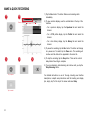
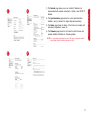
The buttons at the bottom provide the following functionality:
16
•
Reboot module: Reboot the module to factory settings
•
Turn on module indicator: Enables the module’s LED indicators to
light up in the case of multi-module configurations (not relevant for
single stand-alone modules)
•
Open recorder application: Use this button to control a recording
using LAN-XI Notar and/or access the data stored on the SD card