1
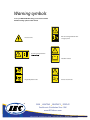
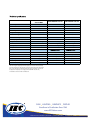
Feet or toe entanglement.
Clamp risk when using height adjustment.
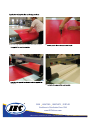
Move roller up and down.
Adjust working height.
Adjustment of the roller speed
Fingers or hand entanglement.
Clamp risk when pressurising the roller.
No-text saftey sign “ read operators manual”
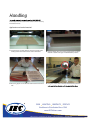
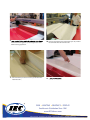
If you want the roller to move faster or slower, you can adjust
the speed. Please note that this is normally not necessary, since
the
speed
is preset at the factory.
Consultroller
Technical Manual
for proper service
procedures.
Carefully read Operator’s Manual before
handeling the machine. Observe Instructions
and saftey rules when operating.
Electrical
Shock/electrocution
Contact a technician.
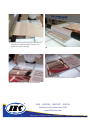
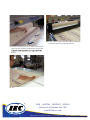
1. Use the two adjustment screws on either side of the glide
beam. Unfasten the grooved lock nut. The lower screw
reduces the speed and the upper screw increases the speed.
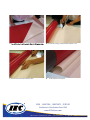
Adjust the screws to the desired speed on one side. Change
sides and adjust on the other side so that the roller can be
Lock with the lock nut.
SIGN LIGHTING GRAPHICS DISPLAY
Excellence in Distribution Since 1946
www.IECDelivers.com
2240 Yates Ave. Commerce, CA 90040 | Fax 323.803.2019 | 800.CALL IEC (225.5432)