1
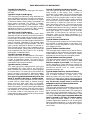
Time Windows Definitions
Time Windows
Example
– 96 –
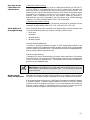
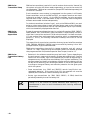
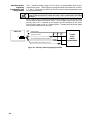
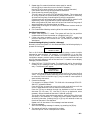
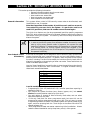
• Scheduled events are based on time windows, which are
simply periods of time during which an event may take place.
Time windows are defined by a start time and stop time. The
system supports up to 20 Time Windows. The windows are
shared by the 8 partitions, and the windows are used for
open/close schedules as well as for time driven event control.
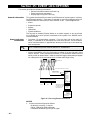
• To understand time windows and scheduling, take for
example a store that has the following hours:
Monday to Thursday:
9am to 6pm
Friday
9am to 9pm
Saturday
10am to 4pm
Sunday
Closed
Holidays
Closed
Assume the owner desires the following time windows to
allow time for employees to arm or disarm the system:
Monday to Thursday:
Open (disarm) 8am to 9am
Close (arm)
6pm to 6:30pm
Friday
Open (disarm) 8am to 9am
Close (arm)
9pm to 9:30pm
Saturday Open (disarm) 9am to 10am
Close (arm)
4pm to 4:30pm
Sunday & Holidays
Closed
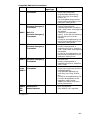
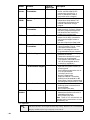
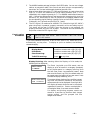
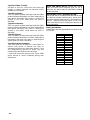
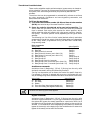
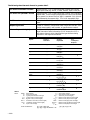
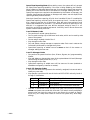
• To provide these schedules, the following five time windows
need to be programmed:
Window Start
Stop
Purpose
1
8am
9am
Monday-Friday open window
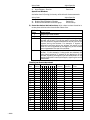
2
9am
10am
Saturday open window
3
4pm
4:30pm
Saturday close window
4
6pm
6:30pm
Monday-Thurs. close window
5
9pm
9:30pm
Friday close window
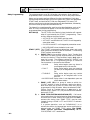
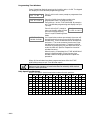
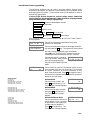
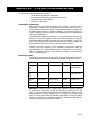
• Using the #80 Menu Mode (described in a later section), the
installer can programme open/close schedules by assigning
each time window to a day of the week (windows are entered
as 2-digit entries):
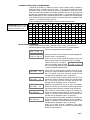
Mon
Tue
Wed
Thu
Fri
Sat
Sun
Hol
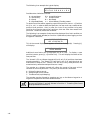
Op/Cl Op/Cl Op/Cl Op/Cl Op/Cl Op/Cl Op/Cl Op/Cl
01/04 01/04 01/04 01/04 01/05 02/03 00/00 00/00
Note: 00 is entered for those days on which the store is
closed.
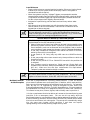
When programmed, employees can arm and disarm the
system within the open and close time windows respectively
without causing a report to be sent to the central station
(reporting by exception). At the end of these windows, the
system can be programmed to automatically arm/disarm if
an employee fails to arm/disarm manually (auto arm/auto
disarm).
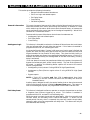
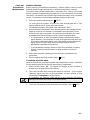
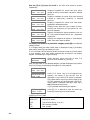
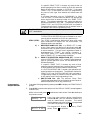
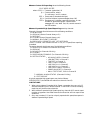
Time driven events can be activated at different times using
a window as follows:
• At the beginning of a time window
• At the end of a time window
• During a time window active period only (on at beginning of
window, off at end)
• At both the beginning and end of the time window (Ex: to
sound a buzzer at the beginning and end of a coffee break)