1
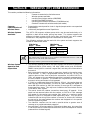
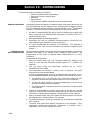
Section 20: #93 MENU MODE PROGRAMMING
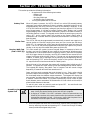
This section provides the following information:
• #93 Menu Mode main menu options
• Zone Programming
• Serial Number Programming
• Report Code Programming
• Alpha Programming
• Device Programming
• Relay Programming
• Relay Voice Descriptors
• Custom Index Programming (Telephone Module substitute words)
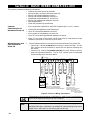
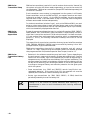
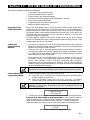
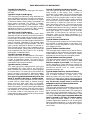
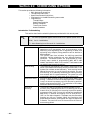
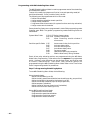
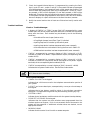
#93 Main Menu
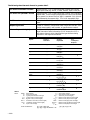
Options
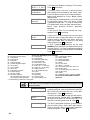
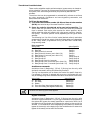
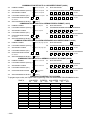
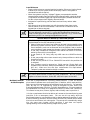
The following fields should be programmed before beginning: 2*00:
Number of Partitions; 1*32: RF receiver type.
After programming all system related programming fields in the usual way, press
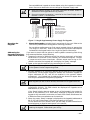
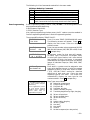
#93 while still in programming mode to display the first choice of the menu
driven programming options, which are as follows:
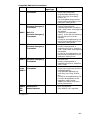
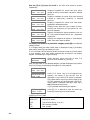
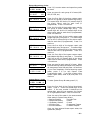
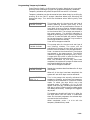
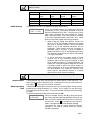
For programming the following:
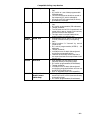
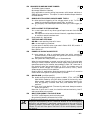
ZONE PROG?
• Zone Number
0=No
1=Yes
• Zone Response Type
• Partition Number for Zone
• Dialler report code for zone
• Input Device Type for zone (whether RF, polling
loop, etc.)
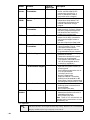
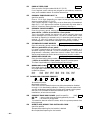
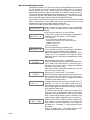
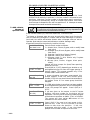
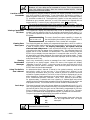
• For learning serial numbers of 5800 series
SERIAL #?
transmitters & serial polling loop devices into the
0=no
1=yes
system (all other zone characteristics must first be
pre-programmed).
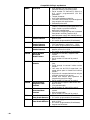
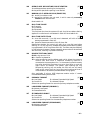
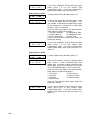
For
entering zone and system report codes.
REPORT CODE?
0=no
1=yes
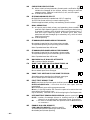
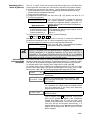
ALPHA PROG?
0=no
1=yes
DEVICE PROG?
0=no
1=yes
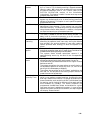
RELAY PROG?
0=no
1=yes
RLY VOICE DESCR?
0=no
1=yes
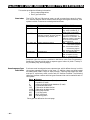
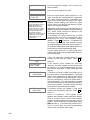
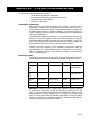
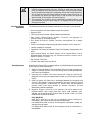
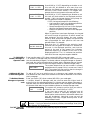
For entering alpha descriptors for the following:
• Zone Descriptors
• Installer's Message
• Custom Words
• Partition Descriptors
• Relay Descriptors
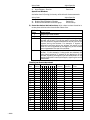
For defining the following device characteristics for
addressable devices, including keypads, RF receivers
(4281/5881), 4204 output relay modules, and 4285 VIP
Module:
• Device Address
• Device Type
• Keypad Options (incl. partition assignment)
• RF House ID
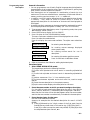
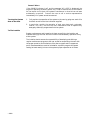
For defining output relay functions. This prompt is
fully explained in the 4204 RELAY MODULE section.
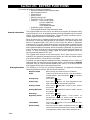
For entering voice descriptors for relays/Power Line
Carrier devices to be used with the 4285 VIP Module
This prompt is fully explained in the RELAY
OUTPUTS/POWER LINE CARRIER DEVICES
section.
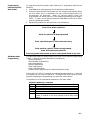
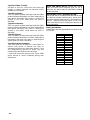
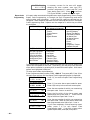
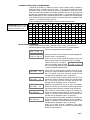
For creating custom word substitutes for Telephone
Module annunciation. This prompt is fully explained
in the 4285 TELEPHONE MODULE section.
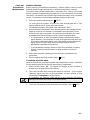
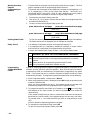
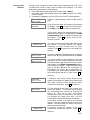
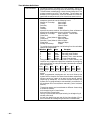
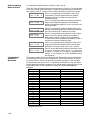
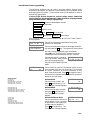
Press 0 (NO) or 1 (YES) in response to the displayed menu selection.
Pressing 0 will display the next choice in sequence.
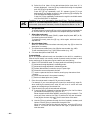
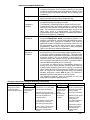
CUSTOM INDEX ?
0=no
1=yes
– 76 –