1
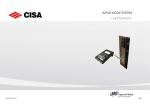
MENU SIDE PANEL
The side panel acts as a navigation tool during the use of the Smart Software. It is divided
into 4 sections; within each, there is set of functions logically grouped together.
To create and manage users.1
Card creation and management.
To visualize locks, zones and beds.
To create and manage Categories (groups of utilities).2
View of the devices currently connected to the network.
To load card history events from Special Access Control units.
Displays history of lock events stored in the encoder.
Displays history of encoding events.
To set general parameters.
To manage the access during the year holidays.
Defines default parameters used when encoding cards.
To disconnect the operator from the current session.
To close the application.
1
2
Only if User Descriptions are enabled in the Preferences section.
Only if any categories have been defined during the plant configuration.
SSWUSERMANUAL106
8 / 42