1
STREAM User Manual
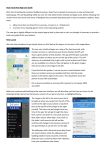
• Snapshots - the name of the sub-directory in which all still photos are stored. This folder is not
used at this time.
• V00000.mp4 is an example name of a video clip made with the STREAM
Note: This illustration shows the file structure. The order of the files in each folder depends on the
operating system and your preference settings.
Upload and/or delete files using a flash memory card reader:
• Make sure the STREAM is not recording video. Removing the end cap while recording will cause
the entire clip to be corrupted. When the recorder is powered down and then powered back up,
the internal logic will discover the corrupted clip and attempt to repair it if there is enough space
on the SD card, but a successful repair is not guaranteed due to limited power loss recovery
capabilities of the FAT file system. The best policy is to be sure you’re not recording when you
remove the Micro SDHC card.
• Remove the Micro SDHC card from the camera and put it into the card reader.
• Use the regular procedures for uploading and/or deleting files using your reader.
• When you have finished, remove the Micro SDHC card from the reader and reinstall it in the
STREAM.
• Note: If you are using a Mac, when you delete files, you must be certain to also empty the trash.
On a Mac deleted files are left in place and marked as being in the trash. Empty Trash is required
to physically remove the files from the Micro SDHC card.
Once the video files are on your computer, they can be treated like any other video files.
• They can be viewed using any suitable video player that runs on your system.
• They can be edited, compiled, and/or resized into your own custom videos.
• They can be burned onto CD’s or DVD’s.
• They can be uploaded to YouTube or any other video sharing site on the Internet.
37