1
7
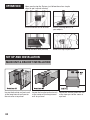
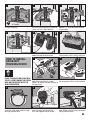
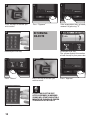
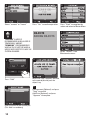
Press the chosen object’s tag
button, make sure that tie is
attached to the tag
8
9
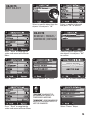
System notification will appear
when pressing the right object
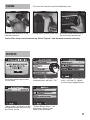
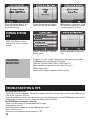
When battery is removed or “dead”
the system will request the master
user to update date and time.
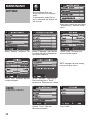
Choose “System Off” from the
Master menu
Confirm operation by pressing
“Yes”
turning system
off
NOTE: Only Master user or
Trustee user can turn off the
system
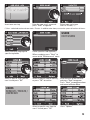
charging
main unit
At normal use , the system is expected to operate at armed mode
for 60 hours before needing to be charged.
Check out "System Battery Status" (See Page 14).
When needed, charge the unit over night (12 hours).
Charge indoor only.
Use only the charger supplied with this system.
trouble shooting & tips
The system does not turn on
• The battery may have depleted. Connect the charger to the DC Jack and make sure the green LED turns on.
Charge the system for 12 hours.
• If you have had the system for more than 2 years, you may need to purchase a new RT645 battery for the system.
• If the system still doesn’t turn on - contact the Stanley Service Center.
The SYSTEM doesn’t recognize a User Tag
• Make sure the system is in Armed Mode and try again.
• If the problem persists:
• Enter Maintenance Mode by using the Master Tag or code.
• Access the User List.
• Select the user who holds the tag and press “OK”.
16