1
Step 5—Focus and Shoot
Focus
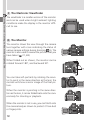
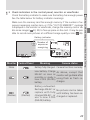
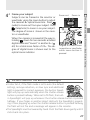
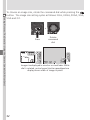
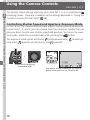
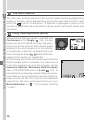
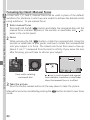
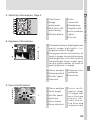
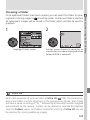
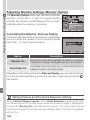
In User Set A, the camera automatically focuses on the subject in the center of the frame.
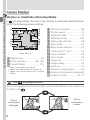
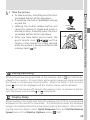
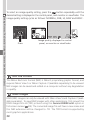
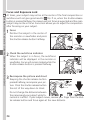
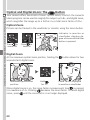
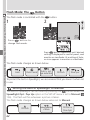
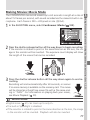
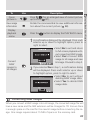
To lock focus, press the shutter-release button
halfway and check the status of the autofocus
(
) and flash-ready indicators ( ), shown
right, in the monitor or viewfinder.
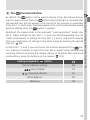
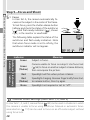
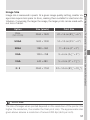
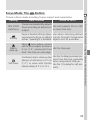
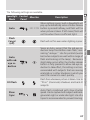
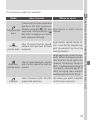
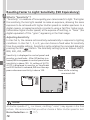
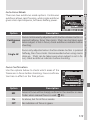
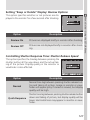
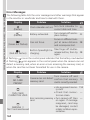
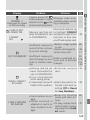
The following table explains the status of the
autofocus and flash-ready indicators. Note
that when focus mode is set to infinity, the
autofocus indicator will not appear.
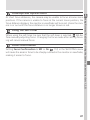
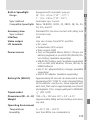
Indicator
Autofocus Flash-ready
indicator
indicator
Taking and Reviewing Pictures—Basic Picture Taking
5.1
Green
Green
(flashes)
Red
Red
(flashes)
None
Meaning
Subject in focus.
Camera unable to focus on subject. Use focus lock
( 56) to focus on another subject at same distance,
then recompose the picture.
Speedlight will fire when picture is taken.
Speedlight charging. Remove finger briefly from shutter-release button, then try again.
Speedlight not required or set to “off”.
Custom Focus Settings (User Sets 1, 2, and 3)
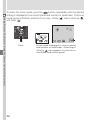
In User Sets 1, 2, and 3, manual focus ( 80) can be used in situations in which
the camera is unable to focus using autofocus. Manual or automatic focusarea selection ( 112) can be used to focus on an off-center subject without
using focus lock.
28