1
Removing the Memory Card
Before removing the memory card from a PC card slot or card reader, you will
need to remove the card from the system:
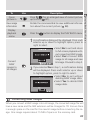
Windows XP Home Edition/Windows XP Professional
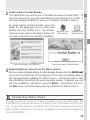
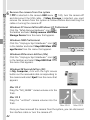
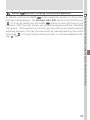
Click the “Safely Remove Hardware” icon ( ) in the taskbar and remove the
memory card from the system.
Windows 2000 Professional/Windows Millennium Edition (Me)
Click the “Unplug or Eject Hardware” icon ( ) in the taskbar and remove
the memory card from the system.
Windows 98 Second Edition (SE)
In My Computer, right click on the removable disk corresponding to the
memory card and select Eject from the menu that appears.
Mac OS X
Drag the “NO_NAME” volume that represents the memory card into the Trash.
Mac OS 9
Drag the “untitled” volume that represents the memory card into the Trash.
45
Doing More with Your Digital Camera—Connecting to a Computer
Be sure that transfer is complete before removing memory cards from the
card reader or PC card slot.