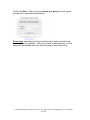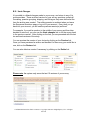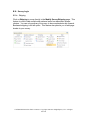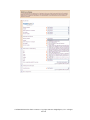
1
Client Handbook
This manual is to be used as a reference guide
for all InsightExpress platform users.
Confidential Information. Entire contents © Copyright 1999-2010 InsightExpress, LLC. All rights
reserved.
TABLE OF CONTENTS
A. WELCOME
B. SURVEY CREATION AND DESIGN
1. Account toolbars
a. My Surveys Menu
b. New Survey
c. Groups/Shared Surveys
d. Account Settings
e. Online Help
2. Survey Menu
3. Survey Creation
a. Preformatted Surveys
b. Preformatted Questions
c. Use a Template
d. Survey Controls Box
4. Survey Creation – Adding Questions to Your Survey
a. Drop Down Box
b. Radio Buttons
c. Checkboxes
d. Rating Scale
e. Short Text
f. Long Text
g. Numeric
h. Custom HTML
i. Image
j. Single Select Grid
k. Multi Select Grids
l. Multi-Dimensional Grids
m. Numeric Grid
n. Ranking Grid
o. Allocation Grid
p. Date
q. Query Strings
r. Drag/Drop
s. Other Question Libraries
5. Question Import/Export
a. Export Questions as XML
b. Import Questions from XML
c. Import/Export Text Files
d. Import Text Files
e. Question Examples for Importing and Exporting
6. Question Menu Options
7. Display Settings
8. Printer Version
9. Upload Images
10. Reorder Questions
Confidential Information. Entire contents © Copyright 1999-2010 InsightExpress, LLC. All rights
reserved.
11.
12.
13.
14.
15.
16.
17.
18.
19.
20.
21.
22.
23.
24.
Question Rotation
Search/Replace
Pre-Populate Answers
Creating a Respondent Group
Undo Changes
Survey Logic
a. Skipping
b. Selectively Present
c. Scripting
Remove Logic
Query Strings – Usage Details
Link Questions
Survey Appearance
Advanced Features
Rename Survey
Survey Language
Restrict Access
C. SURVEY PREVIEW
1. Preview Questionnaire
2. Live Preview
3. Survey Parameters
a. Runtime Notifications
b. Define Quotas
D. RESPONDENT RECRUITMENT
E. SURVEY LAUNCH
1. Submitting the Survey
2. Selecting the Target Audience
3. Target Completes
4. Final Survey Review
5. Activate survey
F. SURVEY RESULTS INTERPRETATION
1. View Results Online
a. Cross Tab
b. Question Options
c. Export Results
2. Show More Options
a. Selecting Filters
b. Banner Books
c. Test Statistical Differences (Stat Testing)
d. Results Layout
e. Display
3. Filters
a. Importing
b. Question Types
c. By Respondent
Confidential Information. Entire contents © Copyright 1999-2010 InsightExpress, LLC. All rights
reserved.
4.
5.
6.
7.
8.
9.
d. Compound Filters
e. Banner Books
Cross Tab
Export Results
My Coding Scheme
Tools Menu
a. Reset Results Settings
b. Chart Types
c. Completes by Day
d. Drop Analysis
e. Browse Responses
Email Results
Printer Version
Confidential Information. Entire contents © Copyright 1999-2010 InsightExpress, LLC. All rights
reserved.
A. WELCOME
When it comes to marketing research, you’re comfortable taking the lead.
Whether you prefer to work independently or are simply looking to economize,
the InsightExpress research platform can serve as a powerful and efficient ally.
Since opening our doors in 1999, InsightExpress has offered its clients superior
online marketing research services. The InsightExpress research platform
provides the most robust, inventive and advanced survey capabilities available –
all at a reasonable cost.
What sets us apart? While exceptional technology is the backbone of
sophisticated online research, our system was designed by researchers, not
technologists. As researchers, we understand that it’s important to adhere to
industry standards and we are able to provide the highest quality tools available.
We draw upon proprietary expertise in both research and technology to help you
achieve your research goals quickly, independently and with confidence.
InsightExpress puts this patented research engine at your fingertips so you can
work faster and manage your own timeframe, delivering top quality results to
your clients and internal stakeholders. We not only provide an exceptional tool,
but also a seamless experience from start to finish. Every stage of the process,
from survey development through data collection and top notch reporting, was
designed with ease and excellence in mind.
But we think of our platform as more than an accessible and reliable resource –
our own analysts and researchers put it to use on a daily basis. As both power
users and tough customers, we are constantly challenging ourselves to find new
ways to make a great thing even better.
This intuitive, accessible user manual was developed to arm our clients with a
comprehensive and searchable guide to our research platform. It contains step
by step instructions, visuals and examples which will help you successfully
create, share, launch and analyze your surveys.
We hope you enjoy tour research experience with InsightExpress. Thank you
for choosing us as your research partner.
Sincerely,
The InsightExpress Team
Confidential Information. Entire contents © Copyright 1999-2010 InsightExpress, LLC. All rights
reserved.
B. SURVEY CREATION & DESIGN
B1. Account Toolbars
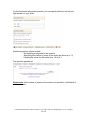
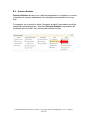
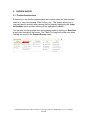
When you log into your account, you will see many toolbars that will assist you in
creating and fielding your survey.
B1a. My Surveys Menu
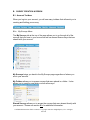
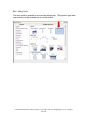
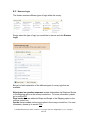
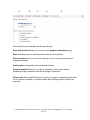
The My Surveys tab at the top of the page allows you to go through all of the
surveys that you have in your account as well as access those surveys that are
shared with your account.
My Surveys brings you back to the My Surveys page regardless of where you
are in your account.
My Folders allows you to access surveys that were placed in a folder. It also
allows you to create a new folder or show all surveys.
Shared Surveys allows you to access the surveys that were shared directly with
your account. Please see section B1c for additional information.
Confidential Information. Entire contents © Copyright 1999-2010 InsightExpress, LLC. All rights
reserved.
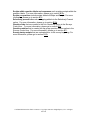
Surveys of others allows you to access the surveys that were shared with
groups that you are a part of. Please see section B1c for additional information.
Deleted Surveys allows you to access the surveys that were deleted.
Recent Surveys allows you to access surveys that were recently being edited or
analyzed.
B1b. New Survey
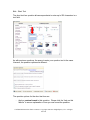
Allows you to create new surveys from 3 different options. Please refer to
section B3 for additional information.
Confidential Information. Entire contents © Copyright 1999-2010 InsightExpress, LLC. All rights
reserved.
B1c. Groups/Shared Surveys
Creating a Group
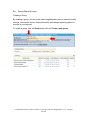
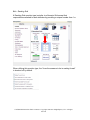
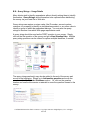
By creating a group, you can invite other InsightExpress users to see and modify
surveys, view results online, download results, and change reporting options to
surveys in your account.
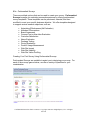
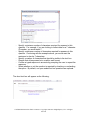
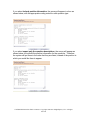
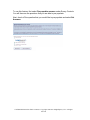
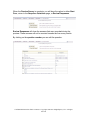
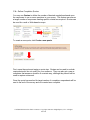
To create a group, click on Groups then click on Create a new group.
Confidential Information. Entire contents © Copyright 1999-2010 InsightExpress, LLC. All rights
reserved.
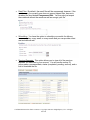
Next, choose a name for the group that you are creating (it can be anything that
you like). For example, you may choose the name of the person you are sharing
with, or a department name.
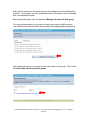
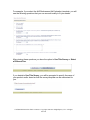
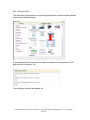
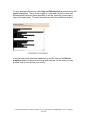
After naming the group, click on the button Manage the users for this group.
You may give permission to your group to see your surveys, modify surveys,
view results and download results by checking off the appropriate setting below.
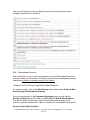
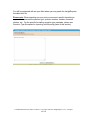
After creating the group, you need to invite other users to the group. Click on the
link Invite other users to join this group.
Confidential Information. Entire contents © Copyright 1999-2010 InsightExpress, LLC. All rights
reserved.
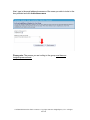
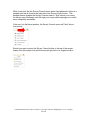
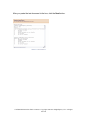
Next, type in the email address/username of the users you wish to invite in the
box provided and click Invite these users
Please note: The person you are inviting to the group must have an
InsightExpress account.
Confidential Information. Entire contents © Copyright 1999-2010 InsightExpress, LLC. All rights
reserved.
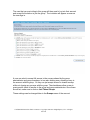
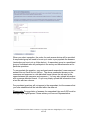
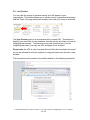
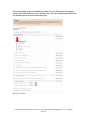
The user that you are inviting to this group will then need to log into their account
and accept the invitation to join the group. The invitation will appear as soon as
the user logs in.
A user can elect to accept full access to the surveys shared by the group
administrator and group members, in turn also sharing every existing survey in
the account with the group. Or they can just accept access to shared surveys
while not sharing any surveys with the group. The checkboxes allow a user to
grant specific levels of access to the group and group administrator. Once these
are all set, make sure to click on Join These Groups.
These settings can be changed later in the Groups menu of the account.
Confidential Information. Entire contents © Copyright 1999-2010 InsightExpress, LLC. All rights
reserved.
Sharing a Survey
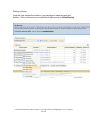
Once the user accepts the invitation, you may begin to share surveys with
him/her. Click on the survey you would like to share and go to Allow Sharing.
Confidential Information. Entire contents © Copyright 1999-2010 InsightExpress, LLC. All rights
reserved.
You will see the groups you set up in your account and the names of the users
who have accepted the invitation to join your group.
Once your groups are set, you may also set the permissions that you would like
to establish for individual users or for each group. Indicate the permissions you
would like to give by checking the corresponding boxes. Then click on Save
when you are done selecting the specific permissions.
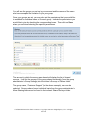
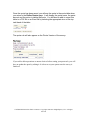
The account in which the survey was shared will display the list of shared
surveys. It will list the surveys of the group shared universally (from the group
administrator’s Group Settings) into the invitee’s Surveys of Others folder.
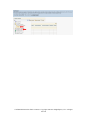
The group name, “Customer Support” (in the above example), can now be
selected. Surveys shared on an individual basis from the group administrator’s
Allow Sharing feature can be found in the invitee’s Shared Surveys folder.
Confidential Information. Entire contents © Copyright 1999-2010 InsightExpress, LLC. All rights
reserved.
Confidential Information. Entire contents © Copyright 1999-2010 InsightExpress, LLC. All rights
reserved.
Sharing Payment Methods
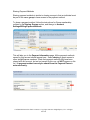
Sharing payment methods is similar to sharing surveys in that an individual must
be part of the same group to have access to the payment method.
To share a payment method, follow the instructions for Group membership
outlined in the Sharing Groups section, and then go to Account
Settings/Billing/Payment Methods.
This will take you to the Payment Information page. All the payment methods
owned by this account should appear here. Select sharing to grant access to
other InsightExpress members. (Note that payment methods that have been
shared with this account, but are not owned by this one, will NOT appear on this
list.) A payment method can only be shared from the Payment Owner’s
account directly.
Confidential Information. Entire contents © Copyright 1999-2010 InsightExpress, LLC. All rights
reserved.
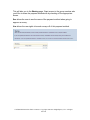
This will take you to the Sharing page. Grant access to the group member who
you'd like to share the payment method with by checking off the appropriate
boxes:
See allows the user to see the name of the payment method when going to
approve a survey.
Use allows the user rights to launch surveys off of this payment method.
Confidential Information. Entire contents © Copyright 1999-2010 InsightExpress, LLC. All rights
reserved.
B1d. Account Settings
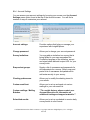
You can access your account settings by hovering your mouse over the Account
Settings menu option found at the top of the Account screen. You will find a
number of ways to customize your account.
Account settings:
Provides options that help you manage your
experience with InsightExpress.
Change password:
Allows you to change your account password.
Survey invitations:
You may add an invitation to a survey that is
being fielded to your own respondent list.
Create the language of the invitation, accept
and reject labels and add a reject URL for your
survey invite.
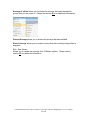
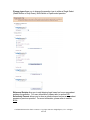
Respondent groups:
Supply a list of usernames and passwords for
all respondents for a survey. Simply copy and
paste a list of usernames and passwords to
add extra security to your survey.
Charting preferences:
Allows you to modify the charting views for
your results.
Custom email text:
Allows you to set up and send out custom
mailings to your own email list.
Custom mailings / Mailing
Batches:
**To use this feature, please contact your
Account Executive for information on
additional training and support materials.**
Scheduled results:
Allows you to set up a schedule to receive daily
survey results in a set format.
Confidential Information. Entire contents © Copyright 1999-2010 InsightExpress, LLC. All rights
reserved.
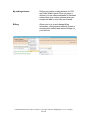
My coding scheme:
Define your custom coding scheme for CSV
and Fixed Width reports. Once you have it
defined, you can choose between IX Standard
scheme and your custom scheme when you
request the data in one of the two formats.
Billing:
Allows you to go in and change billing
information, view payment methods, create a
new payment method and monitor billings for
your account.
Confidential Information. Entire contents © Copyright 1999-2010 InsightExpress, LLC. All rights
reserved.
B1e. Online Help
- Help on this page will link you to live chat support, or you can search
the InsightExpress technical support database.
- Live Chat Support allows you to contact a Custom Marketing Research
Coordinator in real time, during support hours.
Confidential Information. Entire contents © Copyright 1999-2010 InsightExpress, LLC. All rights
reserved.
- Market Research Tools allows you to search for the most recent
marketing research terminology and calculators.
-
Client Handbook allows you to open the Client Handbook from the
site.
Confidential Information. Entire contents © Copyright 1999-2010 InsightExpress, LLC. All rights
reserved.
[New Survey] allows you to access the most recent survey that you edited (the
survey name will appear within the brackets).
-
-
Preview Survey allows you to preview the survey. Please refer to section
C for additional information.
Define Survey allows you to edit the survey, if the survey is not live.
Select audience allows you to select your target audience (email list or
Web site visitors). Please refer to section E2 for additional information.
Final review allows you to do one final review of your survey prior to
submitting the survey for processing. Please refer to section E4 for
additional information.
Advanced features allows you to access the advanced features of the
survey. Please refer to section B21 for additional information.
Define quotas allows you to set up quotas for your survey – please refer
to page C3b for additional information.
Confidential Information. Entire contents © Copyright 1999-2010 InsightExpress, LLC. All rights
reserved.
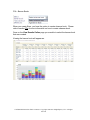
B2. Survey Menu
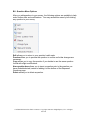
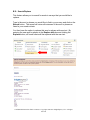
Once logged in, the first page you will see is entitled My Surveys. This page
lists all surveys that have been created in your account (or surveys that have
been made available to you though the groupware functionality).
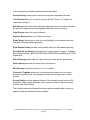
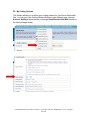
By clicking on the name of the survey, you will see the following options: Preview
Survey, Live Preview, Edit Survey, Copy Survey, Approve Survey, Close
Survey, View Results Online, Send Results Via E-mail, Allow Sharing,
Delete Survey, Move Survey, Convert to Template, and Survey Details.
Confidential Information. Entire contents © Copyright 1999-2010 InsightExpress, LLC. All rights
reserved.
The survey options mentioned above perform as follows:
Preview Survey allows you to view the survey as a respondent will see it.
Live Preview allows you to view the survey and the “Thank You” Page as a
respondent will see it.
Edit Survey links to the survey edit page when the survey is in edit mode and to
the thank you page and not running page when the survey is running.
Copy Survey copies the survey selected.
Approve Survey allows you to field your survey.
Close Survey allows you to close a survey fielding to your audience that was
launched off a partnership agreement.
View Results Online provides survey results online for Web-based reporting.
Send Results via Email provides access to survey results via email. Available
data formats include: MS Excel/CSV/Fixed Width/SPSS format/Microsoft T-SQL
Statements.
Allow Sharing permits others to view the survey under specific permissions.
Delete Survey removes the survey from your account.
Move Survey moves the survey in or out of a folder.
Convert to Template allows you to customize and create your own survey
template including logos, color background and fonts for later use on future
surveys.
Survey Details provides approval details of the selected survey such as URL,
username, target, target completes, price, payment method, date survey was
created, and online invoice.
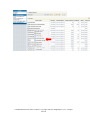
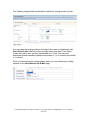
The following screenshot shows the results options available after a survey is
approved and has achieved its first complete.
Confidential Information. Entire contents © Copyright 1999-2010 InsightExpress, LLC. All rights
reserved.
Confidential Information. Entire contents © Copyright 1999-2010 InsightExpress, LLC. All rights
reserved.
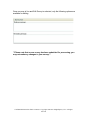
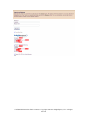
Once a survey is live and Edit Survey is selected, only the following options are
available for editing.
**Please note that once a survey has been submitted for processing, you
may not make any changes to your survey.**
Confidential Information. Entire contents © Copyright 1999-2010 InsightExpress, LLC. All rights
reserved.
B3. SURVEY CREATION
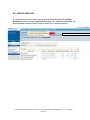
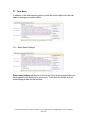
To create a new survey, simply log into your account and click on the New
Survey tab at the top of any InsightExpress page. For additional assistance, we
have included numerous helpful hints to assist you in creating surveys.
Click here to create a New Survey!
Confidential Information. Entire contents © Copyright 1999-2010 InsightExpress, LLC. All rights
reserved.
B3a. Preformatted Surveys
There are multiple options that can be used to create your survey. Preformatted
Surveys leverage our marketing research experience by offering preformatted
survey templates. These templates can be previewed, selected, and then
modified to meet your specific business objective. We offer templates designed
to support various research objectives, such as:
•
•
•
•
•
•
•
•
•
•
•
•
Advertising Effectiveness (Ad Evaluation)
Attitudes & Perceptions
Brand Awareness
Concept Test or New Idea Evaluation
Customer Satisfaction
Name Evaluation
Package Testing
Pricing Evaluation
Product Usage Measurement
Web Site Impact
Web Site Usability
Web Site Visitor Profiling
Creating Your First Survey Using Preformatted Surveys
Preformatted Surveys are available to assist you in designing your survey. For
each of the surveys genres below, we offer a variety of questions for your
consideration.
Confidential Information. Entire contents © Copyright 1999-2010 InsightExpress, LLC. All rights
reserved.
For example, if you select the Ad Effectiveness (Ad Evaluation) template, you will
see the following questions that you can use and modify to fit your needs.
After viewing these questions you have the option to Use This Survey or Select
a Different One.
If you decide to Use This Survey, you will be prompted to specify the name of
your product and/or brand so that the survey template can be customized for
you.
Confidential Information. Entire contents © Copyright 1999-2010 InsightExpress, LLC. All rights
reserved.
Next, you will see the survey created with your product and/or brand name
already inserted into the questions.
B3b. Preformatted Questions
Get a jump start on your survey development by using Preformatted Questions.
Using our battery of commonly used survey questions and corresponding answer
selections is similar to creating a survey from scratch.
Creating Your First Survey Using Preformatted Questions
To create a survey, click on the New Survey tab and then select Create A New
Survey Using Preformatted Questions.
Once you are brought to the Sequence Questions page, you will see the
Survey Controls box and the option to Click Here To Add A New Question.
The options within the Surveys Control box are discussed throughout this
manual, so please reference the Table of Contents for more detailed information.
Survey Controls Box Location
Confidential Information. Entire contents © Copyright 1999-2010 InsightExpress, LLC. All rights
reserved.
While it may look like the Survey Controls menu has a fixed placement, there is a
pushpin icon that is found at the right side of the Survey Control menu. This
pushpin feature enables the Survey Controls menu to “float” above your survey
so that you can effortlessly scroll through your survey while keeping your controls
menu completely accessible.
If the icon is in the below position, the Survey Controls menu will “float” above
your survey:
Should you want to return the Survey Control toolbar to the top of the screen,
simply click the pushpin icon and the menu will go back to its original location.
Confidential Information. Entire contents © Copyright 1999-2010 InsightExpress, LLC. All rights
reserved.
Below is a list of features offered within the Survey Controls box. Most of these
items are discussed more thoroughly throughout the manual.
(Please note: We have enabled Hot Keys to support the most frequently used menu items.
Hot Keys are keyboard shortcuts that allow our users to quickly get to key survey pages.
To enable Hot Keys, simply press the Control button as well as the associated Hot Key
letter noted below.)
B3c. Use a Template
With InsightExpress’ groupware functionality, you can create survey templates
that are similar to the surveys used by others in the same workgroup.
Alternately, you can also create a survey by using the Copy Survey option.
*Please note there is a context-sensitive Section Assistance area on the lefthand side of every page within the platform to address most frequently asked
questions.
Confidential Information. Entire contents © Copyright 1999-2010 InsightExpress, LLC. All rights
reserved.
B3d. Survey Controls Box
Review
Preview survey: Preview the survey and switch between questions (Hot Key “P”).
Live preview: Preview the survey and test survey logic as if you were a respondent (Hot
Key “L”).
Add question: Add a survey question (Hot Key “A”).
Continue. . . : Allows you to name your survey, adjust the number of completes
and submit your survey for processing.
Questions & Answers
Import/export: Import/export questions from your survey via .XML files or text
files.
Reorder questions: Allows you to select one or more questions and reorder them.
Question names: Assigns a name to any question in your survey to make
skipping and logic more readable. For example, you might assign a gender
question with the label "Gender", then you could use this label in a script such as:
if(GetAnswer("Gender")=0, goto(10)). Labels can also be used for skips. For
example, if you label the first question of your demographic questions "demos",
you could write: goto("Demos").
Prepopulate answers: Allows you to prepopulate the survey results associated
with a previous question for one or more individuals. This feature enables to you
include and analyze results without specifically asking a respondent this
particular question.
Search/replace: Previously known as “Search and replace” allows you to search
and replace words or phrases throughout your survey (Hot Key “S”).
Formatting
Advanced features: Adjust the header, footer, and thank you page of your survey
as well as other options (Hot Key “V”).
Survey colors: Adjusts the formatting of your survey via cascading style sheets
(Hot Key “C”).
Survey language: Selects the survey language that will adjust the buttons within
the survey and the copyright statement.
Logic:
Link questions: Enables responses selected (or not selected) from one question
to flow into the next.
Question rotation: Adjusts the rotation of questions or sets of questions.
Define quotas: Allows you to define the number of desired completions based
upon the responses to one or more questions in your email or Web-based
survey. This feature can be used to ensure that a target number of responses
meeting specific criteria are acquired (Hot Key “Q”).
Confidential Information. Entire contents © Copyright 1999-2010 InsightExpress, LLC. All rights
reserved.
Remove Logic: Allows you to remove all logic or selected survey logic from your
survey.
Skipping: Adjusts the question presentation and logic of your survey.
Other
Rename survey: Gives your survey a new name (Hot Key “N”).
Restrict access: Heightens the confidentiality of your survey by restricting
individuals originating from specific domain names or IP addresses from
accessing your survey.
Undo changes: Allows you to rollback changes made to your survey ..
Encrypt Answers: Encrypts your answers so that results are not shown in View
Results Online.
Confidential Information. Entire contents © Copyright 1999-2010 InsightExpress, LLC. All rights
reserved.
B4. Survey Creation - Adding Questions to Your Survey
Below the option to add new questions to your survey, the program will tell you
the number of columns that have been used and how many more columns are
available. As with most databases, there is a column limitation of 1,024. The
number of columns used in our database will depend upon the question type that
you choose when building your survey. Should you exceed the 1,024 column
limitation, you will be notified.
Confidential Information. Entire contents © Copyright 1999-2010 InsightExpress, LLC. All rights
reserved.
InsightExpress offers a wide variety of questions to support your survey design
needs. Below is a summary of the available question types.
Confidential Information. Entire contents © Copyright 1999-2010 InsightExpress, LLC. All rights
reserved.
B4a. Drop Down Box
The Drop Down Box is one of two single select question types that we offer. To
add a drop down box, simply click on the question type in the Available
Questions box.
Confidential Information. Entire contents © Copyright 1999-2010 InsightExpress, LLC. All rights
reserved.
Next, either type your question or copy and paste it into the text box. Now you
are free to edit the list of possible responses. You will be presented with the
option to edit the question text, answer set, and set options for the question.
Confidential Information. Entire contents © Copyright 1999-2010 InsightExpress, LLC. All rights
reserved.
Within the question text area, there are three tabs: Edit, HTML and Preview.
The Edit tab will allow you to put in the question text with HTML coding (an
HTML tutorial can be found by clicking on the word “here”.)
If you are unfamiliar with HTML coding, you may click on the HTML tab and you
will see a toolbar similar to that in Word which will assist you in formatting your
question text.
Regardless of whether you inserted your question text using the Edit tab or the
HTML tab, once you save your question, the Preview tab will show you how your
question text will appear to the respondent.
For all questions that you add to your survey, you will see a question text area
with three tabs. Next to these three tabs, you have the option to add an image to
the question text.
Confidential Information. Entire contents © Copyright 1999-2010 InsightExpress, LLC. All rights
reserved.
To add an image, simply click on the “add image” link and a new window will
appear. This new window will allow you to browse for an image on your
computer that can be selected for survey upload.
Once uploaded, you will see HTML coding with a link to the image that was
uploaded by the tool.
Confidential Information. Entire contents © Copyright 1999-2010 InsightExpress, LLC. All rights
reserved.
To the left of the responses you have an image of 8 very small dots that will allow
you to “drag” the response to a different order. Simply hover over the dots, click
and move the response to the order that you wish.
You have the ability to delete the default data on any question/answer choice and
overwrite that information with your own data. You may also enter possible
responses through the Advanced Edit Mode, which will allow you to take a
chunk of information and insert it into the response list at one time. Once you
click back on Standard Edit Mode, your responses will be returned into
individual cells.
Confidential Information. Entire contents © Copyright 1999-2010 InsightExpress, LLC. All rights
reserved.
The question options available for Drop Down question types are Rotate the
response list for this question and Do not require a response to this
question.
If the option to Rotate the response list for this question is selected, then a
column titled Don’t Rotate will appear to the right of the responses. By leaving
these boxes unchecked, you eliminate potential survey bias because your survey
will rotate though the entire response list. You may also choose not to rotate an
Other or Don’t Know answer choice so that it serves as an anchor to your list.
You may also drag the responses to a different order by hovering over the
columns to the right of the responses as well. (Earlier we mentioned that you
can move them by hovering over the eight small dots to the left of the
responses.)
Confidential Information. Entire contents © Copyright 1999-2010 InsightExpress, LLC. All rights
reserved.
When you are finished creating your Drop Down question, you can choose to
Save Changes, Save and Preview, Pre-populate Answers, Add to library or
Cancel.
Save Changes allows you to save the changes made to your question and
returns you to the Sequence Questions page where you may add additional
questions.
Save and preview allows you to preview the question as it will appear to a
respondent. By clicking on the Cropping Tool icon to the left of the question
number, you can make modifications to the question before returning to the
Sequence Questions page. If no further modifications are necessary, simply
click on the Done with preview button.
Pre-populate answers is detailed in section B13.
Confidential Information. Entire contents © Copyright 1999-2010 InsightExpress, LLC. All rights
reserved.
Add to library allows you to save a question to your Custom Library so that you
can use it over and over again. When you add a question to the library, you are
brought back to the Sequence Questions page. If you would like to use the
question again, it can be found under the library titled Personal Question
Library when adding a new question.
Cancel allows you to reject the changes made; modifications will not be saved.
After selecting the Cancel option you will return to the Sequence Questions page.
Confidential Information. Entire contents © Copyright 1999-2010 InsightExpress, LLC. All rights
reserved.
B4b. Radio Buttons
The next question type available is a radio button question, which is also a single
select question type.
Confidential Information. Entire contents © Copyright 1999-2010 InsightExpress, LLC. All rights
reserved.
Similar to the Drop Down question type, you will have the same formatting
options for entering in your question text.
Although the same features are there for entering in the response list, you will
now see two additional columns – Select Image and Specify Box.
(You will only see the Don’t Rotate column if the Rotate this response list in
the Question Options box is selected.)
Confidential Information. Entire contents © Copyright 1999-2010 InsightExpress, LLC. All rights
reserved.
Select Image allows you to upload an image into your answer set. To upload an
image, simply click the Select Image icon and a new window will appear. Within
the new window, browse for an image on your computer and upload it to the
response list. Note, the image that you upload to your question text should be the
size that you would like it to appear in the survey.
Specify Box
If you have chosen Other: Specify as an answer choice, selecting this option will
provide a text box for the respondent to provide an open-ended response.
When you preview the question, it will appear as the following:
Confidential Information. Entire contents © Copyright 1999-2010 InsightExpress, LLC. All rights
reserved.
B4c. Checkboxes
Checkboxes are a multi-select question type that allow the respondent to choose
more than one answer.
Confidential Information. Entire contents © Copyright 1999-2010 InsightExpress, LLC. All rights
reserved.
When using a multiple response question type, you have some additional options
to help customize your question. Similar to the single select question, you have
the option to add an image, not rotate answers and add a specify box. With a
multiple response question, you also have the option to make an answer choice
Mutually Exclusive. When Mutually Exclusive is selected, it validates that no
other responses have been selected. To engage this feature, just check the
mutually exclusive box next to the question. Mutually Exclusive is often used
when None of the above and/or Don’t Know answer choices are offered.
Confidential Information. Entire contents © Copyright 1999-2010 InsightExpress, LLC. All rights
reserved.
With multiple response questions, you have two additional question options for
consideration. The first option sets a minimum and maximum number of choices
that can be checked by a respondent. By default, multi-select questions are
optional. However, to make the question required, you can set a minimum
response of “1.”
Confidential Information. Entire contents © Copyright 1999-2010 InsightExpress, LLC. All rights
reserved.
By selecting Save and Preview, you will be able to view the format and
functionality of the multi-select checkbox question that you just created.
Confidential Information. Entire contents © Copyright 1999-2010 InsightExpress, LLC. All rights
reserved.
B4d. Rating Scale
The next question available is a horizontal rating scale. This question type asks
respondents to make evaluations in a scalar format.
Confidential Information. Entire contents © Copyright 1999-2010 InsightExpress, LLC. All rights
reserved.
For the horizontal rating scale question, you can specify labels for the left and
right anchors of your scale.
Additional question options include:
- Not requiring a response to the question
- Specifying the number of points in the scale (we allow up to 11)
- Labeling the points for this scale from 1-N or N-1
The question appears as:
Please note: if the number of points on the scale is not specified, it will default to
a 10 point scale.
Confidential Information. Entire contents © Copyright 1999-2010 InsightExpress, LLC. All rights
reserved.
B4e. Short Text
The short text box question allows respondents to enter up to 255 characters in a
text field.
As with previous questions, the space to enter your question text is the same.
However, the question options are different:
The question options for the short text box are:
-
Apply a custom format to this question. Please click the “help on this
feature” to see an explanation of how you can format the question.
Confidential Information. Entire contents © Copyright 1999-2010 InsightExpress, LLC. All rights
reserved.
-
-
-
Specify a minimum number of characters required for answers to this
question. For example, if you are looking to collect data for a 7 character
ID number, you would enter 7.
Specify a maximum number of characters required for answers to this
question. Continuing with the example above, you would want the
maximum to also be 7 characters.
Specify a number of characters that should be visible in the text box.
Require that all responses be in a valid e-mail format.
Confirm a typed response is accurate by prompting the user to repeat the
response.
Select whether or not the question is required by checking or unchecking
the option. By default, our open ended text box questions are optional.
The short text box will appear as the following:
Confidential Information. Entire contents © Copyright 1999-2010 InsightExpress, LLC. All rights
reserved.
B4f. Long Text
This question allows for approximately 30,000 characters to be recorded.
Confidential Information. Entire contents © Copyright 1999-2010 InsightExpress, LLC. All rights
reserved.
You’ll need to enter in the question text:
By default, responses to long text box questions are optional but, if desired, you
may require a response.
The long text box question type will appear as the following to respondents:
Confidential Information. Entire contents © Copyright 1999-2010 InsightExpress, LLC. All rights
reserved.
B4g. Numeric
This question type only accepts numbers.
Confidential Information. Entire contents © Copyright 1999-2010 InsightExpress, LLC. All rights
reserved.
The question options for Numeric questions are:
-
-
-
Force responses to be in whole numbers: If this isn’t selected,
respondents can put in decimals into their numbers.
Specify a minimum value for answers to this question: If you are looking
to have a minimum value, you would specify it here. So for example, if
you know that you are asking a year of birth question in your survey, you
may want to put 1900 as a minimum value, as respondents would not
have a birth year prior to 1900.
Specify a maximum value for answers to this question: you can also
specify a maximum value for answers (not characters) to your question.
With the same example mentioned above, you probably could put a
maximum value of 1996, as those under the age of 13 would not be
responding to your survey.
Do not require a response to this question: Check this if you would like
your question to be optional.
The numeric question type will appear as:
Confidential Information. Entire contents © Copyright 1999-2010 InsightExpress, LLC. All rights
reserved.
B4h. Custom HTML
This question type is used for an introduction or concept statement. There
are no responses or open ended boxes associated with it. Simply enter your
statement in the question text area and save the question.
There are no additional question options associated with this question type.
Confidential Information. Entire contents © Copyright 1999-2010 InsightExpress, LLC. All rights
reserved.
B4i. Image
You may upload an image into a Custom HTML question type.
Although you may add images to any question type, by uploading them to a
Custom HTML question you may upload multiple images and take advantage
of the additional question options noted below.
To upload multiple images, simple select the first image, save the question
and then go back into the question to add more.
As with the other question types, you may select an image that is stored on
your computer.
Confidential Information. Entire contents © Copyright 1999-2010 InsightExpress, LLC. All rights
reserved.
The question options for this question type are:
- Require respondent to download image protection software to view
the image. This feature protects the image by preventing the respondent
from copying and pasting it.
- Specify the maximum width of the images for this question allows you
to determine how wide you would like the image to appear. For example,
if the image(s) is 1000 pixels wide, but you would like it to appear as 700
pixels wide, simply insert 700 pixels.
- Specify the maximum height of the images for this question allows
you to determine the image’s height. As in the example above, if your
image(s) is 600 pixels tall, but you would like it to appear as 400 pixels tall,
simply insert 400.
- Image presentation layout allows you to choose from a variety of
different layouts (Sequential, Thumbnail, Book, 2 Column and Highslide)
depending on the number of images you are showing. .
- Specify the width of the album used when showing multiple images
allows you to state how wide (in pixel format) you would like your album to
appear to your respondents.
- Specify the height of the album used when showing multiple images
allows you to state how tall (in pixel format) you would like your album to
appear to your respondents.
Using the InsightExpress logo as the image, below is an example of how an
image question will appear:
Confidential Information. Entire contents © Copyright 1999-2010 InsightExpress, LLC. All rights
reserved.
B4j. Single Select Grid
The Single Select Grid question type allows the respondent to rate multiple
items at one time.
Confidential Information. Entire contents © Copyright 1999-2010 InsightExpress, LLC. All rights
reserved.
After entering the question text, you will have the opportunity to define the
column labels and the row labels.
These grids can accommodate up to 14 columns, and not all columns need to be
labeled. You may use the dragging feature to re-order the column labels, as well
as row labels. In addition, you may anchor the column labels, when this option is
selected in the Question Options box.
You also may select a column label to be Mutually Exclusive. However, this is
not necessary in a single-select grid, as respondents can only select one
response per row. (You will see in section B4j that there is an option to make the
single-select grid a multi-select grid, rather than having to re-create it).
The row responses may be reordered using the dragging feature. You also have
the option to add images to the response list as well as to the anchors of any of
the responses. The Standard Edit Mode or the Advanced Edit Mode can also be
used for the row labels.
Confidential Information. Entire contents © Copyright 1999-2010 InsightExpress, LLC. All rights
reserved.
Additional features for this question are:
-
-
-
-
-
Rotate the response list for this question allows you to rotate all
responses in a different order for each respondent.
Rotate the columns for this question allows you to rotate all the
columns in a different order for each respondent. Note, if you use this
option, each column should be labeled.
Allow multiple selections in the same row permits respondents to
select multiple items in the same row. This is called the Multi-Select Grid
question (see section B4k).
Force a response to this question is the default option unless otherwise
specified.
Show labels in each cell of the grid: does not apply to this grid question
Hide the side labels from this scale allows you to remove side labels in
your response list (the default appearance is to label each response row
from a-n.).
Force the width of the table for this grid in pixels or leave blank for
default allows you to set the entire table width to a certain size.
Force the height of the table for this grid in pixels or leave blank for
default allows you to specify the height of the table for lengthy response
lists. The list will be scrollable so that the column labels remain static.
Force the column width for the labels in the grid, indicate size in
pixels or leave blank for default allows you to specify the width of the
space underneath the column labels within the grid.
Confidential Information. Entire contents © Copyright 1999-2010 InsightExpress, LLC. All rights
reserved.
-
Force the column width for the answers in the grid, indicate size in
pixels or leave blank for default allows you to specify the width for the
response list section of the grid.
Please note: If you choose to specify how wide the entire grid table will
be, you will need to make sure that the Width of the table is equal to the
pixel width you choose for the column of the response list, as well as the
entire area for the radio buttons. In the screen shot below, the first box
will equal the sum of the last two boxes.
The Single Select Grid question appears as follows:
Confidential Information. Entire contents © Copyright 1999-2010 InsightExpress, LLC. All rights
reserved.
B4k. Multi-Select Grid
This question type allows respondents to select multiple answer choices in the
same row.
Multi-Select Grids are the same as Single Select Grids, except for one key
difference, the option to “Allow multiple selections in the same row” is checked off
by default.
Additional features for this question are:
-
Rotate the response list for this question allows you to rotate all
responses in a different order for each respondent.
Confidential Information. Entire contents © Copyright 1999-2010 InsightExpress, LLC. All rights
reserved.
-
-
-
-
-
Rotate the columns for this question allows you to rotate all the
columns in a different order for each respondent. Note, if you use this
option, each column should be labeled.
Allow multiple selections in the same row is the default for Multi-Select
Grid questions.
Force a response to this question is the default option unless otherwise
specified.
Show labels in each cell of the grid: does not apply to this grid question
Hide the side labels from this scale allows you to remove side labels in
your response list (the default appearance is to label each response row
from a-n).
Force the width of the table for this grid in pixels or leave blank for
default allows you to set the entire table width to a certain size.
Force the height of the table for this grid in pixels or leave blank for
default allows you to specify the height of the table for lengthy response
lists. The list will be scrollable so that the column labels remain static.
Force the column width for the labels in the grid, indicate size in
pixels or leave blank for default allows you to specify the width of the
space underneath the column labels within the grid.
Force the column width for the answers in the grid, indicate size in
pixels or leave blank for default allows you to specify the width for the
response list section of the grid.
Please note: If you choose to specify how wide the entire grid table will
be, you will need to make sure that the Width of the table is equal to the
pixel width you choose for the column of the response list as well as the
entire area for the checkboxes. In the screen shot below, the first box will
equal the sum of the last two boxes.
Confidential Information. Entire contents © Copyright 1999-2010 InsightExpress, LLC. All rights
reserved.
The Multi-Select Grid will appear as:
Please note that you may also add an opt-out column, such as “None of these” or
“Not Applicable”, which can be set to mutually exclusive, using the
<mutuallyexclusive> tag.
Confidential Information. Entire contents © Copyright 1999-2010 InsightExpress, LLC. All rights
reserved.
B4l. Multi-Dimensional Grids
Multi-Dimensional Grids are a powerful question type that allows you to ask
respondents multiple questions in a compact form.
Confidential Information. Entire contents © Copyright 1999-2010 InsightExpress, LLC. All rights
reserved.
Below are four options for Multi-Dimensional Grid questions in addition to the
collection of importance and satisfaction data:
Hybrid Questions allow you to ask respondents multiple types of questions for
one attribute. In the example pictured above there are three questions being
asked about three different cars. The first question, Satisfaction, is formatted as
a Single Select Grid, the second question, Preference, is formatted as a Single
Select and the third question, Usage, is formatted as a Multi-Select.
To create a hybrid question type, simply click on the Next button. After clicking
on the next button you will be asked to label your columns, select your question
types and then label your response rows.
To demonstrate how to build a hybrid question, we have re-created the question
in the example above.
Confidential Information. Entire contents © Copyright 1999-2010 InsightExpress, LLC. All rights
reserved.
Once you have identified the columns, question types and row labels, click on
Create Table.
Once the table has been created, you will return to the Sequence Questions
page with the grid created, but not in its final form. Within the grid, you will see
both “parent” questions and “child” questions.
The parent question is the overall question being asked of your respondents and
it links together the child question(s). The child question(s) are the individual
questions that make up the hybrid question.
The parent question is programmed as a concept statement which needs to be
edited because when the hybrid question is created the text “Table” appears in
the question label. The child question(s) may also be edited if the question label
or responses need to be modified. In this example the parent question is 16 and
the child questions are 17-19.
Confidential Information. Entire contents © Copyright 1999-2010 InsightExpress, LLC. All rights
reserved.
For example, when editing question 16, you can enter the question text as well
any of the column or row labels. You will see that the column labels are the three
child questions in this example. There is only one row for this type of multidimensional grid and the responses are separated by the delimiter !. (The tool
recognizes that this character means that the next row response will follow.)
Three additional question options are available for Multi-Dimensional Grids:
- Hide the side labels from this scale allows you to hide the response
labels of “a-n”.
- Show the labels of the questions in the grid permits you to show the
labels, usually the combination of the column and row, for each question
within the grid. Please note, this feature does not necessarily apply to the
hybrid question type.
- Add a border to the grid allows you to add a border and separate each
column and row from each other.
When you go in to edit any of the “child” questions, you will notice that the edit
mode is exactly the same as if you were creating this question type earlier in your
survey. For the grid question, in this case the Satisfaction column, you will want
to update the sub-column labels.
Confidential Information. Entire contents © Copyright 1999-2010 InsightExpress, LLC. All rights
reserved.
After updating the “parent” question and any applicable “child” questions, the
hybrid multi-dimensional grid will appear as such:
Confidential Information. Entire contents © Copyright 1999-2010 InsightExpress, LLC. All rights
reserved.
Same Column Same Question
With a Same Column Same Question multi-dimensional grid, a single
question is asked in one column for all responses. For example, in the
question above, each row has its own set of answer choices.
Confidential Information. Entire contents © Copyright 1999-2010 InsightExpress, LLC. All rights
reserved.
Similar to programming a Hybrid Multi-Dimensional grid, you need to label the
column and row labels within your question in order to create the Same
Column Same Question type. However, because each column is the same
question, you select the question type after you label the columns and rows.
Below is a re-creation of the previous example.
After you click “Next” you will be asked to select the question type for each
column:
We offer six different question types and the ability to make the questions in
the column optional.
Confidential Information. Entire contents © Copyright 1999-2010 InsightExpress, LLC. All rights
reserved.
After clicking Next you will return to the Sequence Questions page where you
will see the “parent” question (the question that will display the question text)
and the “child” questions (the questions that are created for each row and
column combination). The “child” questions are labeled according to row,
column so that you know which question to edit.
In the example below, question 20 is the “parent” question and questions 2128 are the “child” questions.
After the grid is created, the question text needs to be inserted into the parent
question.
In the grid above, each column and row is labeled.
The following are additional question options available for Same Column
Same Question grids:
- Hide the scale label from this scale does not apply to this grid question,
as you cannot add a single or multi-select grid question.
- Show the labels of the questions in the grid is offered to show the
labels (usually a combination of the column and row) for each question
within the grid.
- Add a border to the grid allows you to add a border and separate each
column and row from each other.
Confidential Information. Entire contents © Copyright 1999-2010 InsightExpress, LLC. All rights
reserved.
However you may need to make minor adjustments to the child questions.
One example of this is adding an answer choice. In the example we created,
we actually did not put in the scale for Importance nor Satisfaction. If we click
to edit any of the child questions, we can actually add it to this one question
and we can “propagate” it to the other questions in the grid.
In this case, we are editing question 21 to add the Importance Scale:
Confidential Information. Entire contents © Copyright 1999-2010 InsightExpress, LLC. All rights
reserved.
After you add the response list (in this case scale points), you will see on the
bottom of the page:
-
-
Don’t propagate these changes to other questions in the grids – just make
the changes to this one question and leave all other questions alone
Propagate these changes to other questions in the same row – save these
changes to the other questions that appear in the same row
Propagate these changes to other questions in the same column – save
these changes to the other questions that appear in the same column (this
is the option that will be used in this case)
Propagate these changes to all other questions in the grid – save these
changes across the entire grid.
After also adding the scale to the Satisfaction column as well, the question will
appear as:
Confidential Information. Entire contents © Copyright 1999-2010 InsightExpress, LLC. All rights
reserved.
The question with showing the labels of the questions will appear as:
And the following is how the grid would appear with a border:
Confidential Information. Entire contents © Copyright 1999-2010 InsightExpress, LLC. All rights
reserved.
Same Row Same Question
With a Same Row Same Question multi-dimensional grid the same question can
be asked across rows but have different attributes across columns. This
question type is the reverse of the Same Column Same Question format.
Below is an example of how to create a Same Row Same Question grid.
To begin, name your column and row labels.
Confidential Information. Entire contents © Copyright 1999-2010 InsightExpress, LLC. All rights
reserved.
Next, define the question types for the rows as well as the response list
Confidential Information. Entire contents © Copyright 1999-2010 InsightExpress, LLC. All rights
reserved.
Once the grid is created, you will return to the Sequence Questions page and
be presented with “parent” and “child” questions. Your desired question text
should be typed into the “parent” question and the “child” questions should be
edited to reflect any row/column changes.
In the example below, question 29 is the “parent” question and questions 3037 are the “child” questions.
The following are additional question options available for Same Row Same
Question grids:
-
-
Hide the scale label from this scale does not apply to this grid question,
as you cannot add a single or multi-select grid question.
Show the labels of the questions in the grid is offered to show the
labels (usually a combination of the column and row) for each question
within the grid.
Add a border to the grid allows you to add a border and separate each
column and row from each other.
The Same Row Same Question format will appear to respondents as:
Confidential Information. Entire contents © Copyright 1999-2010 InsightExpress, LLC. All rights
reserved.
Confidential Information. Entire contents © Copyright 1999-2010 InsightExpress, LLC. All rights
reserved.
Custom Cells
With the Custom Cells grid, a different question type is available for each
row/column combination.
To begin, specify the number of desired rows and columns (width x height) at the
top of the screen. As you enter the information the grid will automatically adjust
itself. See image below.
After specifying labels for the rows and columns, click on “Column 1” and
“Column 2” to name each of the columns. Next, click on “Row 1” and “Row 2” to
adjust the row text.
Confidential Information. Entire contents © Copyright 1999-2010 InsightExpress, LLC. All rights
reserved.
At any point on this page, simply click, “add column” or “add row” to insert a new
row or column.
Confidential Information. Entire contents © Copyright 1999-2010 InsightExpress, LLC. All rights
reserved.
After you have labeled your rows and columns, click on the label icon to change
the question type. You can choose from the seven different question types noted
below:
Confidential Information. Entire contents © Copyright 1999-2010 InsightExpress, LLC. All rights
reserved.
Once the question types have been set, click “Save Grid.”
Once you have saved your grid, you will return to the Sequence Questions page
where you can adjust your answer choices.
After your answer choices are updated, you can preview your question:
Confidential Information. Entire contents © Copyright 1999-2010 InsightExpress, LLC. All rights
reserved.
Importance/Satisfaction Grids
Importance/Satisfaction grids are the same as Same Column Same Question
grids however in Importance/Satisfaction grids the column names default to
Importance and Satisfaction:
Confidential Information. Entire contents © Copyright 1999-2010 InsightExpress, LLC. All rights
reserved.
In an Importance/Satisfaction grid the answer sets are predefined and the only
information to modify is the question text. The question will appear as:
Confidential Information. Entire contents © Copyright 1999-2010 InsightExpress, LLC. All rights
reserved.
B4m. Numeric Grid
Numeric grids allow respondents to provide an actual number across multiple
attributes.
To utilize this question format, specify the column label and response list.
If desired, images can be added to response lists or as anchors to specific
responses. You may also use the dragging features to reorder the response list.
Confidential Information. Entire contents © Copyright 1999-2010 InsightExpress, LLC. All rights
reserved.
Numeric grids offer many question options:
These question options include:
- Specify a minimum value for answers to this question allows you to
specify the minimum value you want the respondent to answer.
- Specify a maximum value for answers to this question allows you to
specify the maximum value you want the respondent to answer.
- Force the sum of the responses to add to a particular sum requires
the sum of all responses to add up to a particular sum. For example, if
respondents are asked how many hours they spend doing different tasks
in a day, the sum can be forced to 24.
- Specify the minimum sum of all responses allows you to specify a
minimum sum of the responses, rather than forcing a particular sum.
- Specify the maximum sum of all responses allows you to specify a
maximum sum of the responses. If you are using this feature in
conjunction with the minimum sum, then you can allow a range for the
sum of all responses.
- Set the default value for each row allows you to pre-set the value in
each response so that the respondent only has to adjust the responses
that apply to them. In many instances, the default value is set to zero
- Force the column width for the labels in this grid, indicate size in
pixels or leave blank for default allows you to specify how wide you
would like the response list to appear.
Confidential Information. Entire contents © Copyright 1999-2010 InsightExpress, LLC. All rights
reserved.
-
-
-
-
Force the row height for the labels in this grid, indicate size in pixels
or leave blank for default allows you to specify the height for each
response.
Display the current sum allows the respondent to see a rolling tally of
their responses as they are inserting them within the question.
Force responses to be whole numbers requires respondent to enter
whole numbers rather than decimals.
Force the answers to be in ranking format requires the numeric grid
question to be a ranking grid question, where respondents are required to
enter a unique value for each responses, beginning with 1. This process
is explained in greater detail in section B4m.
Hide the side labels from this scale allows you to hide the labels (“a –
n”) as shown.
Rotate the response list for this question allows you to rotate the
responses unless otherwise specified.
Arrange this question in drag/drop format allows respondents to use
drag and drop technology to rank a series of items. To drag and drop, a
respondent clicks on an icon/image within a question and uses the mouse
to drag it over to another area of the question.
Do not require a response to this question allows you to change to
default setting for this questions and make it optional.
Below is an example of how a Numeric grid question appears:
Confidential Information. Entire contents © Copyright 1999-2010 InsightExpress, LLC. All rights
reserved.
B4n. Ranking Grid
A Ranking Grid question type is similar to a Numeric Grid except that
respondents are asked to rank attributes by providing a unique number from 1-n.
When utilizing this question type, the “force the answers to be in ranking format”
is checked off by default.
Confidential Information. Entire contents © Copyright 1999-2010 InsightExpress, LLC. All rights
reserved.
Below is an example of how a Ranking Grid question appears:
Confidential Information. Entire contents © Copyright 1999-2010 InsightExpress, LLC. All rights
reserved.
B4o. Allocation Grid
The Allocation Grid question is a numeric grid question in which several question
options have default settings.
In the example below, the maximum value for answers to this question is 100
and the sum is forced to 100.
The allocation question will appear as:
Confidential Information. Entire contents © Copyright 1999-2010 InsightExpress, LLC. All rights
reserved.
Confidential Information. Entire contents © Copyright 1999-2010 InsightExpress, LLC. All rights
reserved.
B4p. Date
The Date question simply allows you to ask a respondent for a date in the format
of Day / Month / Year.
The question options for the Date question are:
- Specify a minimum value for answers to this question allows you to
specify a minimum year that respondents can answer.
- Specify a maximum value for answers to this question allows you to
specify a maximum year that respondents can answer.
Confidential Information. Entire contents © Copyright 1999-2010 InsightExpress, LLC. All rights
reserved.
The Date question appears as:
Confidential Information. Entire contents © Copyright 1999-2010 InsightExpress, LLC. All rights
reserved.
B4q. Query Strings
Query strings identify respondents without directly asking them to identify
themselves. Query strings can capture a unique value to identify an individual
respondent, or any other value to identify a group to which the respondent
belongs.
Please refer to section B4q for additional information.
Confidential Information. Entire contents © Copyright 1999-2010 InsightExpress, LLC. All rights
reserved.
B4r. Drag/Drop
The Drag/Drop question allows respondents to use drag and drop technology to
rank a series of items. To “drag and drop,” a respondent clicks on an icon/image
within a question and uses the mouse to drag it over to another area of the
question.
To begin, name your column labels, which are the items that you are “dragging.”
Then name your responses, which are the items where the column labels will be
“dropped.”
Confidential Information. Entire contents © Copyright 1999-2010 InsightExpress, LLC. All rights
reserved.
You may also use the dragging feature to reorder the column and row labels.
Confidential Information. Entire contents © Copyright 1999-2010 InsightExpress, LLC. All rights
reserved.
The question options for the Drag and Drop question type are:
-
-
-
Force the column width for the labels in this grid, indicate size in
pixels or leave blank for default allows you to specify how wide the
response list will appear.
Force the row height for the labels in this grid, indicate size in pixels
or leave blank for default allows you to specify the height for each
response.
Rotate the response list for this question allows you to rotate the
response rows to which the column labels will be dragged.
Arrange this question in a drag/drop format must be selected in order
for the drag and drop technology to work properly.
Do not require a response to this question allows you to make this
question type optional.
The question will appear as follows:
Confidential Information. Entire contents © Copyright 1999-2010 InsightExpress, LLC. All rights
reserved.
B4s. Other Question Libraries
There are other question formats available in our library database. These
question types are offered in addition to the Custom Library, the default library
that appears when adding a new question to your survey. Displayed on the left
of the Custom Library questions are several other question libraries that may also
be of interest.
Similar to the preformatted surveys that were discussed in section B3a, the
questions and responses are already created. You simply must choose which
questions you would like to use and then make modifications.
Confidential Information. Entire contents © Copyright 1999-2010 InsightExpress, LLC. All rights
reserved.
For example, the Demographics Library is selected below.
The library offers several demographic questions. You may also select the
question type (for example a drop down or a radio button as shown above.)
The image below illustrates how to add the age question to a survey.
Confidential Information. Entire contents © Copyright 1999-2010 InsightExpress, LLC. All rights
reserved.
Once you select the question type, you may either modify it or save it to your
survey.
Confidential Information. Entire contents © Copyright 1999-2010 InsightExpress, LLC. All rights
reserved.
If you would like to save the question, click on “Add to library” and it will be
archived in the “Personal Question Library.”
Confidential Information. Entire contents © Copyright 1999-2010 InsightExpress, LLC. All rights
reserved.
By choosing From Existing from the menu you may add questions from a
survey that is already running or completed.
This option allows you to copy question(s) from a live survey into your current
survey.
To begin, choose the running or completed survey:
Confidential Information. Entire contents © Copyright 1999-2010 InsightExpress, LLC. All rights
reserved.
Next, select which questions you’d like to add and then click “Add Questions”:
You’ll then be brought back to the Sequence Questions page where you may add
or edit your questions.
Confidential Information. Entire contents © Copyright 1999-2010 InsightExpress, LLC. All rights
reserved.
B5. Question Import/Export
This feature allows you to export a survey into a text file for modification while
offline. Your updated version can then be imported back into the survey using
the import feature.
To export a survey into a text file, click on the Import/export link in the Survey
Controls box.
Confidential Information. Entire contents © Copyright 1999-2010 InsightExpress, LLC. All rights
reserved.
You will be asked to either Import questions from a text or XML file or Export
questions to a text or XML file.
B5a. Export Questions as XML
By selecting the option to Export Questions as XML, you may export your survey
(not just a question) to an XML file.
Confidential Information. Entire contents © Copyright 1999-2010 InsightExpress, LLC. All rights
reserved.
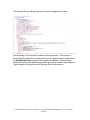
The exported survey will open up in a browser and appear as follows:
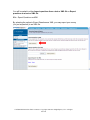
The beginning of the document outlines survey properties. This section is
followed by the questions and response choices. Updates can be made within
the bolded black text (except for the question ID number). Question type
values (the values that identify the question type) can be found under Question
Type Examples for Importing and Exporting (later in this section).
Confidential Information. Entire contents © Copyright 1999-2010 InsightExpress, LLC. All rights
reserved.
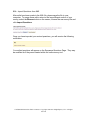
B5b. Import Questions from XML
After edits have been made to the XML file, please save the file to your
computer. To merge these edits, return to the Import/Export section of your
survey, select the Browse button on the screen, choose the new survey file and
click Import Questions.
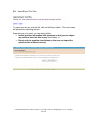
Once you have imported your revised questions, you will receive the following
notification:
Your edited questions will appear on the Sequence Questions Page. They may
be modified as if they were created within the online survey tool.
Confidential Information. Entire contents © Copyright 1999-2010 InsightExpress, LLC. All rights
reserved.
B5c. Import/Export Text Files
To export your survey as a text file, click on the Export option. The next screen
will present two exporting choices.
Depending on your intent, you may select either:
• Include position information with questions so that you can import
my revisions back into this survey (most ideal), or
• Export only the question descriptions so that you can import the
questions into a different survey.
Confidential Information. Entire contents © Copyright 1999-2010 InsightExpress, LLC. All rights
reserved.
If you select include position information, the survey will appear in a box as
shown below, with the appropriate coding noted for each question type.
If you select export only the question descriptions, the survey will appear as
shown below, but without the position information for the questions. Therefore,
the system will put them in the order that they are listed, instead of the position in
which you would like them to appear.
Confidential Information. Entire contents © Copyright 1999-2010 InsightExpress, LLC. All rights
reserved.
To copy and paste the survey, click Copy to Clipboard and the entire survey will
appear highlighted. Then you can toggle to a note pad (.txt file) or other text
document and perform a paste operation (to do this, press the Control and V
keys at the same time). The text document can then be modified as desired.
Once the new survey has been pasted into a text file, click on the Back to
questions button to return to the survey and continue. At this point you may
preview, edit or even launch your survey.
Confidential Information. Entire contents © Copyright 1999-2010 InsightExpress, LLC. All rights
reserved.
B5d. Import Text Files
To import the modified survey from a text document, click on the Question
Import/Export link in the Survey Controls box and then Import.
Confidential Information. Entire contents © Copyright 1999-2010 InsightExpress, LLC. All rights
reserved.
You will be presented with an open field where you may paste the InsightExpress
formatted text file.
Please note: When importing a survey into your account, specific formatting is
required to determine the question type, question number, number of answer
choices, etc. For the specific formatting question type examples, please see
Question Type Examples for Importing and Exporting (later in this section).
Confidential Information. Entire contents © Copyright 1999-2010 InsightExpress, LLC. All rights
reserved.
After you paste the text document in the box, click the Next button.
Confidential Information. Entire contents © Copyright 1999-2010 InsightExpress, LLC. All rights
reserved.
A preview of the survey will appear. Select the Next button at the bottom of the
page.
Confidential Information. Entire contents © Copyright 1999-2010 InsightExpress, LLC. All rights
reserved.
Now the import is complete and the survey can be edited within the survey
platform.
Please note: By default, all imported questions will be set as optional.
Confidential Information. Entire contents © Copyright 1999-2010 InsightExpress, LLC. All rights
reserved.
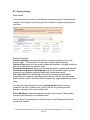
B5e. Question Type Examples for Importing and Exporting:
[Question type=dropdown, position=0]
Drop down single select question type
a)
Extremely valuable
b)
Valuable
c)
Neither valuable nor not valuable
d)
Not valuable
e)
Not at all valuable
[Question type=radio button, position=1]
Vertical radio button question type
a)
Extremely valuable
b)
Valuable
c)
Neither valuable nor not valuable
d)
Not valuable
e)
Not at all valuable
[Question type=checkbox, min=1, max=5, rotate, position=2]
Multiple Response question type
a)
Red
b)
Blue
c)
Green
d)
Purple
e)
Orange
f)
Violet
g)
Other`<anchor><specify>
h)
None of the above<anchor><mutuallyexclusive>
[Question type=long text box, position=3]
Large text box open-ended question type
[Question type=short text box, position=4]
Single text box open-ended question type
[Question type=numeric, int, min=1, max=100, position=5]
Numeric open-end question type
[Question type=horizontal rating, position=6]
Horizontal radio button question type
a)
Extremely Satisfied
b)
Extremely Dissatisfied
Confidential Information. Entire contents © Copyright 1999-2010 InsightExpress, LLC. All rights
reserved.
[Question type=image, optional, position=7]
Image question type
[Question type=rating grid, optional, rotate, gridrequired, position=8]
Basic Grid Matrix question type
[Columns]
a)
Very Satisfied
j)
Very Dissatisfied
[Rows]
a)
Ease of Use
b)
Technology
c)
Interface
d)
Speed
[Question type=rank, rank, rotate, nominmax, noint, position=9]
Rank Order question type
[Columns]
a)
Rank
[Rows]
a)
Eating
b)
Drinking
c)
Sleeping
[Question type=allocation, min=0, max=100, sum=100, showsum, int, rotate,
position=10]
Allocation question type
[Columns]
a)
Allocation
[Rows]
a)
Eating
b)
Drinking
c)
Sleeping
[Question type=date, position=11]
Enter a date (Day/Month/Year):
Confidential Information. Entire contents © Copyright 1999-2010 InsightExpress, LLC. All rights
reserved.
[Question type=statement, gridlabel=true, rowCount=3, columnCount=2,
rowLabels={Attribute 1, Attribute 2, Attribute 3}, columnLabels={A, B},
arrangement=columns, position=12]
Multidimensional Grid question type
[Question type=dropdown, optional, position=13]
Attribute 1, A
a)
Yes
b)
No
[Question type=dropdown, optional, position=14]
Attribute 1, B
a)
Yes
b)
No
[Question type=dropdown, optional, position=15]
Attribute 2, A
a)
Yes
b)
No
[Question type=dropdown, optional, position=16]
Attribute 2, B
a)
Yes
b)
No
[Question type=dropdown, optional, position=17]
Attribute 3, A
a)
Yes
b)
No
[Question type=dropdown, optional, position=18]
Attribute 3, B
a)
Yes
b)
No
Confidential Information. Entire contents © Copyright 1999-2010 InsightExpress, LLC. All rights
reserved.
B6. Question Menu Options
After you add questions to your survey, the following options are available to help
make further edits and modifications. You may access this menu by left-clicking
any question in your survey.
Edit allows you to return to your question’s edit mode.
Preview allows you to preview the question to confirm no further changes are
necessary.
Copy allows you to copy the question if you decide to use the same question
format with slight modifications.
New question here allows you to insert a question prior to the question you
have clicked/selected, instead of adding it at the bottom of the Sequence
Questions page.
Delete allows you to delete a question.
Confidential Information. Entire contents © Copyright 1999-2010 InsightExpress, LLC. All rights
reserved.
Change type allows you to change the question type to either a Single Select
(Radio Button or Drop Down), Multi-Select or Open-ended question.
Skips and Scripts allow you to add skipping logic based on how a respondent
answers the question. For more information, please refer to section B16.
Selectively Present allows you to show a question based on how a respondent
answers a previous question. For more information, please refer to section
B16b.
Confidential Information. Entire contents © Copyright 1999-2010 InsightExpress, LLC. All rights
reserved.
B7. Display Settings
Detail Levels
Your survey may be viewed on the Sequence Questions page in different levels
of detail. (The length of your survey and the number of images may impact the
load time.)
Detail level options:
Question Numbers only show the question numbers and the first line of the
question label. This option will not show any question label formatting.
Question Text shows only the question labels and numbers, including formatting
and any images within the question label.
Questions and Answers shows only the question labels, numbers and answers.
Questions and Answers and Skipping show just the question labels, answer
options and any skipping (including selectively present and scripts).
Full Logic View shows everything in the survey including question labels,
answer choices, skipping, response/question options (such as min/max values,
specify boxes, rotation, mutually exclusive responses), page breaks and question
types.
You may also have the option to show the page breaks within the survey
(located to the right of Detail Level), even if you are only showing just the
question numbers at the survey details level.
Check Spelling will check the spelling throughout your survey. Simply select
this option and clicking on the Refresh button.
If at any time if you would like to refresh the page of the Sequence Questions,
please click Refresh.
Confidential Information. Entire contents © Copyright 1999-2010 InsightExpress, LLC. All rights
reserved.
B8. Printer Version
The Printer Version is the online version of your survey. It appears as the Full
Logic View, showing all questions, answer choices, skipping logic, question
attributes, etc. It also contains information such as survey name, survey create
date, target completes and the price of the survey.
To access the Printer Version, click on the Printer Version link at the top of the
Sequence Questions page (it is located in the red box prior to the Display
Settings).
The printer version will open in a new window. From there, you may save it to
your computer to send to a colleague or a client.
Confidential Information. Entire contents © Copyright 1999-2010 InsightExpress, LLC. All rights
reserved.
Word Version
The Word Version exports your online survey to a Word Document. Similar to
the Printer Version, you will see each question, the question type, skips or
scripts, question rotation and other attributes.
To access the Word Version, click on the Word Version link at the top of the
Sequence Questions page (it is located next to the Printer Version option).
When you select Word Version you will be prompted to open the file or save it. It
will appear as:
Confidential Information. Entire contents © Copyright 1999-2010 InsightExpress, LLC. All rights
reserved.
B9. Upload Images
Images may be uploaded into your survey in several places. You may upload
images into the following areas:
-
Question text
Response list
Concept question type (where you can upload multiple images)
Header/footer of the survey
In general, to upload an image simply click on the add image icon
link
or
.
The icon will be present for response lists and all other places where an image
can be uploaded. You will be prompted to browse the files on your computer to
find and insert the desired picture.
Please remember that all images must meet the following specifications:
•
•
•
•
Jpeg or gif file format
Less than 300 KB in file size
Dimensions: no more than 600 pixels in width (or height as well, if
possible)
DPI resolution may vary, as long as the previous stipulations are met
Confidential Information. Entire contents © Copyright 1999-2010 InsightExpress, LLC. All rights
reserved.
B10. Reorder Questions
You may move one or more questions throughout the survey, and reorder them
at one time.
You can also delete several questions at a time. Select the question(s) you
would like to move or delete and select the appropriate option to the right of the
question box. The Revert button will undo the last round of changes made.
Confidential Information. Entire contents © Copyright 1999-2010 InsightExpress, LLC. All rights
reserved.
B11. Question Rotation
Question Rotation allows you to rotate the presentation of a question or a series
of questions to prevent respondents from seeing the same question first every
time.
For example, you may wish to show 3 concepts and ask if respondents would be
interested in purchasing them. By setting Question Rotation, respondents will
not always see Concept 1 first, reducing the potential for bias.
Confidential Information. Entire contents © Copyright 1999-2010 InsightExpress, LLC. All rights
reserved.
Two options are available when rotating questions:
1) rotate single questions
2) rotate a set of questions
To rotate single questions you must assign them consecutive values. (For
example, if you are rotating 3 questions, each question will be assigned a
different value: 1, 2, 3.)
If you are rotating a set of questions, individual questions within each set will
have the same number, but the numbers will be different between the sets. (For
example, if you are rotating 3 sets of questions with 5 questions in each set, the
numbering scheme would be: 1,1,1,1,1 / 2,2,2,2,2 / 3,3,3,3,3; respectively).
Please note: For Group Rotation to work properly, you must include a question
that all respondents will see both before and after the rotation. Also, single
questions or groups of questions may only be rotated if they are built in
chronological order. (For example: 1, 2, 3 is acceptable but 1, 5, 7 is not
acceptable.)
Confidential Information. Entire contents © Copyright 1999-2010 InsightExpress, LLC. All rights
reserved.
B12. Search/Replace
This feature allows you to search for words in surveys that you would like to
replace.
Type in the word or phrase you would like to find in your survey and click on the
Search button. The screen will return all instances of the word or phrase as
listed in your search criteria.
You then have the option to replace this word or phrase with new text. By
entering the new word or phrase in the Replace with box and clicking the
Replace button, all found criteria will be replaced with the new text.
Confidential Information. Entire contents © Copyright 1999-2010 InsightExpress, LLC. All rights
reserved.
Confidential Information. Entire contents © Copyright 1999-2010 InsightExpress, LLC. All rights
reserved.
B13. Pre-Populate Answers
Clients may also choose to pre-populate the survey results associated with a
question for one or more individuals. This feature enables you to include results
without asking the respondent for certain information.
Please note: The use of a respondent group is necessary for this feature. A
respondent group provides a unique username to each respondent so that we
can link the responses to the respondents.
Examples of questions that could be pre-populated include:
• Account Number
• Employee ID number
• Name
• Department
• Region
• Age
Essentially pre-populate answers is used when you already know information
about your respondents. In this case, you may wish to segment your data after
the survey has completed rather than asking your respondents these questions.
Only single select questions, multi-select questions and open-ended questions
may be pre-populated.
Confidential Information. Entire contents © Copyright 1999-2010 InsightExpress, LLC. All rights
reserved.
To use this feature, first select Pre-populate answers under Survey Controls.
You will then see the questions that you are able to pre-populate.
Next, check off the question that you would like to pre-populate and select Set
Answers.
Confidential Information. Entire contents © Copyright 1999-2010 InsightExpress, LLC. All rights
reserved.
When you select a question, the codes for each answer choice will be provided.
A respondent group will need to be set up in order to pre-populate the answers
(instructions on how to do so follow below). A respondent group is a predefined
group of individuals who will participate in the survey and have answers set for
particular questions.
To pre-populate the question, copy and paste each respondent’s username and
answer from an Excel file into the box. The above screenshot shows you the
username and response in a tab delimited format (where the tab acts as the
space between the username and response.) You may also upload information
with a comma delimited format. Or you may simply upload this information from
a text file with two columns.
Pre-populated questions will not appear to the respondent, but the answers that
you have established will be included within the data set.
Please note: Pre-population of answers for respondent lists over 8,000 must be
managed by InsightExpress. Please advise your Account Representative.
Confidential Information. Entire contents © Copyright 1999-2010 InsightExpress, LLC. All rights
reserved.
Keep in mind that when creating questions, you may also pre-populate an
answer by going into edit mode and clicking on the Pre-populate answers
button.
Confidential Information. Entire contents © Copyright 1999-2010 InsightExpress, LLC. All rights
reserved.
B14. Creating a Respondent Group
To create a respondent group, go to the Account Settings tab in your account
and click on Respondent Groups.
Next, click on “Create a new respondent group now.”
The first step in creating a respondent group is to type your chosen name for the
group in the text box provided, as shown below.
Next, click on Manage the users for this group which will allow you to set
usernames and passwords on a respondent level basis. Copy and paste the
usernames and passwords from your Excel file, or upload the text file that
contains this information. (This is the same process that you use to pre-populate
answers.)
Confidential Information. Entire contents © Copyright 1999-2010 InsightExpress, LLC. All rights
reserved.
Here is a quick screenshot of a sample Excel file from which you might copy and
paste usernames and passwords:
You will also notice the answers that were pre-populated into the question earlier,
in columns D and E of this file. When creating the respondent group, you need
to make sure that the username is unique for each respondent, which can be
seen in Column A.
The password in Column B is the same for all respondents in this example, but
can also be unique for all respondents. The username that you choose for
building the respondent group is the username that you use when pre-populating
questions. It can be seen in Columns A and D. The username will be used to
“link” the respondent to the pre-populated answers.
In the example below, columns A and B were copied into the Add users to this
group box.
Confidential Information. Entire contents © Copyright 1999-2010 InsightExpress, LLC. All rights
reserved.
Next, click on Add these users and the Manage Group Members page will
appear:
You will see the usernames and passwords uploaded, and when they expire. (If
you would like to limit the amount of time in which respondents may enter survey
data, you can choose an expiration date on the previous page, by selecting a
timeframe in the drop down next to “These logins expire:”). You can also remove
a respondent if the information uploaded incorrectly.
Once you review the respondent group information, you can associate your
respondent group to your survey. By clicking Back to respondent groups.
Confidential Information. Entire contents © Copyright 1999-2010 InsightExpress, LLC. All rights
reserved.
After clicking Back to respondent groups, you will see the respondent group
you just created. Next, click Back to questions which will take you to the
Sequence Questions page.
Confidential Information. Entire contents © Copyright 1999-2010 InsightExpress, LLC. All rights
reserved.
Once back on the Sequence Questions page, go to Advanced features.
To associate your respondent group, click on the Other Options tab where you
can then select your respondent group by name.
Confidential Information. Entire contents © Copyright 1999-2010 InsightExpress, LLC. All rights
reserved.
Finally, click Save. When you go to preview your survey you will now be
prompted for a username and password.
Please note: respondents will only be able to log in with a username and
password that you uploaded. If they do not have a valid username, or if the
username was already used, they will not be able to enter the survey.
Confidential Information. Entire contents © Copyright 1999-2010 InsightExpress, LLC. All rights
reserved.
B15. Undo Changes
It’s possible to rollback changes made to your survey, and return to any of its
previous states. These archived versions of your survey questions contain all
formatting, question grouping, skipping, and linking as they were defined at the
time the archive was created. The editing session is archived when you leave
the Sequence Questions page or log out of your account. Every time you go
back into your account, you will see the previous session(s) archived.
For example, if you add a question to the middle of your survey and then later
decided to remove it, you can use the Undo changes link to roll the survey back
to the previous version. After clicking on the link, you are presented with the last
ten archived versions of the study.
You can preview the version of your choice by clicking on the Preview link.
Once you have previewed a version and decided it’s the survey you would like to
use, click on the Restore link.
You can also delete a version if necessary by clicking on the Delete link.
Please note: the system only saves the last 10 versions of your survey.
Confidential Information. Entire contents © Copyright 1999-2010 InsightExpress, LLC. All rights
reserved.
B16. Survey Logic
B16a. Skipping
Click on Skipping to move directly to the Modify Survey Skipping page. This
feature is used to add multiple skip patterns based on respondent answer
choices. You can only program your survey to have respondents skip forward.
Backward skipping is not an option. This feature also permits you to add page
breaks to your survey.
Confidential Information. Entire contents © Copyright 1999-2010 InsightExpress, LLC. All rights
reserved.
Confidential Information. Entire contents © Copyright 1999-2010 InsightExpress, LLC. All rights
reserved.
Defining Skip Rules
Skip patterns are used to skip respondents over certain questions based on their
responses to previous questions. Skip patterns can be set up in multiple ways.
The first option is to insert skip patterns into questions one at a time. Should you
want to add skipping to all questions at one time, please see section B16a.
While in edit mode, click on the question requiring the skip pattern and choose
the Skips and Scripts option.
Confidential Information. Entire contents © Copyright 1999-2010 InsightExpress, LLC. All rights
reserved.
Once you choose Skips and Scripts, a new window will appear which allows
you to place your desired skip pattern. As shown in the example below,
respondents answering “Extremely Valuable” to question 2 can be skipped
directly to question 8 “Enter a number”. In order to program this skip pattern,
simply selecting question 8 in the drop down box.
Also available in the Skips and Scripts window is the option to insert a page
break. By checking the box Force a page break after this question a page
break will be generated between the question you are working on and the
following question.
Confidential Information. Entire contents © Copyright 1999-2010 InsightExpress, LLC. All rights
reserved.
Once you enter your skip patterns, you have three options:
1. Save and refresh questions will save the skip patterns added, close the
window and refresh the Sequence Questions page. (This applies if you
are displaying the skip patterns on the Sequence Questions page via the
detailed view.)
2. Save and close will save the skip patterns added and then close the
window to return you to the Sequence Questions page. The Sequence
Questions page will not be refreshed.
3. Cancel will not save any changes made to the survey program but it will
close the window and return you to the Sequence Questions page.
Confidential Information. Entire contents © Copyright 1999-2010 InsightExpress, LLC. All rights
reserved.
Please note: If you direct a respondent to Skip to “End of Survey”, they will be
counted towards your Target Completes and their data will be collected. If you
would prefer for these respondents to Terminate from the study and not be
counted towards your Target Completes or online data, you may add the
Termpoint tag, <termpoint> next to the answer option or check off the Termpoint
checkbox to the right.
Drop down skip patterns will work on single response questions and all answer
choices for multiple response questions.
Skip patterns cannot be defined after a grid answer row. In these cases, the
entire grid question must first be answered in order to skip respondents to the
next appropriate question.
Confidential Information. Entire contents © Copyright 1999-2010 InsightExpress, LLC. All rights
reserved.
B16b. Selectively Present
Selectively presenting a question allows you to only show a question based upon
how a respondent answered a previous question. Selectively presenting a
question also allows you to make complicated skips without the use of scripting
commands.
You will find this option by left clicking on the question you would like to
selectively present and choosing the corresponding option in the drop down box.
In the example below, when you left click on question 4 and click on Selectively
Present within the drop down menu, another pop up window similar will be
shown.
In order to see the responses, you must choose select responses. The select
responses option is found adjacent to the questions you can choose from to
selectively present.
Confidential Information. Entire contents © Copyright 1999-2010 InsightExpress, LLC. All rights
reserved.
Confidential Information. Entire contents © Copyright 1999-2010 InsightExpress, LLC. All rights
reserved.
In the example below, question 4 is being selectively presented based upon
answers to question 3. Respondents who indicate “Extremely Valuable” in
question 3 will be eligible for Question 4 once the box is checked the Save and
close button is clicked.
Once you enter your questions to selectively present, you have three options:
1. Save and refresh questions will save the skip patterns added, close the
window and refresh the Sequence Questions page. (This applies if you
are showing the skip patterns on the Sequence Questions page.)
2. Save and close will save the skip patterns added and then close the
window to return you to the Sequence Questions page. The Sequence
Questions page will not be refreshed.
3. Cancel will not save any changes made to the survey program but it will
close the window and return you to the Sequence Questions page.
In the event of time sensitive survey questions, skipping rules can be driven by
date. These additional options can be found at the bottom of the window.
Please note: Selectively presenting a question based on more than one answer
choice within the same question, will create an “OR” function. So, if any option of
the checked responses is selected, the selectively presented question will be
displayed. If the selectively presented question is based off two or more
questions, this will create an “AND” function. So, all conditions must be met.
Confidential Information. Entire contents © Copyright 1999-2010 InsightExpress, LLC. All rights
reserved.
B16c. Scripting
Whether you’re asking a question in the beginning, middle or the end of a survey,
the Scripting feature will allow you to create complicated skip patterns for survey
questions. For those interested, in a more detailed overview of our scripting,
there is an additional training manual available on this topic.
To create scripting commands for your survey you must use “if” and/or “goto”
statements.
To add scripting commands, click on the question that the script applies to, and
then click on Skips and Scripts.
Here is a sample script command:
if(Q3=0,goto(5),goto(4));. That is, if in Question 3 the first answer
choice is selected, skip to Question 5, and otherwise skip to
Question 4.
Confidential Information. Entire contents © Copyright 1999-2010 InsightExpress, LLC. All rights
reserved.
To add a skip based off of a verbatim response, replace the uppercase “Q” with
lowercase “q” and the value will be the actual verbatim.
Here is a sample script command:
o if(q5=”taxi cab”,goto(9),goto(6));. That is, if in Question 5 the
answers reads “taxi cab” go to Question 9; otherwise continue to
Question 6.
Please note: When skipping off of an open-end question, please account for the
many different ways verbatims may be typed into the field by a respondent. The
value is case sensitive.
Confidential Information. Entire contents © Copyright 1999-2010 InsightExpress, LLC. All rights
reserved.
Sometimes you may need to ask specific questions in response to answers
provided. In the example below, if a respondent indicates they prefer the colors
red (Q4,1) and purple (Q4,4) they should continue to Q5. For all other answers,
they should skip one question ahead, to Q6. Please note that this example can
easily be changed to incorporate an “AND” command or “unchecked” answer
choices.
Formula (insert in the scripting box):
if(checked(4,1) or checked(4,4),goto(5),goto(6));
Please note: You can change the command to “or” / “and.”
Confidential Information. Entire contents © Copyright 1999-2010 InsightExpress, LLC. All rights
reserved.
By using Scripting Commands or the Selectively Present option you will be
able to capture why respondents give specific ratings to individual features or
attributes.
For example:
o “if(Q7_1<4,goto(8),goto(9));” If the first feature or attribute in
question 7 is rated less than 4 on a scale of 1 to 5, continue to
question 7; otherwise, skip to question 8. In the example below
there are a total of five features.
Depending on the objective, it may be easier to use the Selectively Present
feature for multiple features/attributes.
Confidential Information. Entire contents © Copyright 1999-2010 InsightExpress, LLC. All rights
reserved.
There may be instances where you want to skip respondents based upon
numeric answers provided. When using the numeric question type, you can write
scripts using symbols representing less than, greater than or equal to. You will
find some of these symbols under General Scripting Help and Logic after the
example below.
.
For example:
o “if(Q8<3,goto(9),goto(10));” That is, if a respondent states less than
3 in question 8, go to question 9; otherwise proceed to question 10.
Confidential Information. Entire contents © Copyright 1999-2010 InsightExpress, LLC. All rights
reserved.
General Scripting Help and Logic
Important: The order of precedence for sophisticated skipping is the following:
selectively present, scripting and dropdowns.
Operators:
=
<>
+
/
^
>
<
>=
<=
Equality
Non-equality
Mathematical addition
Mathematical subtraction
Mathematical division
Mathematical exponentiation
Mathematical greater than
Mathematical less than
Mathematical greater than or equal to
Mathematical less than or equal to
Functions:
if
goto
random
set
checked
unchecked
or
and
not
max
min
sin
cos
abs
int
If then Else
Jump to a specific question
Select a number from a defined set of numbers
Assign a variable a specific value
Determine if an answer within a checkbox list was selected
Determine if an answer within a checkbox list was not selected
Logical OR operator
Logical AND operator
Logical NOT operator
Mathematical maximum
Mathematical minimum
Mathematical Sin function
Mathematical Cosin function
Absolute value
Mathematical truncation (at the decimal point)
Confidential Information. Entire contents © Copyright 1999-2010 InsightExpress, LLC. All rights
reserved.
B17. Remove Logic
This feature removes different types of logic within the survey.
Simply select the type of logic you would like to remove and click Remove
Logic.
Below is a brief explanation of the different types of survey logic that are
available:
Skips based on question responses include skips added via Skips and Scripts
or the Skipping option in the surveys control box. For more information, please
go to section B16.
Page breaks that are added via Skips and Scripts or the Skipping option in the
surveys control box.
Quotas that are added via the quota option in the surveys control box. For more
information, please go to section C3b.
Confidential Information. Entire contents © Copyright 1999-2010 InsightExpress, LLC. All rights
reserved.
Scripts within question labels and responses such as piping scripts within the
question labels. For more information, please go to section B16c.
Scripts on questions include scripts added via Skips and Scripts. For more
information, please go to section B16.
Selectively present rule such as skipping added via the Selectively Present
option. For more information, please go to section B16b.
Question links that are created in the Link Questions option in the Surveys
Control box. For more information, please go to section B19.
Question rotation that is created via the group question rotation option in the
Surveys Control box. For more information, please go to section B11.
Survey startup scripts that are evaluated prior to the survey beginning. For
more information, please go to section B16c.
Confidential Information. Entire contents © Copyright 1999-2010 InsightExpress, LLC. All rights
reserved.
B18. Query Strings – Usage Details
Many clients wish to identify respondents without directly asking them to identify
themselves. Query Strings allow information to be captured when distributing
the survey via your email list or Web site.
Query strings can capture a unique value, like ID number, account number,
customer vs. prospect) to identify an individual respondent, or any other value to
identify a group to which the respondent belongs. You may also use query
strings to discover from which Web page respondents came.
A query string should be used as the FIRST question in your survey. Simply
click on the first question of the survey and go to New Question Here. Multiple
query string questions can be utilized to capture multiple identifiers, if needed.
The query string question(s) may also be added to the end of the survey and
moved to the beginning. Simply go to Add another question and move the
question within the Reorder Questions section. Or, click on the question
number and use the blue arrows or asterisk to move the question forward in the
survey.
-
Confidential Information. Entire contents © Copyright 1999-2010 InsightExpress, LLC. All rights
reserved.
Give the query string parameter a name (in the example below, it’s called
UserID). The name you give it when creating your survey will be the name you
append to your survey URL (the URL you receive when your survey goes live).
Please note: the query string value is case sensitive.
With the query string question "UserID" the parameter and identifier will be
passed to the survey by adding the phrase "?UserID=12345" to the URL(where
12345 is the identifier, in this example). The survey will then reach into the URL,
pull off the value 12345 and store the value in the query string question for that
respondent.
If you have multiple query string parameters in your survey use the following
format:
?Parameter1=value1&Pararmeter2=value2
Do not use the following names for your query string parameters, as they are
reserved identifiers: id, accesscode, onfinish, noemail, resetposition,
questionnumber, L, username, password.
Confidential Information. Entire contents © Copyright 1999-2010 InsightExpress, LLC. All rights
reserved.
It is not recommended to use an easily identifiable unique value, such as a
respondent’s name, email address or account ID.
Other Query string names that should not be used:
id
AccessCode
InlineValidation
resetPosition
startingPosition
invited
PanelistID
mID
cmrID
ftouch
ageTarget
TemplateID
refer
close
preview
livePreview
setanswer
_siteID
username
password
Confidential Information. Entire contents © Copyright 1999-2010 InsightExpress, LLC. All rights
reserved.
Fielding Your Survey with Query Strings
When fielding your survey with a query string, add the name of the query string
parameter and the value to the end of the URL sent to you by InsightExpress.
For example:
http://www.insightexpress.con/s/abcde
Will become
http://www.insightexpress.con/s/abcde?userid=456789
When the respondent completes the survey, the value of 456789 will be stored
as an answer in the survey data file.
Confidential Information. Entire contents © Copyright 1999-2010 InsightExpress, LLC. All rights
reserved.
Query Strings: Accessing the Results
When accessing the topline results of the survey, the query string value is
recorded and viewable on a respondent level.
When downloading the Excel file or the new code book with raw respondent-level
data, the query string value for the respondent is also recorded in the row
containing the respondent's answers. The data can easily be merged back using
the value as a key to the database.
For additional information on the Excel file or the raw respondent-level data,
please refer to section F5.
Confidential Information. Entire contents © Copyright 1999-2010 InsightExpress, LLC. All rights
reserved.
B19. Link Questions
With the Link Questions option, responses that were selected (or not selected)
from one question pipe into the next. To enable this powerful piping function, you
must link questions together. This three step process includes:
1. Identifying the source question
2. Identifying the destination question
3. Selecting the piping options or attributes
Please note that the following question types can be linked:
•
•
•
Single Select to Single Select
Multi-Select to Single or Multi Select
Grid question to Multi Select or Single Select
Confidential Information. Entire contents © Copyright 1999-2010 InsightExpress, LLC. All rights
reserved.
When you click on the Link Questions option you will see existing “links” and
have the option to create new links.
To Link Questions, the first step is to choose the Source question. There are
certain question types that can be linked together and they will appear in the box
below.
Once you select the source question, the page will refresh itself and present you
with more options.
The link type depends on the question type of the source question. With single
select questions you can only pipe through the responses that weren’t selected.
For multi-select questions you can pipe through the responses that were or were
not selected. For grid question types, you can pipe through values greater than,
less than or equal to. (As detailed in section B4m, Numeric Grid question types
Confidential Information. Entire contents © Copyright 1999-2010 InsightExpress, LLC. All rights
reserved.
are simply the values that the respondent inserts. For single select or multiselect grid questions, the value is the code of the column that you want to bring
over. Single Select grid question types code the first column as 0 and then
continue to n. Multi Select grid question types code the first column as 1 and
then continue to n.)
The third step to link questions is selecting the destination question. In order to
properly link questions, the answer set for the destination question must match
the answer set for the source question.
Once you select the destination question, you have two additional options:
Do not modify the answer set leaves the source question and destination
question answer sets untouched. Sometimes we have a None of the Above
option in the source question that we do not want in the destination question
and this option would be appropriate.
Modify the answer set edits the destination question to match the source
question. In order for the linking feature to work, the answer sets for the
source question and destination question must be identical. If you believe
that the answer choices are not identical, this would be the appropriate option
to select.
After you set up the features for the link, you click on Create Link.
The next page will show you the link that you have created:
It will also show you the source question, the link type, and the destination
question. You will have the option to modify the link or remove the link when it is
no longer necessary.
Confidential Information. Entire contents © Copyright 1999-2010 InsightExpress, LLC. All rights
reserved.
B20. Survey Appearance
Survey Colors
In order to help clients comply with branding guidelines and/or facilitate personal
preferences, various aspects of the survey, including colors, text, background,
font type and size, may be modified.
You can adjust a template by clicking on Default Template. The survey
templates use Cascading Style Sheets. Cascading Style Sheets are a style
sheet mechanism that allows authors and readers to attach style to Web pages
to control color, font and layout of the survey. Select the Default Template and
click Edit Template.
Confidential Information. Entire contents © Copyright 1999-2010 InsightExpress, LLC. All rights
reserved.
From the Edit Template screen, you can name the template and adjust the
Survey Table width, the overall font and font size of the survey, the width of grids,
and question types among other adjustments. If you are interested in customizing
your template please contact your account representative.
Confidential Information. Entire contents © Copyright 1999-2010 InsightExpress, LLC. All rights
reserved.
B21. Advanced Features
When providing your own respondent list, email lists, or Web site respondents,
you have the option to modify your survey’s header, footer, thank you page or
thank you URL.
Confidential Information. Entire contents © Copyright 1999-2010 InsightExpress, LLC. All rights
reserved.
The following screen, accessed by clicking on Survey Text at the top of the
page, allows you to enter information to modify the window title, header, footer,
survey buttons, and privacy statement.
You also have the ability to add images into the header, footer and privacy
statement. (Adding images is the same process that has been reviewed
previously. Please refer to section B4i for additional information.)
Once you have made the desired survey appearance changes,you may save the
changes and preview the survey at the same time. If you chooseto save the
changes and return to the Sequence Questions page, simply select Save. If you
have no changes to save, select Back to editing my survey.
Confidential Information. Entire contents © Copyright 1999-2010 InsightExpress, LLC. All rights
reserved.
To modify the thank you page and thank you URL, click on Thank You Page.
Upon survey completion, the specified thank you URL will take respondents to
the desired Web page. Be sure to use the entire URL starting with “http”.
Confidential Information. Entire contents © Copyright 1999-2010 InsightExpress, LLC. All rights
reserved.
Should a respondent attempt to click on a link to a closed survey, the Not
Running Page will be displayed.
In order to modify the Not Running page and URL, simply click on Not Running
Page.
Confidential Information. Entire contents © Copyright 1999-2010 InsightExpress, LLC. All rights
reserved.
On the Scripts page you may program any preset scripting.
Confidential Information. Entire contents © Copyright 1999-2010 InsightExpress, LLC. All rights
reserved.
Whenever the status of a survey changes, InsightExpress will automatically
generate a status email sent to the address provided in the billing section.
If you would like status emails sent to additional contacts, please click on the
Notifications tab and specify email recipients who should receive notifications
when a survey launches (goes live) or when a survey closes field.
Confidential Information. Entire contents © Copyright 1999-2010 InsightExpress, LLC. All rights
reserved.
The Other Options page provides many additional options for modifying your
survey:
•
•
•
Displaying and Aligning a Progress Bar
Exclude Question Numbers
Assigning an Invitation or Respondent Group to your survey
These options include:
- Display a progress bar shows respondents how far along they are in the
survey as they progress.
- Exclude question numbers from this survey allows you to remove the
question numbers from the survey.
- Require all questions in the survey to be answered forces all
questions, including those that are created as optional, by default.
- Do not show the copyright gives you the option not to show the
InsightExpress copyright.
- Disable the profanity filter allows you to see all verbatim responses in
your results regardless if any profanity was included.
- Secure this survey allows you to make your survey secure and have a
URL that begins with https://
- Use client side validation allows respondents to continue through the
survey when they skip a question even if all questions are required.
- Show error page allows you to show a separate error page for
unanswered required questions.
- Respondent Group allows you to associate the survey with a
Respondent Group that was created for those surveys that you wish to
have only a certain set of respondents enter the survey or you have prepopulated some questions. Please refer to section B14 for additional
information.
Confidential Information. Entire contents © Copyright 1999-2010 InsightExpress, LLC. All rights
reserved.
B22. Rename Survey
You may name or edit the name of a survey as it is created.
To change the name of your survey, click on the Rename survey link in the
Survey Controls. A box will appear on the screen. Enter your new survey
name in the box and click on the Apply this name to my survey button.
The default survey name for new surveys is “New Survey.”
Confidential Information. Entire contents © Copyright 1999-2010 InsightExpress, LLC. All rights
reserved.
B23. Survey Language
Your survey directives (i.e., error messages, progress bar, Next Question and
Submit Buttons) can be launched in any of the foreign languages listed below.
Please note: changing the language will only impact the directives of the survey.
The actual survey will not be translated. The survey itself will need to be
translated into a specific language before programming.
Confidential Information. Entire contents © Copyright 1999-2010 InsightExpress, LLC. All rights
reserved.
Confidential Information. Entire contents © Copyright 1999-2010 InsightExpress, LLC. All rights
reserved.
B24. Restrict Access
Some clients may choose to restrict access to their surveys. You have the ability
to heighten the confidentiality of your survey by preventing individuals who
originate from specific domain names or IP addresses from accessing your
survey. To use this feature, click on the Restrict access link. A new page
comes up, giving you the option to grant or restrict access to certain IP
addresses or domain names.
You can grant access to a specific IP address or domain name by clicking on the
Granted Access button and entering that address or domain in the box. All
other addresses or domains will be blocked.
You can deny or restrict access to a specific IP address or domain name by
clicking on the Denied Access button and entering that address or domain in the
box. All other addresses or domains will be blocked.
Domain names should be entered as “www.site.com” and IP addresses should
be entered as “a.b.c.d.”
Confidential Information. Entire contents © Copyright 1999-2010 InsightExpress, LLC. All rights
reserved.
C. PREVIEW SURVEY
C1. Preview Questionnaire
If desired, you can test the questionnaire and override many run-time enforced
rules (e.g., use of the browser “Back” button, etc). This feature allows you to
view any specific question after viewing the first page by highlighting the Jump
to Question option and then clicking on the appropriate question.
You can also see the preview from the beginning again by clicking on Start Over
at any point throughout the survey. The Thank You page will not be seen when
viewing the survey in the Preview Survey mode.
Confidential Information. Entire contents © Copyright 1999-2010 InsightExpress, LLC. All rights
reserved.
A.
B.
C.
D.
E.
Several options are available with Preview Survey:
Done with preview allows you to return to the Sequence Questions page.
Start over allows you to start the preview from the first question.
Show console allows you to monitor the logic in your survey to uncover and
diagnose problems.
Auto answer automatically chooses answer choices.
Jump to question allows you to skip to a question in the survey without
answering all prior questions after the first page of questions.
Please note: if the question that you are trying to jump to is selectively presented
off of a previous question, you must answer the qualifying question before you
can jump.
Confidential Information. Entire contents © Copyright 1999-2010 InsightExpress, LLC. All rights
reserved.
When the Preview Survey is complete, you will have the option to either Start
Over, return to the Sequence Questions page, or Review Responses.
Review Responses will show the answers that were recorded during the
preview. These answers will not be counted towards the live survey results.
By clicking on the question number you can edit the question.
Confidential Information. Entire contents © Copyright 1999-2010 InsightExpress, LLC. All rights
reserved.
C2. Live Preview
You can view the survey in advance exactly as it will appear for your
respondents. This feature allows you to test the survey, questions and answers,
and the Thank You page as they will actually look once your survey is launched.
The Live Preview opens in a new window with a unique URL. This feature is
helpful if you would like to have someone view the survey who does not have an
InsightExpress account. To share this survey with someone who is not an
InsightExpress client, just copy the URL and paste it into an email.
Please note: the URL is often long and will most likely be truncated in the email,
so you are advised to notify the recipient to copy and paste each line into a new
browser.
The live preview can be seen in the smaller window in the following screenshot.
Confidential Information. Entire contents © Copyright 1999-2010 InsightExpress, LLC. All rights
reserved.
Please note: if there is skip logic in your survey, the question numbers may
appear out of sequence, as skipping is based off the actual placement of the
questions. The question numbers will re-adjust themselves once the survey is
live.
Confidential Information. Entire contents © Copyright 1999-2010 InsightExpress, LLC. All rights
reserved.
C3. Survey Parameters
C3a. Runtime Notifications
Receive notifications when any of the following occur:
•
•
•
•
survey completes
survey reaches a certain number of completes
survey reaches a certain number of views
a respondent provides certain answers
Please note: if you are interested in obtaining this feature please contact your
InsightExpress account representative.
Confidential Information. Entire contents © Copyright 1999-2010 InsightExpress, LLC. All rights
reserved.
C3b. Define Completion Quotas
You may use Quotas to define the number of desired completions based upon
the responses to one or more questions in your survey. This feature can ensure
a target number of responses meeting specific criteria are acquired. Quotas can
be used for e-mail or Web-based surveys.
To create a new quota, click Create a new quota.
First, name the quota and assign a quota size. Quotas can be used to exclude
respondents who do not qualify for your audience. They can also put a cap on
completes that answer a question in a certain way, although they should not be
used to capture minimums.
Once the quota has reached its target number of completes, respondents will be
sent to the end of the survey and not counted as a complete.
Confidential Information. Entire contents © Copyright 1999-2010 InsightExpress, LLC. All rights
reserved.
After naming the quota and setting the quota size, you will choose the answer
choice associated with the quota. Simply check off the checkbox associated with
the answer choice and then save the quota.
Confidential Information. Entire contents © Copyright 1999-2010 InsightExpress, LLC. All rights
reserved.
Once the quota has been saved, you will see the quota in the quota table when
you return to the Define Quotas page. It will display the quota name, the quota
amount and the option to delete the quota. You will also be able to export this
table to a CSV file or an Excel file by selecting the appropriate icon on the top
right hand of the table.
The quota rule will also appear on the Printer Version of the survey:
If you add or delete questions or answer choices before setting your quota rule, you will
have to update the quota by editing it. It is best to set your quotas once the survey is
finalized.
Confidential Information. Entire contents © Copyright 1999-2010 InsightExpress, LLC. All rights
reserved.
D. RESPONDENT RECRUITMENT
A variety of client-provided respondent sources may be employed in your study,
including opt-in email lists of:
•
•
•
your customers
your employees
your Web site visitors
Please note that external sample options, delivered by InsightExpress via e-RDD
or our longstanding sample partnerships, are not available in this setting.
Surveys may be distributed to respondents in two ways:
1. InsightExpress provides the client with a link to the survey. The client then
sends this link to their opt-in respondent list using their preferred
communication method.
2. Clients may employ our Mailing Batches feature to distribute the survey
link to respondents. Please contact your Account Executive for more
information on Mailing Batches, including a tutorial and additional support
materials that provide specific instruction.
Confidential Information. Entire contents © Copyright 1999-2010 InsightExpress, LLC. All rights
reserved.
E. SURVEY LAUNCH
E1. Submitting the Survey
There are a number of steps that must be followed in order to prepare your
survey to submit for processing.
Once you have finished building your survey, you start the approval process by
clicking on the Continue option in the Review column in the Survey Controls
box.
Confidential Information. Entire contents © Copyright 1999-2010 InsightExpress, LLC. All rights
reserved.
On the next page you will be prompted to name or modify the name of your
survey.
Type in the desired name and click Apply this name to my survey. If you’ve
already named your survey, simply confirm the name you selected and click
Apply this name to my survey.
Confidential Information. Entire contents © Copyright 1999-2010 InsightExpress, LLC. All rights
reserved.
E2. Selecting the Target Audience
Once the name of the survey has been applied, you will be brought to the Target
Audience screen. Here you can choose from My Opt-In Email List or My Web
Site Visitors, depending on to whom your survey will be sent.
Once the audience is selected, click the Save my selection button at the bottom
of the screen.
Confidential Information. Entire contents © Copyright 1999-2010 InsightExpress, LLC. All rights
reserved.
E3. Target Completes
After selecting the target audience, you are brought to the Target Completes
page. Here you will determine how many completed surveys are necessary for
your study.
Once the target number of completes is entered, click on the I am satisfied with
the number of Target Completes button. If you would like to go back and
change the target audience, click on the Change my target audience button.
Confidential Information. Entire contents © Copyright 1999-2010 InsightExpress, LLC. All rights
reserved.
If your billing information is not complete, the Billing Information page will
appear. Complete the fields presented and click the Save my information
button at the bottom of the screen.
You can also set up your billing by going into Account Settings, down to Billing,
and clicking on Billing information.
Please note: if you have no payment methods set up in your account, please
contact your Account Executive and they can set one up for you.
Confidential Information. Entire contents © Copyright 1999-2010 InsightExpress, LLC. All rights
reserved.
E4. Final Survey Review
After accepting the price, you will be directed to the Final Survey Review page.
Here, you must select a payment method before submitting the survey to
InsightExpress for approval.
Please note: If you would like to launch your survey using a credit card, please
contact your Account Executive to set up a Purchase Order. Only survey
launches against a platform service agreement are permitted for self-service.
Confidential Information. Entire contents © Copyright 1999-2010 InsightExpress, LLC. All rights
reserved.
E5. Activate Survey
Once your survey is live you will receive an email with the Live URL to the
survey. An example of the email is below:
InsightExpress Survey Processed Notice Date: 3/3/2010 10:14:30 AM Username / Survey ID: [email protected] / ###### Survey Name: InsightExpress Survey User Information: InsightExpress 333 Ludlow Street Stamford, CT 06902 United States of America [email protected] Date Description 3/3/2010 10:14:30 AM Target Audience: My Opt‐In E‐Mail List, Number of Completions: 100 Survey URL: http://www.insightexpress.com/s/ABCD###### Thank you for choosing InsightExpress. If you are sending the survey via email, simply place the live URL into the body of
your email text. Please make sure to test the link prior to sending it to your email
list. Prior to sending the email, you may need to delete your cookies and cache
within your browsers so that you are not sending a link that is cookied and bring
respondents directly to the thank you page.
Confidential Information. Entire contents © Copyright 1999-2010 InsightExpress, LLC. All rights
reserved.
If you are placing the survey on your website, you may use our DIY intercept
Delivery Options. Once your survey is live, you can access this area by clicking
on the survey name and going to “Edit Survey.”
You will be brought to the Survey Details page that will allow you to modify the
Web Site Intercept / Invitation Delivery section.
Confidential Information. Entire contents © Copyright 1999-2010 InsightExpress, LLC. All rights
reserved.
You will be provided with a survey tag that you can place on your Web site, and it
is in this section that you can update the invite and its properties.
Confidential Information. Entire contents © Copyright 1999-2010 InsightExpress, LLC. All rights
reserved.
F. SURVEY RESULTS INTERPRETATION
F1. View Results Online
Survey results are available in real-time via our powerful Web-based reporting
features. Online results include: cross-tabulation, confidence intervals, indication
of significant cells, and banner points/filtering functionality.
The toplines feature will easily accommodate advanced analytics, results
publishing, and the most innovative question types. To access the results of your
survey, left click the survey name and select View Results Online.
The number of completes in your survey will update in real time if you simply
click the Refresh button in your browser.
Confidential Information. Entire contents © Copyright 1999-2010 InsightExpress, LLC. All rights
reserved.
To view the results of your survey, either choose Select all or highlight the
specific questions you would like to review and click View results. This will
generate both a chart, with frequencies and percentages of the responses, as
well as a graph.
Confidential Information. Entire contents © Copyright 1999-2010 InsightExpress, LLC. All rights
reserved.
Following are the various charts and graphs that are shown for each question:
Confidential Information. Entire contents © Copyright 1999-2010 InsightExpress, LLC. All rights
reserved.
Confidential Information. Entire contents © Copyright 1999-2010 InsightExpress, LLC. All rights
reserved.
Alternately, you may select either one or several questions at a time, and then
click View Results.
Confidential Information. Entire contents © Copyright 1999-2010 InsightExpress, LLC. All rights
reserved.
Confidential Information. Entire contents © Copyright 1999-2010 InsightExpress, LLC. All rights
reserved.
Additional charting options are available by left-clicking anywhere on the graph
(see below). These options include: cross-tabulation of data, question options,
exporting results in different formats, and emailing results.
Confidential Information. Entire contents © Copyright 1999-2010 InsightExpress, LLC. All rights
reserved.
F1a. Cross Tab
The Cross Tab feature lets you compare data from one question to another, or
make comparisons among several questions.
One way to access the cross tab option is by clicking on one of the specific
questions that you would like to compare and going to cross tab.
The other way to access the cross tab option is by clicking on the cross tab
button as shown below:
Confidential Information. Entire contents © Copyright 1999-2010 InsightExpress, LLC. All rights
reserved.
On the cross tab page you will see the Reporting Options for the questions that
you can include in your comparison. The default questions being compared are
usually both set as the one you were currently viewing (for both the initial
question and the question you are comparing).
The first reporting option is to choose the two questions you would like to
compare. In the two drop down boxes, you will see the questions that are
available for the cross tab. Some question types do not have the ability to be
used in the cross tabulation (such as open ended questions and grid questions).
Definition of Reporting Options:
Question: the first question that will be included in the cross tabulation
Compare to: here you select the second question that will be included in the
cross tabulation.
• The “more” link will show all questions available for the crosstab at one
time
• The “less” link will condense the questions available for the crosstab within
the drop down format.
Filter Results: limit your crosstab to a specific segment
Confidential Information. Entire contents © Copyright 1999-2010 InsightExpress, LLC. All rights
reserved.
Results Layout:
• Compact Layout – shows the percents and the counts within one column
in the chart, when counts and percents are selected as an option
• Expanded Layout – separates the percents and the counts in their own
columns, when counts and percents are selected as an option
Sort rows:
• No sorting – will display the results as the question appears to the
respondent
• Sort ascending – will display the results where the total counts go from
smallest to largest
• Sort descending – will the display the results where the total counts go
from largest to smallest
• No netting – will not display any netting
• Inline netting – will display the netted values within the table (underneath
the netted responses)
• External netting – will display the netted values as the last row of the table
(not necessarily next to the netted responses)
• Percents – will only show percents
• Counts – will only show counts
• Counts and Percents – will show both counts and percents
Test statistical differences:
• None – will not show any statistical differences
• Based on other columns – will test any statistical differences across
columns
Confidence Level – can select confidence intervals of 80%, 85%, 90%, 95% or
99%
Show total row – includes a row that calculates the total row count
Show total column – includes a column that calculates the total column count
Show chart – will display a chart based on the crosstab information
Terse – removes the rows where the total number of responses is zero.
Transpose – allows you to switch the location of the questions. For example, if
you have Q2 as your rows and Q4 as your columns, checking transpose will
make Q4 the rows and Q2 the columns.
Actions:
• View Results – after selecting the above crosstab options, you may view
the results
• Email these results – you may email a snapshot of the survey results
• Printer Version – shows the snapshot of the survey results in a printable
format
Underneath the cross tab chart you have the option to Export Current Results:
Confidential Information. Entire contents © Copyright 1999-2010 InsightExpress, LLC. All rights
reserved.
Clipboard: Copying tables to the clipboard will allow you to then go into Excel and
paste the chart
Microsoft Excel: exports the chart to Excel (if you are comparing the first question
to multiple questions you can select ‘crosstabs on separate sheets’ so that each
question being compared will show on its own worksheet.
F1b. Question Options
Question options allow you to change the display of the data to make it more
convenient to analyze. Within the question options, you have the ability to
update the display of the results, set up netting, set up column netting, codes and
reset the question options back to the default options.
Confidential Information. Entire contents © Copyright 1999-2010 InsightExpress, LLC. All rights
reserved.
Note that you can update multiple questions here by using the blue arrow buttons
on either side of the question drop down box. This approach would eliminate the
need to save the options for one question and then go back to Question Options
for another question.
Confidential Information. Entire contents © Copyright 1999-2010 InsightExpress, LLC. All rights
reserved.
Display
Allows you to modify the way the results are being displayed on the results online
page.
Chart type: the ability to change the type of chart
Counts & Percents: the ability to change this specific question’s display of
counts and percentages; can be either what the results setting is set at, percents
by column, percents by row, counts, counts and percents by column, counts and
percents by row
Short label: the title of the chart is “default” unless otherwise specified here
Display options: vary depending on the question type, however the standard
options are to display the mean response value, the reverse mean, the median
response value, the standard deviation and the option to not include in the
summary report
Confidential Information. Entire contents © Copyright 1999-2010 InsightExpress, LLC. All rights
reserved.
Netting
Netting allows you to combine the data for consecutive answer choices. For
example, you can net together the top 2 and bottom 2 answer choices.
Simply select the responses that you would like to net, name the net you are
creating and would like to appear in your results, and click on Create Net.
Confidential Information. Entire contents © Copyright 1999-2010 InsightExpress, LLC. All rights
reserved.
Once you have created your net, you can either move on to create another net,
or delete the net you’ve already created. You can also automatically net the Top
2/Bottom 2 if you are using a scale question.
To View your net, click Save options, and your question will refresh with the net
in place:
Only the histogram (shown at top, above) will be updated with the net; the graph
that appears below the histogram will not.
Confidential Information. Entire contents © Copyright 1999-2010 InsightExpress, LLC. All rights
reserved.
Column Netting
Column Netting may only be created on Single Select Grids. Creating column
netting is the same as creating netting for other questions. The column nets will
appear within the columns in the histogram.
Confidential Information. Entire contents © Copyright 1999-2010 InsightExpress, LLC. All rights
reserved.
Codes
This section allows you to adjust how the tool codes the responses so that you
can recalculate various functions like mean, median and standard deviation.
For a more detailed explanation, please see the additional information on the
Codes Tab.
Confidential Information. Entire contents © Copyright 1999-2010 InsightExpress, LLC. All rights
reserved.
Reset
The reset option allows you to remove all of the reporting options that you have
adjusted in all of the questions in your survey.
Confidential Information. Entire contents © Copyright 1999-2010 InsightExpress, LLC. All rights
reserved.
F1c. Export Results
You may also export individual questions to Microsoft Excel. Simply choose the
Export results to option, as seen in the example below:
Confidential Information. Entire contents © Copyright 1999-2010 InsightExpress, LLC. All rights
reserved.
The Limit Results To drop down underneath the questions allows you to select
a segment of respondents that you only wish to see. These segments are based
on the filters that you have created. For additional information on filters, please
see section F3.
The results will appear as:
Confidential Information. Entire contents © Copyright 1999-2010 InsightExpress, LLC. All rights
reserved.
F2. Show More Options
Additional options for viewing your results can be found by clicking on the show
more options link. These choices include selecting filters and banner books, the
ability to test statistical differences, and displaying the results in specific layouts.
When show more options is clicked on, the screen will appear as:
Confidential Information. Entire contents © Copyright 1999-2010 InsightExpress, LLC. All rights
reserved.
F2a. Selecting Filters
After creating filters, please refer to section F3 for information on how to select
the individual filters in which you want to see the results. If you select more than
one filter, you will then view a banner book format for your results. Note that you
have the option to select all or none (de-selecting any filter previously viewed) by
simply clicking on the links to the left of the filters.
Viewing one filter will appear as follows (without the All Completes segment
checked):
Confidential Information. Entire contents © Copyright 1999-2010 InsightExpress, LLC. All rights
reserved.
Viewing one filter will appear as follows (with the All Completes segment
checked):
This is also how the results will be shown when more than one filter is selected
(with or without the All Completes segment is checked).
Confidential Information. Entire contents © Copyright 1999-2010 InsightExpress, LLC. All rights
reserved.
You may also select a filter in the Limit Results to drop down box. If you select
a filter there and a different filter in the Filters: box, the results will appear as:
Confidential Information. Entire contents © Copyright 1999-2010 InsightExpress, LLC. All rights
reserved.
F2b. Banner Books
When you create filters, you have the option to create a banner book. Please
refer to section F3e for more information on how to create a banner book.
Once on the View Results Online page you are able to select the banner book
that was created.
Viewing the banner book will appear as:
Confidential Information. Entire contents © Copyright 1999-2010 InsightExpress, LLC. All rights
reserved.
F2c. Test Statistical Differences (Stat Testing)
This feature allows you to compare two independent variables against each
other. You can choose to turn on Stat Testing when multiple filters are applied or
on the Crosstab page.
To turn on Stat Testing, start with the drop down box next to Test statistical
differences. For the Cross tab below, Based on other columns is selected.
As shown above, each independent column (answer choice) will have a letter
associated with it. This letter will appear in a corresponding column if there is a
significant difference between the two independent variables.
Column A tested significantly higher than column B at the 95% confidence level.
Please note: the Total column does not have a letter associated because the
total contains all respondents and therefore is not independent from any sub
segment of the data.
Confidential Information. Entire contents © Copyright 1999-2010 InsightExpress, LLC. All rights
reserved.
The chi-square test is used to determine if responses are statistically different
among subgroups. This test looks at the data for all of the answer sets to
determine if there is an overall difference among the subgroups (in the case
below the subgroups are Males and Females).
If there is an overall difference, the chi-square test will then evaluate whether or
not there is a significant difference for each answer set and display the related
column letter of the subgroup. However, if no overall difference is found amongst
the subgroups, the following chart will be shown.
The chi-squared test allows for a higher confidence in the significant differences
that are identified.
Confidential Information. Entire contents © Copyright 1999-2010 InsightExpress, LLC. All rights
reserved.
The confidence level for your data may be adjusted from 80% to 99%.
The default is set to 95%. If you do alter this setting, your Stat Testing will be
adjusted accordingly.
Decimals allows you to choose the number of decimals you would like to have
appear in your results, from none to 5.
Confidential Information. Entire contents © Copyright 1999-2010 InsightExpress, LLC. All rights
reserved.
F2d. Results Layout
You can choose between Compact Layout and Expanded Layout.
Compact Layout shows the percents and the counts within one column in the
chart, when counts and percents are selected as an option.
Expanded Layout separates the percents and the counts in their own columns,
when counts and percents are selected as an option.
Sort rows:
You can sort your results by ascending or descending order.
Ascending order will display the results where the total counts go from smallest
to largest.
Descending order will the display the results where the total counts go from
largest to smallest.
You may also choose No Sorting which will show the responses in the order in
which it was built in the survey.
Show:
Percents by column – shows the percents against the column total.
Percents by row – shows the percents against the row total.
Counts – shows only the counts.
Counts and percents by column – shows the counts as well as the percents
against the column total.
Confidential Information. Entire contents © Copyright 1999-2010 InsightExpress, LLC. All rights
reserved.
Counts and percents by row – shows the counts as well as the percents against
the row total.
F2e. Display
Show total row – includes an additional row for total counts.
Show charts – shows charts for each question being viewed.
Terse - removes the rows where the total number of responses is zero.
Include no response – includes those respondents who did not answer the
question within the calculations.
Confidential Information. Entire contents © Copyright 1999-2010 InsightExpress, LLC. All rights
reserved.
F3. Filters
Filters allow you to cut and/or display the responses of your data based upon
specific criteria you define. To set up filters select the Filters button on the View
Results Online page.
F3a. Importing Filters
You can create your filters from scratch. Alternately, you can import filters from
existing surveys in your account by clicking on the import hyperlink in the green
Survey Filters box.
Confidential Information. Entire contents © Copyright 1999-2010 InsightExpress, LLC. All rights
reserved.
To set up filters individually select Simple filter.
You will see a text box for the filter name, as well as the questions within your
survey off of which you can filter.
The different question types have slightly different filter options, as outlined
below.
Confidential Information. Entire contents © Copyright 1999-2010 InsightExpress, LLC. All rights
reserved.
Single Select Questions, including drop down questions, radio buttons and
horizontal rating scales.
For all question types, you will see a link for select responses to the right of the
question. This will expand the answer choices or show a text box for openended questions.
For a single select question, simply click on the question or the select responses
link to view the answer set.
Next, select the answer choice(s) you wish to have in your filter and then click
Save this filter.
You also have the option to select No response when creating your filter. Doing
so groups together those respondents who did not provide an answer to the
specific question, which was most likely optional. This choice is available for all
question types.
Please note that you may select more than one response in a question or select
responses in other questions. If you do, keep in mind that answers within the
same question are logically ORed together and answers across questions are
logically ANDed together. You can also further define the filter based on dates.
Confidential Information. Entire contents © Copyright 1999-2010 InsightExpress, LLC. All rights
reserved.
F3b. Question Types
Multi-Select Questions
Many options are available when creating a filter for multi-select questions.
You may create a filter for:
• answer choices that were selected by the respondent,
• answer choices not selected but shown to the respondent
• and answer choices never shown to the respondent (due to scripting logic
put in place)
By selecting two answers within the filter, you will group together any respondent
who selected either of these two respondents. To group together respondents
who selected both responses simply click on Match all rules. Which will provide
an “anded” logic within the filter, instead of “or” logic.
Finally, you may also filter off of the number of answers checked for a multiselect question. For example, to see how many respondents selected three
answer choices, you would set the Min checks and the Max checks at three.
Confidential Information. Entire contents © Copyright 1999-2010 InsightExpress, LLC. All rights
reserved.
Open-Ended questions, including short and long text boxes.
Open-ended questions allow you to enter specific text for your filter. You may set
up the filter to provide respondents who did or did not answer in a certain way.
You may also include the “wild card” character which is an asterisk (*). Below
explains how to use the wild card character.
Confidential Information. Entire contents © Copyright 1999-2010 InsightExpress, LLC. All rights
reserved.
Numeric questions
Filters for numeric value questions may be created based on different values. To
do so, insert a value and then specify whether respondents must have provided
an answer less than, greater than, equal to, less than or equal to, greater than or
equal to, or not equal to a specific value.
Confidential Information. Entire contents © Copyright 1999-2010 InsightExpress, LLC. All rights
reserved.
Single Select Grids
For single select grids, you may simply select the responses off of which you
wish to filter.
If you select more than one response within the grid question, the logic will be
“or-ed.” To create a filter with “and” logic you will need to create a compound
filter, which is discussed shortly (for example, if you want respondents who said
“Very Satisfied for Ease of Use” AND “Technology”).
Multi-Select Grids
To create a filter for this question type, simply select the responses that you wish
to bucket together. Unlike multi-select questions, if you want respondents who
say both Product 1 AND Product 2 are easy to use, you must create a compound
filter since the Match the rules option is not available here.
Confidential Information. Entire contents © Copyright 1999-2010 InsightExpress, LLC. All rights
reserved.
Numeric Grid Questions, which include ranking and allocation.
To create a numeric grid question filter, you may establish a minimum or a
maximum answer choice value.
For example, to find people who eat five times a day, you would set both the
minimum and maximum value boxes at 5. To find people who eat at least five
times a day, you would only set the minimum box at 5. To find the top answer
choice in a ranking question, you would insert a one (1) in both the minimum and
maximum value boxes.
Confidential Information. Entire contents © Copyright 1999-2010 InsightExpress, LLC. All rights
reserved.
F3c. By respondent
You may also create a filter and include specific respondents. First you will need
to know the respondent IDs, which are available in the raw respondent level data
that comes in the CSV file. Then create a new simple filter and scroll to the
bottom of the page to click on select responses for Respondent IDs. Input the
IDs of the respondents you wish to include in the text box provided.
Confidential Information. Entire contents © Copyright 1999-2010 InsightExpress, LLC. All rights
reserved.
Once you are finished creating your filters, click on the Save this filter button.
Confidential Information. Entire contents © Copyright 1999-2010 InsightExpress, LLC. All rights
reserved.
The Auto filters button will automatically create filters for the entire question that
you select.
Confidential Information. Entire contents © Copyright 1999-2010 InsightExpress, LLC. All rights
reserved.
It is a helpful tool if you need to create individual filters off answer choices in the
same question:
To begin, label the Auto Filter. The label can be anything from the question
number to the question topic (age, gender, etc). Next, choose the question for
which you would like to automatically create filters and then select the
Responses. Once you have selected the filters you would like to create, click
Create Auto Filters.
Confidential Information. Entire contents © Copyright 1999-2010 InsightExpress, LLC. All rights
reserved.
F3d. Compound Filters
Compound Filters allow you to create more complex filters using different logical
statements including AND, OR, NOT and NOT IN. They are found on the Filters
section on the View Results Online page.
To create a Compound Filter, first choose a name and then construct a logic
statement using the desired simple filters and conditions you would like to include
(see below). Once created, your simple filters can be combined and saved here
as compound filters.
Confidential Information. Entire contents © Copyright 1999-2010 InsightExpress, LLC. All rights
reserved.
Building Compound Filters
To combine two or more simple filters use the AND operator. As a result, you will
be able to view data for respondents that meet multiple criteria/conditions.
Example: Age 18-25 AND Males
Use the OR operator to evaluate two or more simple filters. As a result, you will
be able to view data for responses that meet one OR the other criteria/conditions.
Example: New York OR New Jersey OR Connecticut
Use the NOT operator to exclude data. This operator may also be used in
conjunction with the AND or OR operators to exclude data based on multiple
conditions. As a result, data is returned which DOES NOT meet the NOT
conditions used in this filter.
Example: Owns a home AND NOT Married
Use the NOT IN operator to select ALL records that are NOT in an existing filter.
NOT vs. NOT_IN
When a filter selection is preceded by “NOT”, the results returned will be records
where the selected filter condition is not true (the filter’s questions were
answered and do not match).
A filter preceded by with “NOT_IN” selects all records that weren’t selected by
the filter whether the underlying questions were answered or not.
For example, a filter such as “Country: United States” may be defined to select all
respondents who indicated they live in the United States in question 10. A
compound filter for “NOT [Country: United States]” selects all respondents who
answered question 10 with a response other than United States. A compound
filter for “NOT_IN [United States]” selects all respondents who are not included in
the filter [United States] regardless of whether or not they answered question 10.
Therefore, if the survey contains 100 respondents and 90 selected United States
in question 10, then there will be 10 respondents in the filter “NOT_IN [Country:
United States].”
Use the open parenthesis operator “(“to begin grouping multiple simple filters
together. You must use close parenthesis “)” to close the group. The expression
contained inside the parenthesis will be evaluated before any operators outside
Confidential Information. Entire contents © Copyright 1999-2010 InsightExpress, LLC. All rights
reserved.
of the parenthesis. As a result, data will be returned when the grouped
condition(s) and/or the additional conditions of this filter have been met.
Example: Travels frequently OR (Planning a vacation AND Infrequent traveler)
Use the (( operator to begin a group which will contain additional
groups/subgroups within itself. You must use either )) or )expression) to close
this group. The expression(s) contained within the innermost parenthesis will be
evaluated before expressions that are part of the outer group. As a result, data
will be returned when the grouped condition(s) and/or the additional conditions of
this filter have been met.
Example: Age 25-34 OR ((High school student OR College student) AND
Employed full time))
Example: ((California OR New York) AND Female AND (Cell phone user OR
PDA user))
Once you create your compound filter, you will see the logic statement in the
Filter Rule box. This display will allow you to read how you have set up your
filter and confirm that it is correct. You will be notified if a parenthesis is missing
or if any of the logic is incorrect.
You may also test your filter by clicking on the Test filter button. You will then
receive a notice of how many records are in the filter you are creating. This
notice may be able to indicate whether you are setting up your filter incorrectly,
especially if you expect to see a specific number of records for the filter you just
created.
Confidential Information. Entire contents © Copyright 1999-2010 InsightExpress, LLC. All rights
reserved.
Confidential Information. Entire contents © Copyright 1999-2010 InsightExpress, LLC. All rights
reserved.
F3e. Banner Books
Create a Banner Book to organize your filters, and choose to view your results by
a variety of data points.
Confidential Information. Entire contents © Copyright 1999-2010 InsightExpress, LLC. All rights
reserved.
To create a Banner Book, first choose a name.
Next, highlight the Available filters on the right hand side and use the arrows to
move them to the Selected Filters columns.
Confidential Information. Entire contents © Copyright 1999-2010 InsightExpress, LLC. All rights
reserved.
You can then use the arrows on the left hand side to order the selected filters as
desired.
Once you are satisfied with the order, click Save banner book. For more
information on how to view your results with a Banner Book, please refer to
section F2b.
Confidential Information. Entire contents © Copyright 1999-2010 InsightExpress, LLC. All rights
reserved.
Get the Latest Counts:
If you are creating filters while your survey is running, you can click on Get the
latest counts for real-time counts on the filters.
Confidential Information. Entire contents © Copyright 1999-2010 InsightExpress, LLC. All rights
reserved.
F4. Cross Tab
A cross tab is used to compare two questions or multiple questions. Please refer
to section F1a for additional info.
Confidential Information. Entire contents © Copyright 1999-2010 InsightExpress, LLC. All rights
reserved.
F5. Export Results
Survey results can be delivered to your desktop via email in Microsoft Excel,
CSV, Fixed Field Output, SPSS Portable Document Format, SAS Format or an
xml file.
You can elect to have specific subsets of your data, or questions within your
data, delivered. You can also establish a schedule to receive a data file in your
email automatically.
You may also access the Export Results section from the My Surveys page by
clicking on the survey name and choose Send Results Via E-Mail form the
menu.
Confidential Information. Entire contents © Copyright 1999-2010 InsightExpress, LLC. All rights
reserved.
Simply select the radio button for the Export Format desired, enter the email
address where the results should be delivered, and click the Get Results button
at the bottom of the screen. Your results should be delivered to your chosen
email address within an hour.
Confidential Information. Entire contents © Copyright 1999-2010 InsightExpress, LLC. All rights
reserved.
Several other options are detailed in the following images.
•
Delivery: You may choose to email your results or upload them to an ftp
site. If you’d like to email them, you are able to adjust the subject line and
enter additional email addresses. Results will be sent in a zipped file.
•
Partial Data: You may request specific information from your survey, such
as certain respondents (based on filters already created in the results),
specific questions and partially completed responses. In addition, you
may look at the results within a specific time frame
•
Formatting: You can select a custom coding scheme that you have
created (please see next section on how to create one) or remove any
scripting from the survey. For example, this option would remove scripting
within the question labels to improve readability.
Confidential Information. Entire contents © Copyright 1999-2010 InsightExpress, LLC. All rights
reserved.
•
Data Files: By default, the result files will be compressed; however, if the
email server you currently use does not support zipped files, be sure to
de-select the box labeled Compressed files. You may also just export
the codebook without the results as well as encrypt your file.
•
Scheduling: You have the option to schedule your results for delivery
once, every day, every week, or every month and you can provide a start
and end date as well.
•
Previous Requests: This option allows you to view all of the previous
requests you have had in your account. You will see the survey ID,
survey name, processed date, status (completed, pending, errored), and a
link to download the file.
Confidential Information. Entire contents © Copyright 1999-2010 InsightExpress, LLC. All rights
reserved.
F6. My Coding Scheme
This feature allows you to define your coding scheme for .csv files or fixed width
files. You can get to the Coding Scheme Section in two different ways, through
Account Settings (shown below) or through Send Results Via E-Mail (shown in
the second image below).
Confidential Information. Entire contents © Copyright 1999-2010 InsightExpress, LLC. All rights
reserved.
The following image details customization options for coding answer choices.
You can name the coding scheme, and adjust the codes for checkboxes and
First Select Codes (the first code in a single select response). First Select
Codes start with a zero, but may be adjusted to a 1 here. You may also
determine whether checkbox questions are shown in 1 or 2 columns (the default
is 1 column).
Once you have saved the coding scheme name, you can choose your coding
scheme on the Send Results Via E-Mail page.
Confidential Information. Entire contents © Copyright 1999-2010 InsightExpress, LLC. All rights
reserved.
F7. Tools Menu
In addition to the other reporting options, there are some helpful tools that can
assist in viewing your results online.
F7a. Reset Result Settings
Reset result settings allows you to remove all of the reporting options that you
have applied to the questions in your survey. It will show the results as if you
were looking at them for the first time.
Confidential Information. Entire contents © Copyright 1999-2010 InsightExpress, LLC. All rights
reserved.
F7b. Chart Types
This tool allows you to define the chart types for your questions. You can either
select one chart for all questions or go through each question and select a
different chart.
Confidential Information. Entire contents © Copyright 1999-2010 InsightExpress, LLC. All rights
reserved.
F7c. Completes by Day
This tool allows you to view the number of completes your survey received on a
daily basis.
You will be able to view a chart of when respondents complete your survey:
You may also examine trends to see how many completes your survey received
within a specific date range. By selecting dates and Adding this Trend, you
create a filter that can be used on the View Results Online page.
Confidential Information. Entire contents © Copyright 1999-2010 InsightExpress, LLC. All rights
reserved.
F7d. Drop Analysis
This tool provides a breakdown of when respondents abandoned the survey
before completion.
It is particularly helpful in determining which questions may be causing
respondents to exit the survey. Although you are unable to make an edit to a
survey that is already live, you can keep this information in mind for future
surveys.
Confidential Information. Entire contents © Copyright 1999-2010 InsightExpress, LLC. All rights
reserved.
To export your Drop Analysis into Excel, select the icon in the upper right corner
of the chart. Please note that this analysis is an estimate; skip patterns, selective
question presentation and other complex features will impact the accuracy of the
Drop Analysis.
Confidential Information. Entire contents © Copyright 1999-2010 InsightExpress, LLC. All rights
reserved.
Skipped out due to quota or Term Point:
This tool allows you to view the statistics on where respondents are being
terminated from your survey:
Confidential Information. Entire contents © Copyright 1999-2010 InsightExpress, LLC. All rights
reserved.
The chart below shows which questions are terminating (or “quota-ing”)
respondents out of the survey. You can e-mail these results to yourself or return
to the View Results Online page.
Confidential Information. Entire contents © Copyright 1999-2010 InsightExpress, LLC. All rights
reserved.
F7e. Browse Responses
This tool allows you to view online uncoded (i.e., the text answer choices instead
of the code to each answer choice) respondent-level data for specific questions.
Once on the Browse Responses page, select the questions you would like to
view and click View results.
You can view the start and complete time for each respondent, based on Eastern
Standard time, by checking off the box next to Show additional details.
You may also only view the data by filter, by using the dropdown box next to
Limit Results To. Please see the Filters section for details on how to set up a
filter.
Confidential Information. Entire contents © Copyright 1999-2010 InsightExpress, LLC. All rights
reserved.
You can export the chart below by clicking on the excel icon in the top right
corner of the screen.
You can also create a filter based on specific respondents. Simply select the
respondents you wish to use in a filter, scroll to the bottom of the page, name the
filter and click on Create a filter for selected respondents.
Confidential Information. Entire contents © Copyright 1999-2010 InsightExpress, LLC. All rights
reserved.
An Important note about deleting responses: once you delete a respondent,
that respondent is deleted forever. You will be unable to retrieve this information
back. When you delete a response you are deleting an entire respondent, not
just specific responses.
Other tools:
Weighting, Verbatim Coding, Virtual Questions and Respondent Tracking are
advanced tools. If you would like more information, please contact your account
representative.
Confidential Information. Entire contents © Copyright 1999-2010 InsightExpress, LLC. All rights
reserved.
F8. Email Results
When viewing your questions, you also have the option to email the results that
are currently on your screen.
Confidential Information. Entire contents © Copyright 1999-2010 InsightExpress, LLC. All rights
reserved.
After clicking on the Email these results button, a new window will appear on
your screen. Here you can specify who will be the recipient(s) of these results,
as well as what you would like to say in the subject of the email.
Confidential Information. Entire contents © Copyright 1999-2010 InsightExpress, LLC. All rights
reserved.
The email will appear as:
Confidential Information. Entire contents © Copyright 1999-2010 InsightExpress, LLC. All rights
reserved.
F9. Printer Version
The printer version feature allows you to print the questions that you are currently
viewing in a nice printer-friendly format. Below is what the page will look like:
Confidential Information. Entire contents © Copyright 1999-2010 InsightExpress, LLC. All rights
reserved.