1
Dealing with the Ever Constant Tides of Change
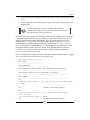
If transactions are coming in faster than the Apply process can Apply them,
try increasing the parallelism of the Apply processes. Or, consider adding an
additional Apply queue and process, and splitting the inbound Propagation
processes between them (this means that those Propagation processes that
need to be redirected to the new queue must be recreated).
•
Check for LARGE transactions.
The APPLY reader will keep dequeing the large transaction until it reaches
the transaction end marker. During this time, the coordinator and APPLY
slaves will be IDLE. To determine if there is a large transaction in progress,
you can check the capture site alert log for large transaction messages and
match it with the transaction id in the APPLY views.
•
Check for Apply spill to disk.
If the number of messages in a transaction exceeds the txn_lcr_spill_
threshold the Apply process will begin to spill messages to disk. This can
slow down the Apply process. Use the DBA_APPLY_SPILL_TXN view to see
information on spilled messages.
Failure Point 12: Conflict detection and
resolution rules
Oracle's conflict detection determines if old values or data structure in the event LCR
do not match the existing data in the destination table. When this happens, it checks
to see if there is any conflict resolution defined for the Apply ruleset. If none is
found, the LCR is placed in the Apply Error Queue (this is a persistent queue which
allows us to query it at will).
If conflict resolution methods are defined for the apply rule they are used to continue
processing the LCR. If the conflict is still not resolved after applying all the conflict
resolution methods to the LCR, the LCR is put in the Apply Error queue.
•
Verify the conflict resolution method resolves the conflict as expected.
Conflict resolution methods are a type of transformation and they can change
the data. Make sure the resolution and data change logic are correct and yield
the expected result with the values of the LCR.
•
Make sure supplemental logging has been configured for each
table replicated.
[ 290 ]