1
FP 100 User Manual
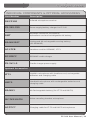
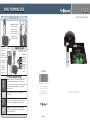
OPTIONAL LT-71 CONTROLS AND CONNECTIONS
4
5
1
6
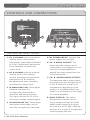
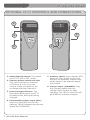
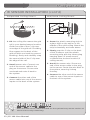
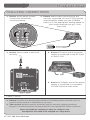
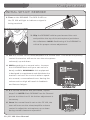
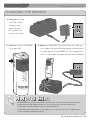
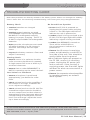
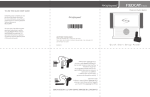
1. ON/OFF/MUTE Switch: This switch
turns LT-71 ON or OFF (mute).
2. Channel Select Switch (CH A/B): This switch allows for selection
of Channel A or B. If you are
using a single microphone, we
recommend using Channel A.
3. Power/Charge Indicator: The
light glows BLUE when the LT-71
is powered ON, RED when being
charged.
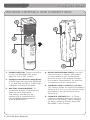
4. External Microphone Input (MIC):
Use the 3.5mm MIC jack for the
optional TK-250 headset microphone
(part# MC-TK250LTM).
7 | FP 100 User Manual
LT-71
LT-71
2
3
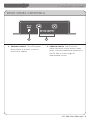
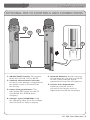
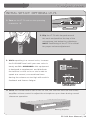
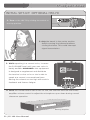
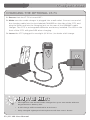
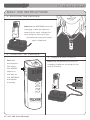
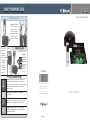
5. Auxiliary (AUX): Plug a laptop, MP3
player or other audio source into
this jack to wirelessly transmit the audio signal to be played through the system.
6. Charger Input (CHARGER): Plug
the charging cable from the charger into this jack for daily
charging. The LED on the front will
glow RED to indicate charging.