1
Instructions
Getting to know your camera
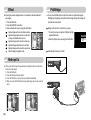
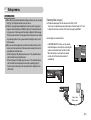
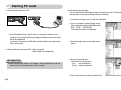
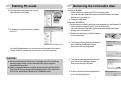
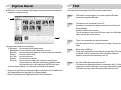
■ Use this camera in the following order.
Set up the camera driver
Take a picture
Insert the USB cable
Before connecting the camera to a PC, via
the USB cable, you will need to set up the
camera driver. Install the camera driver
that is contained in Application software
CD-ROM. (p.64)
Take a picture. (p.17)
Insert the supplied USB cable into the
PC’s USB port and the camera’s USB
connection terminal. (p.67)
Check the camera’s power
Check the camera’s power. If the power is
turned off, press the camera button to turn
it on.
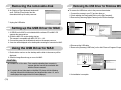
Check [Removable Disk]
Open Windows EXPLORER and search
for [Removable Disk]. (p.69)
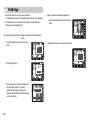
Thank you for buying a Samsung Digital Camera.
● Before using this camera, please read this user manual thoroughly.
● When you require After Sales service, please bring the camera and the cause of
the camera malfunction (such as battery, Memory card etc.) to the After Sales
Centre.
● Please check that the camera is operating properly before you intend to use it
(e.g. for a trip or an important event) to avoid disappointment. Samsung camera
takes no responsibility for any loss or damages that may result from camera
malfunction.
● Keep this manual in a safe place.
● The contents and illustrations of this manual are subject to change without prior
notice for upgrading the camera functions.
Microsoft, Windows and Windows logo are registered trademarks of Microsoft
Corporation incorporated in the United States and/or other countries.
All brand and product names appearing in this manual are registered trademarks
of their respective companies.
● If you use a card reader to copy the images on the memory card to your PC, the
images could be damaged. When transferring the images taken with the camera
to your PC, be sure to use the supplied USB cable to connect the camera to
your PC. Please note that the manufacturer accepts no responsibility for loss or
damage of images on the memory card due to the use of a card reader.
《1》