1
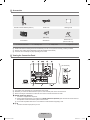
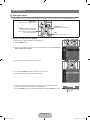
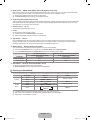
¦ Accessories
Remote Control & Batteries (AAA x 2)
Cover-Bottom
● Owner’s Instructions
Power Cord
Cleaning Cloth
(M4 X L16)
(M4 X L18)
Stand Screw
Stand Screw X 3
(32inch model only)
● Warranty card
● Safety Guide
● Registration Cards
N Please make sure the following items are included with your LCD TV. If any items are missing, contact your dealer.
N Warranty card / Safety Guide / Registration Cards (Not available in all locations)
N The items colour and shape may vary depending on the model.
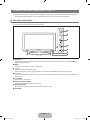
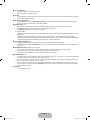
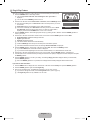
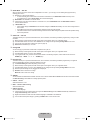
¦ Viewing the Connection Panel
1
2
[TV Rear Panel]
34
5
6
[TV Side Panel]
6
7
Power Input
0
9
8
N The product colour and shape may vary depending on the model.
N Whenever you connect an external device to your TV, make sure that power on the unit is turned off.
N When connecting an external device, match the colour of the connection terminal to the cable.
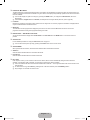
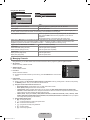
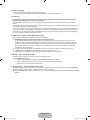
1 DIGITAL AUDIO OUT (OPTICAL)
– Connects to a Digital Audio component.
N When a Digital Audio System is connected to the DIGITAL AUDIO OUT (OPTICAL) jack: Decrease the volume of the TV
and adjust the volume level with the system’s volume control.
N 5.1CH audio is possible when the TV is connected to an external device supporting 5.1CH.
2 PC IN
– Connect to the video output jack on your PC.
English - BN68-02041A.indb 3
2009-04-10 �� 5:24:53