1
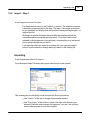
Importing a file
171
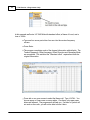
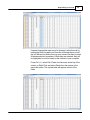
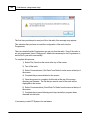
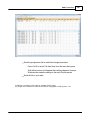
Excel will raise a warning(s) about worksheets and formatting that will be
lost if the file is saved in this format. Answer to the affirmative (OK or Yes)
to the message(s);eliminating the formatting is exactly what you want.
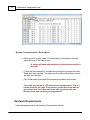
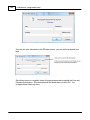
When you exit Excel, you will be asked again if you want to save the *.csv
file. If you have made no changes since you lost saved, answer No. If you
have made changes, answer Yes and proceed through the warnings again
to save the file again.
Limitations for use of another commercial spreadsheet program include:
The spreadsheet program will know none of the limitations of the radio. It
will allow you to enter any value in any space. You will have to enter transmit
and receive frequencies, CTCSS tones, and DCS codes carefully to be
sure they are imported correctly to the radio.
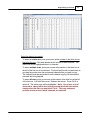
You will need to organize your data carefully. The Programmer will import all
the items from a single column as the same thing. This can cause an odd
split to be entered as Simplex or a non-standard offset to be ignored if the
data is not in a column labeled correctly or is mixed in with dissimilar data.
The Import File
The Import function is designed to assimilate some if not all of the following pieces of
information for use by the Programmer. As radio features vary, so will the information
to be imported (i.e., frequency ranges, the way offsets are handled, special options
such as mask, clock shift, etc.)
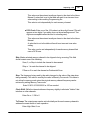
Channel Number: If your file has channel numbers and you opt to use this column
during import, your resulting file might not be what you expect.
If the "Overwrite existing channels" option is checked: The information will
be inserted into the specific channel no matter what is in the file at that
location now . While the channel numbers can help to organize the
information being imported, it can result in data being overwritten in the
process
© 2013 RT Systems, Inc.