1
Quick Start Guide This guide supports the following models: MB441, MB451, MB451w, MB461, MB471, MB471w, MB491 ES4161 MFP, ES4191 MFP PREFACE Every effort has been made to ensure that the information in this document is complete, accurate, and up-to-date. The manufacturer assumes no responsibility for the result of errors beyond its control. The manufacturer also cannot guarantee that changes in software and equipment made by other manufacturers and referred to in this manual will not affect the applicability of the information in it. Mention of software products manufactured by other companies does not necessarily constitute endorsement by the manufacturer. While all reasonable efforts have been made to make this document as accurate and helpful as possible, we make no warranty of any kind, expressed or implied, as to the accuracy or completeness of the information contained herein. All rights reserved by Oki Data Corporation. No part of this document may be reproduced in any form or by any means without prior written permission from Oki Data Corporation. © 2011 Oki Data Corporation OKI is a registered trademark of Oki Electric Industry Company, Ltd. Energy Star is a trademark of the United States Environmental Protection Agency. Microsoft, Windows, Windows Server, Windows Vista and Internet Explorer are registered trademarks of Microsoft Corporation. Apple, Macintosh, Mac and Mac OS are the registered trademarks of Apple Inc. Other product names and brand names are registered trademarks or trademarks of their proprietors. As an Energy Star Program Participant, the manufacturer has determined that this product meets the Energy Star guidelines for energy efficiency. This product complies with the requirements of the Council Directives 2004/108/EC (EMC) and 2006/95/EC (LVD) and 1999/5/ EC (R&TTE), as amended where applicable on the approximation of the laws of the member states relating to electromagnetic compatibility, low voltage and radio & telecommunications terminal equipment. The following cables were used to evaluate this product for EMC directive 2004/108/EC compliance, and configurations other than this may affect that compliance. LENGTH (METER) CORE Power 1.8 8 8 USB 5.0 8 4 LAN 15.0 8 8 3.0 8 8 CABLE TYPE Telephone -2- SHIELD EMERGENCY FIRST AID Exercise care in the handling and use of toner powder: If swallowed, give small amounts of cold water and seek medical attention. DO NOT attempt to induce vomiting. If inhaled, move the person to an open area for fresh air. Seek medical attention. If it comes into contact with the eyes, flush with large amounts of water for at least 15 minutes keeping eyelids open. Seek medical attention. Spills on clothing or exposed skin should be washed with cold water and soap to help reduce risk of staining. MANUFACTURER Oki Data Corporation, 4-11-22 Shibaura, Minato-ku, Tokyo 108-8551, Japan For all sales, support and general enquiries contact your local distributor. IMPORTER TO THE EU/AUTHORISED REPRESENTATIVE OKI Europe Limited (trading as OKI Printing Solutions) Blays House Wick Road Egham Surrey, TW20 0HJ United Kingdom For all sales, support and general enquiries contact your local distributor. ENVIRONMENTAL INFORMATION -3- ●● For Your Safety Read the Quick Start Guide (this guide) and User’s Manual (Basic) for your safety before using the product. Cautions related to safety WARNING Indicates the presence of a hazard for which not following the instructions noted may result in serious injury or death. CAUTION Indicates the presence of a hazard for which not following the instructions noted may result in injury. General cautions WARNING Do not touch the safety switch inside the machine. Doing so may cause electric shock due to high voltage. In addition, gears can rotate, which may result in personal injury. Do not use inflammable sprays near the machine. Doing so may result in fire due to heat within the machine. Remove the power plug from the socket and contact a customer’s service center if a liquid such as water comes into contact with the internal parts of the machine. Failure to do so may cause fire. Remove the power cord and contact a customer’s service center if the machine is dropped or the cover is damaged. Failure to do so may cause electric shock and/or fire leading to injury. Remove the power plug from the socket and remove foreign material such as clips if they fall inside the machine. Failure to do so may cause electric shock and/or fire leading to injury. Remove the power cord periodically to clean the plug blades and root section between the blades. If the power plug remains inserted for a long period of time, the root section will become dusty resulting in a short which may cause fire. Do not place containers with liquids such as water on the machine.Doing so may cause electric shock and/or fire resulting in injury. Do not use power cords, cables, or ground wires other than those that are indicated in the User’s Manual. Doing so may cause fire. Do not insert materials into a vent holes. Doing so may cause electric shock and/or fire resulting in injury. Do not throw toner or image drum cartridges into fire. Doing so may cause dust explosion leading to burns. If the machine casing gets extremely hot or if smoke, unusual odour or abnormal noises are emitted from the machine, there is a risk of fire. Switch off and unplug the mains connector and contact your dealer. Do not operate and do not disassemble the machine other than as directed in the User’s Manual. Doing so may cause electric shock and/or fire leading to injury. Do not clean spilled toner with a vacuum cleaner. Doing so may result in fire due to the sparks from electric contact. Toner spilled on the floor should be wiped off with a wet cloth. Do not touch the fuser and other parts when opening the cover of the machine. Doing so may cause burns. The operation of UPS (uninterruptible power source) or inverters is not guaranteed. Do not use uninterruptible power source or inverters. Doing so may cause fire. CAUTION Do not come closer to the paper’s exit area when the power is turned on, while printing. Doing so may result in personal injury. -4- Do not touch the liquid-crystal display if damaged. If liquid (liquid crystal) leaked from the liquid-crystal display comes into contact with the eyes or mouth, flush with a large amount of water. Seek medical attention if necessary. Table of Contents PREFACE.................................................................................................2 EMERGENCY FIRST AID............................................................................3 MANUFACTURER......................................................................................3 IMPORTER TO THE EU/AUTHORISED REPRESENTATIVE.................................3 ENVIRONMENTAL INFORMATION................................................................3 For Your Safety........................................................................................4 About This Guide.....................................................................................8 1 Machine Setup.................................................................... 10 Names of Components............................................................................ 10 Machine.................................................................................................................. 10 Operator Panel........................................................................................................ 12 Installing Your Machine........................................................................... 13 Installation Requirements......................................................................................... 13 Installation Environment..................................................................................................... 13 Installation Space.............................................................................................................. 13 Wireless LAN Environment (MB451w, MB471w only)..................................................... 14 Precautions for use in a wireless LAN environment.................................................................. 14 Terminology...................................................................................................................... 14 Unpacking and Installing Your Machine....................................................................... 15 Available Options..................................................................................................... 17 Turning Your Machine On and Off............................................................................... 18 Power Supply Conditions..................................................................................................... 18 Turning On Your Machine..................................................................................................... 19 Turning Off Your Machine..................................................................................................... 19 Loading Paper......................................................................................................... 20 Step 1 Loading Paper into Tray 1.......................................................................................... 20 Step 2 Configuring the Settings for Tray 1............................................................................. 21 Printing Configuration............................................................................. 22 Printing Procedure................................................................................................... 22 2Copying.............................................................................. 23 Starting a Copy Job.................................................................................................. 23 -5- Table of Contents 3Faxing (For MB451, MB451w, MB471, MB471w, MB491, ES4191 MFP only)............................................................... 25 Initial Setup for Faxing........................................................................... 26 Step 1 Setting Country Code..................................................................................... 26 Step 2 Connecting a Telephone Line........................................................................... 27 Connecting to a Public Line (Connecting for Fax Only)............................................................. 27 Connecting to a Public Line (Connecting for Fax and Telephone)............................................... 28 Connecting to an ADSL Environment..................................................................................... 29 Connecting to an IP Telephone............................................................................................. 29 Connecting to a CS Tuner or Digital Television........................................................................ 30 Connecting to a PBX, Home Telephone or Business Phone........................................................ 30 Connecting as an Internal Telephone..................................................................................... 31 Step 3 Configuring Basic Settings............................................................................... 31 Step 3-1 Settings for Each Dialing Type................................................................................. 31 Step 3-2 Setup of Date/Time............................................................................................... 32 Step 3-3 Specifying Sender Information................................................................................ 33 Step 3-4 PBX Connecting.................................................................................................... 35 Step 3-5 Setting for Super G3.............................................................................................. 36 Step 3-6 Specifying Reception Mode..................................................................................... 37 Faxing.................................................................................................. 38 Procedure for Fax..................................................................................................... 38 Receiving a Fax....................................................................................................... 40 Reception Behavior............................................................................................................. 40 Printing Received Faxes....................................................................................................... 40 Faxing from a Computer (For Windows).................................................... 41 Installing a Fax Driver.............................................................................................. 41 Procedure for Fax from a Computer............................................................................ 50 -6- Table of Contents 4Scanning............................................................................. 51 Scanning to E-mail................................................................................. 51 Initial Setup for Scan to E-mail.................................................................................. 51 Step 1 Configuring the Network Settings of Your Machine........................................................ 51 Step 2 Configuring the E-mail Settings of Your Machine........................................................... 56 Procedure of Scan to E-mail...................................................................................... 59 Scanning to Network PC.......................................................................... 61 Initial Setup for Scan to Network PC........................................................................... 61 Step 1 Configuring the Network Settings of Your Machine........................................................ 61 Step 2 Setting Up Your Computer and Machine for Scan to Network PC..................................... 65 Procedure for Scan to Network PC.............................................................................. 76 Scanning to Local PC.............................................................................. 77 Initial Setup for Scan to Local PC............................................................................... 77 For Windows...................................................................................................................... 77 For Mac OS X..................................................................................................................... 90 Procedure for Scan to Local PC.................................................................................. 97 5 Printing............................................................................ 101 Printing from a Computer...................................................................... 101 Installing a Printer Driver.........................................................................................101 For Windows.................................................................................................................... 101 For Mac OS X................................................................................................................... 110 Starting a Print Job.................................................................................................122 For Windows PCL/PCL XPS Printer Driver............................................................................. 122 For Windows PS Printer Driver........................................................................................... 123 For Mac OS X PS Printer Driver.......................................................................................... 124 For Mac OS X PCL Printer Driver......................................................................................... 124 Index..................................................................................... 126 -7- ●● About This Guide Terms in this document The following terms are used in this guide: Note ●● Indicates important information on operations. Please ensure you read these. Memo ●● Indicates additional information on operations. It is recommended that this be read. Reference ●● Indicates where to look when you require more detailed or related information. WARNING ●● Indicates the presence of a hazard for which not following the instructions noted may result in serious injury or death. CAUTION ●● Indicates the presence of a hazard for which not following the instructions noted may result in injury. Symbols in this document The following symbols are used in this guide: Symbols [] " < > " > key Description ●● Indicates menu names on the display screen. ●● Indicates menu, window, dialog box names on the computer. ●● Indicates part names of the machine or supplied parts. ●● Indicates file names on the computer. ●● Indicates reference titles. Indicates a hardware key on the operator panel or a key on the keyboard of the computer. ●● Indicates how to get to the menu you want on the menu of the machine or the computer. ●● Indicates how to get to the section where the related information is described. -8- Notation used in this guide The following notations may be used in this manual. ●● PostScript3 Emulation → PSE, POSTSCRIPT3 Emulation, POSTSCRIPT3 EMULATION ●● Microsoft® Windows® 7 64-bit Edition operating system → Windows 7 (64bit version) * ●● Microsoft® Windows Vista® 64-bit Edition operating system → Windows Vista (64bit version) * ●● Microsoft® Windows Server® 2008 R2 64-bit Edition operating system → Windows Server 2008 * ●● Microsoft® Windows Server® 2008 64-bit Edition operating system → Windows Server 2008 (64bit version) * ●● Microsoft® Windows® XP x64 Edition operating system → Windows XP (x64 version) * ●● Microsoft® Windows Server® 2003 x64 Edition operating system → Windows Server 2003 (x64 version) * ●● Microsoft® Windows® 7 operating system → Windows 7 * ●● Microsoft® Windows Vista® operating system → Windows Vista * ●● Microsoft® Windows Server® 2008 operating system → Windows Server 2008 * ●● Microsoft® Windows® XP operating system → Windows XP * ●● Microsoft® Windows Server® 2003 operating system → Windows Server 2003 * ●● Generic name for Windows 7, Windows Vista, Windows Server 2008, Windows XP, and Windows Server 2003 → Windows ●● Web Services on Devices → WSD * I f there is no special description, 64bit version is included in Windows 7, Windows Vista, Windows Server 2008, Windows XP, and Windows Server 2003. (64bit version and Windows Server 2008 R2 is included in Windows Server 2008.) If there is no special description, Windows 7 is used as Windows, Mac OS X 10.7 is used as Mac OS X, and MB491 is used as the machine for examples in this document. The descriptions in this document may be different depending on your OS or model. -9- 1 1 Machine Setup Machine Setup This chapter explains the initial setup for the machine, including the names of the machine components, how to unpack and install the machine, how to turn on/off the machine, and how to load paper into tray 1. ●● Names of Components This section shows the names of the components of the machine and operator panel. Machine The following shows the names of the machine components. 13 7 8 6 9 10 5 11 No. Name 13 Document glass 12 4 No. 1 2 3 4 5 6 7 8 9 10 11 12 3 2 1 Name Top cover Power switch Tray 1 Manual Feeder (for MB441/MB461/ES4161 MFP only) Multipurpose (MP) tray (for MB451/MB451w/ MB471/MB471w/MB491/ES4191 MFP only) Top cover open button Operator panel Auto document feeder (ADF) cover Document tray Scanner unit Document glass cover Air vents USB port 14 15 16 17 No. 14 15 16 17 - 10 - Name Fuser unit Starter toner cartridge Image drum LED head Names of Components 1 Machine Setup LINE TEL 21 22 18 19 20 No. 18 19 20 21 22 Name Faceup stacker AC power socket Air vents LINE connection (for MB451/MB451w/MB471/ MB471w/MB491/ES4191 MFP only) TEL connection (for MB451/MB451w/MB471/ MB471w/MB491/ES4191 MFP only) 23 24 25 No. 23 24 25 Name Network interface connection USB interface connection SD memory card slot (for MB491/ES4191 MFP only) - 11 - Names of Components 1 Operator Panel The following shows the names of the components of the operator panel. Machine Setup Reference ●● For the details on the functions of each component, refer to the User’s Manual (Basic) > “1. Setup” > “Operator Panel”. 22 2 1 16 11 6 7 8 9 10 21 20 13 19 No. 1 2 3 4 5 6 7 8 9 10 11 12 13 14 15 16 17 18 19 20 21 22 15 12 14 17 3 4 5 Name Display screen Main function keys <COPY> key <SCAN> key <PRINT> key <FAX/HOOK> key (for MB451/MB451w/MB471/MB471w/MB491/ES4191 MFP) <START (MONO)> key <START (COLOR)> key <STOP> key <STATUS> key <SETTING> key <REDIAL/?HELP> key (for MB451/MB451w/MB471/MB471w/MB491/ES4191 MFP) <?HELP> key (for MB441/MB461/ES4161 MFP) <RESET/LOG OUT> key Ten-key pad <UP> key <DOWN> key <LEFT> key <RIGHT> key <OK> key <BACK> key <CLEAR> key <POWER SAVE> key <DATA IN MEMORY> indicator (for MB451/MB451w/MB471/MB471w/MB491/ES4191 MFP) One-Touch key pad <JOB MACRO> key (for MB471/MB471w/MB491/ES4191 MFP) Qwerty keyboard (for MB471/MB471w/MB491/ES4191 MFP) - 12 - 18 Installing Your Machine ●● Installing Your Machine 1 This section explains how to unpack and install the machine. Installation Space This section explains the required environment and space for machine installation. Install your machine on a flat surface that is wide enough to accommodate the machine. Installation Environment Allow for enough room around your machine according to the images below. Your machine must be installed in the following environment: ●● Top view (193cm) 20cm Temperature: Humidity: Maximum wet bulb temperature: 10°C~32°C 20%~80% RH (relative humidity) (83cm) 25°C 50cm 100cm 20cm Note ●● Be careful of condensation. It may cause a malfunction. ●● If installing your machine where the relative humidity of the surrounding air is less than 30%, use a humidifier or antistatic mat. ●● Side view 50cm WARNING ●● Do not place in hot locations or near fire. ●● Do not install in locations where chemical reactions take place (laboratory etc.). ●● Do not place in locations near flammable solutions such as alcohol and thinner. ●● Do not place in locations within reach of small children. ●● Do not install in unstable locations (wobbly stand, angled place, etc.). ●● Do not install in locations with high humidity or dust and where exposed to direct sunlight. ●● Do not install in an environment exposed to briny air and corrosive gas. ●● Do not install in locationss with much vibration. ●● Do not install in locations where the ventilation holes of the machine are blocked. (96cm) CAUTION ●● Do not place directly on a rug or carpet with long strands. ●● Do not install in a closed room with poor ventilation or circulation. ●● If you use the machine in a small room for a long time, please make sure that you ventilate the room. ●● Install away from strong magnetic fields and sources of noise. ●● Install away from monitors or TVs. ●● When moving the machine, hold it on both sides, and move it by slightly tilting the back down. - 13 - Machine Setup Installation Requirements Installing Your Machine 1 Machine Setup ●● Infrastructure mode This mode communicates through the wireless access point. This product does not support the ad-hoc mode in which communication is performed directly with the computer. Wireless LAN Environment (MB451w, MB471w only) This product connects wirelessly to a wireless access point, and can then be used on the network. MFP Wireless access point PC Precautions for use in a wireless LAN environment ●● This product cannot connect to a wired LAN and wireless LAN at the same time. ●● Check the wireless access point settings before configuring the SSID and security settings. This product cannot connect to the LAN if the settings are wrong. ●● This product supports infrastructure mode. Ad-hoc mode is not supported. Terminology ●● SSID An ID used to identify the connection destination network. Wireless communication can be used by setting this product with the SSID of the connection destination wireless access point. ●● Security Settings When using a wireless LAN, security settings can be configured to prevent the transmitted information from being intercepted or illegal access to the network. The security settings need to be configured to the same settings as the wireless access point. ●● WPS A wireless LAN setting method provided by Wi-Fi Alliance, a wireless LAN industry group. There are two available methods, a push button method and PIN code method, and in the push button method the wireless LAN settings can easily be configured simply by pressing a [WPS] button on the wireless access point. In the PIN code method, the wireless LAN settings can easily be configured by registering the 8-digit number assigned to this product to the wireless access point. - 14 - Installing Your Machine 3 Remove the protection tapes (2) at the Unpacking and Installing Your Machine top and sides of your machine, and take out cushioning materials (3). 2 Note ●● The image drum is very delicate. Handle it carefully. ●● Do not expose the image drum to direct sunlight or very bright interior light (approximately more than 1500lux). Even under the normal interior light, do not leave it for more than 5 minutes. 3 ●● Packaging and cushioning material are needed if transporting the machine. Do not throw them away. 1 Remove your machine from the box and 2 remove cushioning materials and the plastic bag from your machine. The accessories (an AC cord, Telephone cable and the “Software DVD-ROM”) are packed within the cushioning material (1). 4 Remove the protection tapes (4), and open the MP tray. Note ●● Telephone cable is not supplied in some countries. 4 5 Remove the protection tape (5), and pull the paper up. 1 2 Lift your machine and place it where it is to be installed. 5 Note ●● Do not open the scanner unit till step 9 is completed. 6 Close the MP tray. 7 Open the document glass cover. - 15 - Machine Setup This section explains how to unpack and install the machine. 1 Installing Your Machine 1 8 Remove the protection tapes (6). 12 Lift the image drum from the machine. Open the ADF and remove the protection tapes. Machine Setup 6 Note ●● Do not expose image drum to light for more than 5 minutes. 9 Close the document glass cover. ●● Do not touch shiny green surface at the bottom of image drum. Now, you can open or close the scanner. 10 Open the scanner unit. 13 Remove the desiccant before installation. 14 Reinstall image drum in the machine: lower it into place in the machine inserting the pegs (8) at each end into their slots in the sides of the machine cavity (9). 11 Press the top cover open button (7) and open the top cover. 8 8 7 9 9 - 16 - Installing Your Machine 15 Turn the lever in the direction shown Available Options below. ●● Second tray unit (the tray 2) Note ●● Second tray unit is only available on MB461, MB471, MB471w, MB491, ES4161 MFP, ES4191 MP. Reference ●● For details on how to install the option, refer to the User’s Manual (Basic) > “1. Setup”> “Installing Options”. Note ●● The arrow on the lever should align with the arrow on the image drum. ●● When the toner cartridge is not fully fixed, a decline in print quality may occur. 16 Close the top cover. 17 Close the scanner unit. Reference ●● Please refer to “Loading Paper” P.20 for information on how to load paper into the machine. - 17 - Machine Setup The following option is available for your machine: 1 Installing Your Machine 1 Turning Your Machine On and Off WARNING Machine Setup This section explains how to turn the machine on and off. Power Supply Conditions The power supply must meet the following conditions: Current: Frequency: 110 - 127VAC (Range 99 - 140 VAC) 220 - 240VAC (Range 198 - 264VAC) 50/60 Hz ± 2% Note ●● If the power supply is unstable, use a voltage regulator. ●● The maximum power consumption of this machine is 950W. Ensure that the power supply is sufficient to operate this machine. ●● We do not guarantee the operation where an uninterruptible power system (UPS) or inverter is used. Do not use an uninterruptible power system (UPS) or inverter. - 18 - There is a risk of electric shock and/or fire. ●● Be sure to turn off the power switch when attaching or removing the AC cable and earth wire. ●● Be sure to connect the earth wire to a dedicated grounding terminal. ●● Never connect the earth wire to a water pipe, gas pipe, telephone line earth, lightning rod or the like. ●● Make sure to connect the earth wire before connecting the AC cable to the electric socket. ●● Be sure to plug in and unplug the AC cable while holding on to the power supply plug. ●● Insert the power supply plug deep into the wall socket securely. ●● Do not insert or remove the power supply plug with a wet hand. ●● Install the power cord in a place where it will not be stepped on, and do not place anything on the power cord. ●● Do not tie the cord in a bundle. ●● Do not use the power cord if damaged. ●● Do not use multi-outlet adapters. ●● Do not connect this machine and other electric items to the same wall socket. If connected simultaneously with an air-conditioner unit, a copy machine, shredder, etc., electric noise may interfere with machine operation. If connection to the same wall socket as another item is unavoidable, please use a commercial noise filter or a commercial noise cut transformer. ●● Use the attached power cord and insert it directly with the ground terminal. Do not use power cords for other products for the machine. ●● Do not use an extension cord. When use of an extension cord is unavoidable, use a cord rated 15A or higher. ●● Use of an extension cord may cause the machine to operate at lower than normal capacity due to AC voltage descent. ●● During printing, do not shut off the power supply or remove the power supply plug. ●● When not in use for extended periods (consecutive holidays or extended travel), remove the power cord from the socket. ●● Do not use the attached power cord for other products. Installing Your Machine Turning On Your Machine Turning Off Your Machine 1 Plug the AC cord into the AC power 1 Hold down the power switch for approximately one second. The message [Shutdown in progress. Please wait. The machine turns off automatically.] will appear in the operator panel, and power switch indicator will blink every 1 second. The machine then turns off automatically and the power switch indicator extinguishes. 2 Plug the AC cord into the electric socket. 3 Check that no documents are on the document glass or ADF, and that the ADF cover is closed. 4 Hold down the power switch for approximately one second to turn the power on. Note ●● Wait a few seconds after turning the power on or off before turning the power on or off again. Reference ●● Your machine has a power save mode and sleep mode, and an auto power off function. For details, refer to the User’s Manual (Basic) > “1. Setup” > “Installing Your Machine” > “Turning On and Off Your Machine” > “Power Save Mode and Sleep Mode” / “Auto Power Off”. The copy standby screen is displayed after your machine attains ready status. Note ●● Wait a few seconds after turning the power on or off before turning the power on or off again. - 19 - Machine Setup socket of your machine. 1 Installing Your Machine 1 Loading Paper Machine Setup Your machine has two built-in trays (tray 1 and MP tray) (MB441/MB461/ES4161 MFP is a Manual Feeder) and an optional tray (tray 2). The Optional tray (Tray2) is only available on MB461, MB471, MB471w, MB491, ES4161 MFP, and ES4191 MP. This section explains the supported paper and capacity of tray 1 and how to load paper into the tray 1. After you load paper, you need to register the loaded paper on your machine. To complete the loading procedures, follow the 2 steps below: ●● “Step 1 Loading Paper into Tray 1” P.20 ●● “Step 2 Configuring the Settings for Tray 1” P.21 Tray 1 Specification Supported paper size ●● A4 ●● A5* ●● B5 ●● A6* ●● Letter ●● Legal 13 ●● Legal 13.5 ●● Legal 14 ●● Executive ●● Statement* ●● 16K (184 x 260 mm) ●● 16K (195 x 270 mm) ●● 16K (197 x 273 mm) ●● Custom Paper capacity Paper weight 250 sheets ●● Light (when paper weight is 80 g/m2) 60 to 63 g/m2 (16 to 17 lb) ●● Medium Light 64 to 74 g/m2 (18 to 19 lb) ●● Medium 75 to 87 g/m2 (20 to 23 lb) ●● Medium Heavy 88 to 104 g/m2 (24 to 27 lb) ●● Heavy 105 to 122 g/m2 (28 to 32 lb) Note ●● Duplex printing cannot be performed on paper marked with “*”. Reference ●● For the specifications and how to load paper in tray 2 (optional), MP tray, and manual feeder, refer to the User’s Manual (Basic) > “1. Setup” > “Loading Paper and Documents” > “Paper” > “Loading Paper”. Step 1 Loading Paper into Tray 1 2 Slide the paper guide (1) to the width of the paper to be loaded. 1 Pull out tray 1. 1 - 20 - Installing Your Machine 3 Slide the paper stopper (2) to the length of the paper to be loaded. Step 2 Configuring the Settings for Tray 1 operator panel. 4 Flex paper back and forth, and then fan it. Straighten the edges of the paper stack on a level surface. 2 Press the then press to select [Paper Setup] and . OK 5 Load paper with the print side face down. Note ●● Do not load paper above the fill line (3). 3 Check that [Tray 1] is selected and then press OK . 4 Check that [Paper Size] is selected and then press OK . 5 Press the to select the size of the loaded paper and then press OK . Reference [▼▼▼] ●● If [Custom] is selected for [Paper Size], you need to register the custom size. For how to register the custom size, refer to the User’s Manual (Basic) > “1. Setup” > “Loading Paper and Documents” > “Paper” > “Loading Paper” > “Registering Custom Sizes”. 3 6 Press the to select [Media Type] and then press . 6 Push tray 1 until it stops. OK 7 Press the to select the type of media loaded and then press OK . 8 Press the to select [Media Weight] and then press OK . 9 Press the to select the weight of the loaded paper and then press OK . 10 Press the displayed. - 21 - until the top screen is Machine Setup 1 Press the <SETTING> key on the 2 1 Printing Configuration 1 ●● Printing Configuration Machine Setup This section explains how to print the Configuration on which you can check the detailed information of your machine, such as the settings and status of your machine. When you finished the initial setup, follow the procedure below to confirm that the machine is properly installed. Printing Procedure 1 Press the <SETTING> key on the operator panel. 2 Check that [Reports] is selected and press OK . 3 Check that [Configuration] is selected and press OK . 4 For the confirmation message, check that [Yes] is selected and press OK . When the Configuration is properly printed, the initial setup has succeeded. - 22 - 2Copying This chapter explains the basic operation for your machine’s copy function. Starting a Copy Job 2 Place your document in the ADF or on the document glass as below: Memo Load documents face up with the top edge of the documents in first. 1 Press the <COPY> key on the operator panel to open the copy standby screen. Adjust the document guides to the width of your documents. ●● Document Glass Place the document face down and align its top edge to the upper-left corner of the glass. Close the document glass cover gently. Note ●● Do not apply an excessive load to the document glass. Memo ●● The machine prioritizes the ADF when copying documents. Be sure not to place documents on the ADF when you use the document glass. - 23 - Copying ●● ADF ●● The following procedure uses the factory default settings. 2 Starting a Copy Job 3 Press MONO to start copying. Note ●● You cannot use the COLOR button. Memo 2 ●● You can cancel the operation by pressing the <STOP> key on the operator panel until the message showing the copy completion is displayed. Copying Reference ●● To load a landscape document, refer to the User’s Manual (Basic) > “1. Setup” > “Loading Paper and Documents” > “Documents” > “Loading Documents”. ●● You can change the copy settings such as scan size, document’s orientation and duplex copying as necessary. For details, refer to the User’s Manual (Basic) > “2. Copying” > “Configuring Copy Settings”. - 24 - 3 Faxing (For MB451, MB451w, MB471, MB471w, MB491, ES4191 MFP only) This chapter explains the initial setup, such as how to set the country code, connect a telephone line and configure the basic settings, and basic procedure for the Fax and Fax from Computer functions. Your machine supports the following functions regarding fax. “Faxing from a Computer (For Windows)” Scanning to Fax Server Internet Faxing Auto Delivery (MB491, ES4191 MFP only) Overview Scans documents and transmits them as faxes or receives faxes via a telephone line. You need to complete the initial setup for faxing before using this function. Transmits faxes from your computer connected via USB or network. The faxes are transmitted directly from your computer to a destination via the machine using a telephone line. The fax driver must be installed on the computer to use this function. You also need to complete the initial setup for faxing before using this function. Scans documents and transmits scanned images as attached TIFF file of e-mails to fax server via network. The fax server transmits the received TIFF files to fax. For the initial setup for the function, refer to the User’s Manual (Basic) > “1. Setup” > “Configuring the Network Settings” > “Setting Up Scan To E-mail and Internet Fax”. For the procedure of the function, refer to the User’s Manual (Basic) > “3. Faxing (for MB451, MB451w, MB471, MB471w, MB491, ES4191 MFP only)” > “Basic Procedure for Scan To Fax Server”. Scans documents and transmits them as faxes or receives faxes by e-mails via network. For the initial setup for the function, refer to the User’s Manual (Basic) > “1. Setup” > “Configuring the Network Settings” > “Setting Up Scan To E-mail and Internet Fax”. For the procedure for the function, refer to the User’s Manual (Basic) > “3. Faxing (for MB451, MB451w, MB471, MB471w, MB491, ES4191 MFP only)” > “Basic Procedure for Internet Faxing”. Forwards the received faxes and files attached to e-mails automatically to specified destinations. You can specify e-mail addresses and a network folder as the destination. For the initial setup for the function, refer to the User’s Manual (Basic) > “1. Setup” > “Configuring the Network Settings” > “Setting Up Scan To E-mail and Internet Fax”/”Setting Up Scan To Network PC”. For details on the function and how to register destinations beforehand, refer to the User’s Manual (Advanced) > “9. Settings for Auto Delivery and Transmission Data Save Functions (for MB491/ES4191 MFP Only)” > “Forwarding Received Data As Digital Data (Auto Delivery)”. Note ●● If an SD card is not inserted, this function will not operate. - 25 - Faxing (For MB451, MB451w, MB471, MB471w, MB491, ES4191 MFP only) Function “Faxing” 3 Initial Setup for Faxing ●● Initial Setup for Faxing This section explains the initial setup necessary for the Fax and Fax from Computer functions. To set up the machine for the Fax and Fax from Computer functions, follow the 3 steps below: ●● “Step 1 Setting Country Code” P.26 ●● “Step 2 Connecting a Telephone Line” P.27 ●● “Step 3 Configuring Basic Settings” P.31 3 Step 1 Setting Country Code 3 Press the to select [Admin Setup] and then press OK . Faxing (For MB451, MB451w, MB471, MB471w, MB491, ES4191 MFP only) This section explains how to set the country code. Be sure to select the suitable country code before connecting the telephone line. Note ●● If you set wrong country code, you may not be able to send or receive faxes. When you cannot send or receive faxes even though you have properly connected the telephone line, check if [Country Code] is set correctly. 1 Hold down the power switch for 4 Enter the administrator password. approximately one second to turn on the power. 2 Press the <SETTING> key on the The factory default password is “aaaaaa”. a Press , , , to select the character you want, and then press OK . -- The selected character is entered as “*” in the text filed. operator panel. -- If you have entered an incorrect value, press the <CLEAR> key and then enter the correct value. b Repeat step a until all characters required are entered. c Press the and press - 26 - and . OK to select [Enter] Initial Setup for Faxing 5 Press the then press to select [Fax Setup] and . Step 2 Connecting a Telephone Line OK 6 Press the to select [Fax Setting] and then press . OK 7 Press the to select [Country Code] and then press OK . 8 Press the or to select your country name and then press OK . If your country name is not displayed, select the following value. -- If your country is Canada, select [U.S.A]. -- If the region of your country is Latin America, select [Latin America]. -- If the region of your country is Europe or the Middle East, select [International]. The method of connecting a telephone line differs depending on your environment. Based on the following figures, connect the line for your environment. Note ●● Do not connect with USB cable or LAN cable at this point. ●● Be sure to set the appropriate country code before connecting the telephone line. ●● You cannot connect to an ISDN line directly. To connect to an ISDN line, use the terminal adopter (TA) and connect to the LINE connection of the machine. ●● A telephone cable is supplied with your machine except in certain countries. Reference ●● To check the reception mode according to the machine environment, refer to “Step 3-6 Specifying Reception Mode” P.37. Settable Country Codes: U.S.A. International United Kingdom Ireland Norway Sweden Finland Denmark Germany Hungary Czech/Slovakia Poland Switzerland Austria Belgium Netherlands France Portugal Spain Italy Greece Australia New Zealand Singapore Hong Kong Latin America Mexico China Russia Taiwan Japan Korea Thailand Malaysia Jordan Argentina Brazil South Africa Belarus Moldova Turkey Ukraine ●● To check the dial type settings, refer to “Step 3-1 Settings for Each Dialing Type” P.31. Connecting to a Public Line (Connecting for Fax Only) Note ●● Do not connect with USB cable or LAN cable at this point. 1 Check that the machine is turned off. If the machine is turned on, hold down the power switch for approximately one second to turn off the power. 9 For the confirmation message, check that [Yes] is selected and press OK 3 . The machine restarts automatically, and the default screen is displayed a few minutes later. Memo ●● If the [Country Code] is changed, the value of [PBX Line] and [MF (Tone)/DP (Pulse)] are changed to the default values for each country code. - 27 - Faxing (For MB451, MB451w, MB471, MB471w, MB491, ES4191 MFP only) -- If your country is the Czech Republic or Slovakia, select [Czech/Slovakia]. This section explains how to connect a telephone line for faxing. Be sure to connect the telephone line depending on your environment before you transmit or receive faxes. Initial Setup for Faxing 2 Plug one end of the [Telephone cable] 3 Remove the [Telephone connector into the [LINE connection] of your machine and the other end into the [Public Line (Analog)]. cover]. TEL E LIN Telephone connector cover LINE connection 3 4 Plug the external telephone’s cable into the [TEL connection] of your machine. Public Line (Analog) TEL connection Faxing (For MB451, MB451w, MB471, MB471w, MB491, ES4191 MFP only) Telephone cable Note ●● Be certain to connect the telephone cable to [LINE connection]. Never connect it to [TEL connection]. Connecting to a Public Line (Connecting for Fax and Telephone) The telephone that is connected to the machine is called an external telephone. Note ●● Do not connect with USB cable or LAN cable at this point. Note ●● Only one telephone can be connected to the machine. 1 Check that the machine is turned off. If the machine is turned on, hold down the power switch for approximately one second to turn off the power. ●● Do not connect the telephone to the machine in parallel. If you connect the telephone to the machine in parallel, the following problems will occur and the machine will not work correctly. --When you send or receive a fax, the fax picture may be broken or a communication error may occur by picking up the telephone. 2 Plug one end of the [Telephone cable] into the [LINE connection] of your machine and the other end into the [Public Line (Analog)]. --The fax transfer function is not able to work from the external telephone. Public Line (Analog) Public Line (Analog) first floor second floor LINE connection Public Line (Analog) Memo Telephone cable ●● In the case of direct interconnection, separate construction is necessary. Please contact the telephone company that you use. - 28 - Initial Setup for Faxing Connecting to an ADSL Environment Connecting to an IP Telephone Note Note ●● Do not connect with USB cable or LAN cable at this point. First, check that the machine is turned off. If the machine is turned on, hold down the power switch for approximately one second to turn off the power. First, check that the machine is turned off. If the machine is turned on, hold down the power switch for approximately one second to turn off the power. Plug the [Telephone cable] connected to the ADSL modem into the [LINE connection] of your machine. Plug the [Telephone cable] connected to the IP telephone into the [LINE connection] of your machine. Remove the telephone connector cover. Remove the telephone connector cover. Plug the external telephone’s cable into the [TEL connection] of your machine. Plug the external telephone’s cable into the [TEL connection] of your machine. LINE connection TEL connection LINE connection TEL connection Optical IP telephone Corresponding telephone Optical Network Unit (ONU) Public Line (Analog) Telephone cable Telephone cable Splitter LAN cable Optical cable *Insert into the telephone cable jack. ADSL modem Memo Memo ●● Check the dial tone detection if it is unable to dial. Refer to the User’s Manual (Advanced) > “6. Configuring at the Operator Panel” > “List of the Device Setting Menu Items” > “List of Each Setup Menu” > “Admin Setup” > “User Install”. ●● If you cannot send or receive faxes very well, set [Super G3] to [OFF]. Refer to “Step 3-5 Setting for Super G3” P.36 in detail. ●● Check the dial tone detection if it is unable to dial. Refer to the User’s Manual (Advanced) > “6. Configuring at the Operator Panel” > “List of the Device Setting Menu Items” > “List of Each Setup Menu” > “Admin Setup” > “User Install”. ●● If you cannot send or receive faxes very well, set [Super G3] to [OFF]. Refer to “Step 3-5 Setting for Super G3” P.36 in detail. - 29 - 3 Faxing (For MB451, MB451w, MB471, MB471w, MB491, ES4191 MFP only) ●● Do not connect with USB cable or LAN cable at this point. Initial Setup for Faxing Connecting to a CS Tuner or Digital Television Connecting to a PBX, Home Telephone or Business Phone Note Note ●● Do not connect with USB cable or LAN cable at this point. ●● Do not connect with USB cable or LAN cable at this point. First, check that the machine is turned off. If the machine is turned on, hold down the power switch for approximately one second to turn off the power. First, check that the machine is turned off. If the machine is turned on, hold down the power switch for approximately one second to turn off the power. 3 Plug the [Telephone cable] connected to the [Public Line (Analog)] into the [LINE connection] of your machine. Plug the [Telephone cable] connected to the [Public Line (Analog)] into the [LINE connection] of your machine. Faxing (For MB451, MB451w, MB471, MB471w, MB491, ES4191 MFP only) Remove the telephone connector cover. Remove the telephone connector cover. Plug the telephone cable connected to the CS tuner or digital television into the [TEL connection] of your machine. Plug the telephone cable connected to a control device including PBX, etc. into the [TEL connection] of your machine. LINE connection LINE connection TEL connection TEL connection CS tuner or digital television Control device including PBX, etc. Telephone cable Public Line (Analog) Telephone cable Public Line (Analog) ●● Home Telephone In general, many telephones are connected with one or two telephone lines, and internal communication and door phone are possible. This is simple switching equipment for household. ●● Business Phone In general, it can accommodate more than two telephone lines, these telephone lines can be shared with other telephones, and internal communication is possible. This is simple switching equipment. - 30 - Initial Setup for Faxing Connecting as an Internal Telephone Step 3 Configuring Basic Settings Note ●● Do not connect with USB cable or LAN cable at this point. This section explains how to configure the basic settings on the machine for the fax function. Follow the 6 sub steps below: First, check that the machine is turned off. If the machine is turned on, hold down the power switch for approximately one second to turn off the power. Plug the [Telephone cable] connected to a control device including PBX, etc. into the [LINE connection] of your machine. LINE connection Control device including PBX, etc. ●● “Step 3-2 Setup of Date/Time” P.32 ●● “Step 3-3 Specifying Sender Information” P.33 ●● “Step 3-4 PBX Connecting” P.35 ●● “Step 3-5 Setting for Super G3” P.36 ●● “Step 3-6 Specifying Reception Mode” P.37 Note Telephone cable ●● You need to complete the country code setting and connect the telephone line according to your environment before this procedure. Memo ●● You can skip step 3-4 and 3-5 depending on your environment. For details, refer to each description. Step 3-1 Settings for Each Dialing Type Memo ●● Set [PBX Line] to [ON]. Refer to “Step 3-4 PBX Connecting” P.35 in detail. Specify the dialing type for transmission according to your environment. The factory default for [MF(Tone)/DP(Pulse)] is set to [Tone]. ●● For push-button phones, if you hear a “Beep, boop, beep” sound, leave [MF(Tone)/ DP(Pulse)] as [Tone]. ●● For push-button type phones, if you do not hear a “Beep, boop, beep” sound, set [MF(Tone)/DP(Pulse)] to [Pulse]. ●● For rotary-dial type phones, set [MF(Tone)/ DP(Pulse)] to [Pulse]. 1 Press the <SETTING> key on the operator panel. - 31 - 3 Faxing (For MB451, MB451w, MB471, MB471w, MB491, ES4191 MFP only) Public Line (Analog) ●● “Step 3-1 Settings for Each Dialing Type” P.31 Initial Setup for Faxing 2 Press the and press OK 7 Press the to select [Admin Setup], . displayed. until the top screen is Step 3-2 Setup of Date/Time Set up Date/Time of your region. 1 Press the <SETTING> key on the operator panel. 3 3 Enter the administrator password. The factory default password is “aaaaaa”. Faxing (For MB451, MB451w, MB471, MB471w, MB491, ES4191 MFP only) a Press , , , to select the character you want, and then press OK . 2 Press the to select [Easy Setup] and then press OK . -- The selected character is entered as “*” in the text field. -- If you have entered an incorrect value, press the <CLEAR> key and then enter the correct value. 3 Enter the administrator password. The factory default password is “aaaaaa”. a Press , , , to select the character you want, and then press OK . b Repeat step a until all characters required are entered. c Press the and press 4 Press the and press OK and . to select [Enter] -- The selected character is entered as “*” in the text field. OK to select [User Install], . 5 Press the to select [MF (Tone)/DP (Pulse)], and then press OK . 6 Press the to select a dial type, and then press OK . - 32 - Initial Setup for Faxing -- If you have entered an incorrect value, press the <CLEAR> key and then enter the correct value. 10 When the setup menu screen is displayed, press setup. to complete the 11 For the confirmation message, check that [Yes] is selected and press required are entered. c Press the and press and . to select [Enter] OK 4 Check that [Date/Time Setting] is selected and then press the . . Step 3-3 Specifying Sender Information Specify the fax number and sender name for your machine. The information specified here is printed on the top of the faxes you sent from the machine. 1 Press the <SETTING> key on the operator panel. 5 Press the to select the appropriate time zone and then press OK . 6 Press the to select whether summer time is applied or not and then press OK . 7 Check that [Manual] is selected and then press OK 2 Press the press . OK . to select [Easy Setup] and 8 Press the or to select the current date and then press OK . To move to the next box, press the . 3 Enter the administrator password. The factory default password is “aaaaaa”. 9 Press the or to select the current time and then press OK . To move to the next box, press the . When you press OK , a message showing that Date/Time setting is complete appears. - 33 - Faxing (For MB451, MB451w, MB471, MB471w, MB491, ES4191 MFP only) b Repeat step a until all characters OK 3 Initial Setup for Faxing 6 Enter the fax number of your machine a Press , , , to select the character you want, and then press OK . with the ten-key pad. 3 Faxing (For MB451, MB451w, MB471, MB471w, MB491, ES4191 MFP only) -- The selected character is entered as “*” in the text field. -- If you have entered an incorrect value, press the <CLEAR> key and then enter the correct value. 7 Check that [Enter] is selected and then press 8 Press box. OK . to select the [Sender ID] entry 9 Enter an arbitrary sender name up to 22 characters allowed. b Repeat step a until all characters 10 Press the and then press . required are entered. c Press the and press and . The message showing that fax setting is complete appears. to select [Enter] OK 11 When the setup menu screen is displayed, press setup. 4 Press the to select [Fax Setting] and then press the . Note ●● When the FaxServer Function is enabled, [Fax Setting] is not displayed on the [Easy Setup] menu. In this case, set [FaxServer Function] to [OFF]. For details, refer to the User’s Manual (Advanced) > “2. Faxing” > “Scan To FaxServer” > “Enabling the Scan To FaxServer function”. to select [Enter] and OK to complete the 12 For the confirmation message, check that [Yes] is selected and press 5 Press to select the [Fax Number] entry box. - 34 - OK . Initial Setup for Faxing Step 3-4 PBX Connecting -- The selected character is entered as “*” in the text field. When connecting to PBX (internal exchange), set [PBX Line] to [ON]. -- If you have entered an incorrect value, press the <CLEAR> key and then enter the correct value. 1 Press the <SETTING> key on the operator panel. 3 required are entered. 2 Press the to select [Admin Setup] and then press OK . c Press the and press 4 Press the then press 5 Press the then press 3 Enter the administrator password. The default password is “aaaaaa”. a Press , , , to select the character you want, and then press OK . 6 Press the then press 7 Press the press OK . 8 Press the displayed. - 35 - and . to select [Enter] OK to select [Fax Setup] and . OK to select [Fax Setting] and . OK to select [PBX Line] and . OK to select [ON] and then until the top screen is Faxing (For MB451, MB451w, MB471, MB471w, MB491, ES4191 MFP only) b Repeat step a until all characters Initial Setup for Faxing Step 3-5 Setting for Super G3 -- The selected character is entered as “*” in the text field. If you cannot send or receive faxes correctly when the machine is connected to the ADSL environment or an IP telephone, set [Super G3] to [OFF]. -- If you have entered an incorrect value, press the <CLEAR> key and then enter the correct value. 1 Press the <SETTING> key on the operator panel. 3 Faxing (For MB451, MB451w, MB471, MB471w, MB491, ES4191 MFP only) b Repeat step a until all characters required are entered. c Press the 2 Press the to select [Admin Setup] and then press OK . and press 4 Press the then press 5 Press the then press 6 Press the 3 Enter the administrator password. The default password is “aaaaaa”. press OK . 7 Press the dislpayed. a Press , , , to select the character you want, and then press OK . - 36 - and . to select [Enter] OK to select [User Install] and . OK to select [Super G3] and . OK to select [OFF] and then until the top screen is Initial Setup for Faxing Step 3-6 Specifying Reception Mode a Press , , , to select the character you want, and then press OK . The optimal reception mode differs depending on your machine’s environment. Check with the following description. ●● Fax Ready Mode This mode is recommended when you use the machine as a fax machine. ●● Tel/Fax Ready Mode 3 This mode is recommended when you connect an external phone to the machine. This mode is recommended when you connect an external answering machine to the machine. -- The selected character is entered as “*” in the text field. ●● Tel Ready Mode -- If you have entered an incorrect value, press the <CLEAR> key and then enter the correct value. This mode is recommended when you mainly use an external phone connected to the machine. ●● DRD This mode is recommended when you use the distinctive ring detection (DRD) function provided by a telephone company. 1 Press the <SETTING> key on the operator panel. b Repeat step a until all characters required are entered. c Press the and press 4 Press the 2 Press the to select [Admin Setup] and press OK . press OK 5 Press the OK 6 Press the and press to select [Enter] to select [User Install] and . and press and . OK OK to select [Reception Mode] . to specify a reception mode . Settable Reception Mode: Fax Ready Mode* Tel/Fax Ready Mode Ans/Fax Ready Mode Tel Ready Mode DRD 3 Enter the administrator password. *indicates the factory default. The factory default password is “aaaaaa”. 7 Press the displayed. - 37 - until the top screen is Faxing (For MB451, MB451w, MB471, MB471w, MB491, ES4191 MFP only) ●● Ans/Fax Ready Mode Faxing ●● Faxing This section explains the basic procedure for the Fax function. The Fax function enables you to scan documents and transmit them as faxes or receive faxes via a telephone line. Be sure to finish the initial setup before using this function. 3 Procedure for Fax ●● Document Glass Place the document face down and align its top edge to the upper-left corner of the glass. Faxing (For MB451, MB451w, MB471, MB471w, MB491, ES4191 MFP only) This section explains how to transmit faxes. The following procedure uses the direct input method for specifying a destination. You need to configure the initial settings before using the Fax function. Note ●● Up to 40 digits can be entered for the destination fax number. Memo ●● You can load only A4, letter, or legal size documents in the ADF, and A4 or letter size documents on the document glass. ●● You cannot load mixed size documents for faxing. Close the document glass cover gently. ●● The following procedure uses the factory default settings. Note 1 Press the <FAX/HOOK> key on the ●● Do not apply an excessive load to the document glass. operator panel. Memo 2 Place your document in the ADF or on ●● The machine prioritizes the ADF when scanning documents. Be sure not to place documents on the ADF when you use the document glass. the document glass as below: ●● ADF Load documents face up with the top edge of the documents in first. 3 Check that [Fax] is selected and press Adjust the document guides to the width of your documents. - 38 - OK to open the fax start screen. Faxing 4 Check that [Add Destination] is 8 Press selected on the start screen and then press OK . MONO to start transmission. Note ●● You cannot use the COLOR button. ●● If the <STATUS> key is pressed and is pressed twice, the information is displayed on the display screen. Memo ●● When you want to cancel the operation during the transmission, press the <STOP> key on the operator panel. 5 Press the to select [Direct Input] and then press OK . 40 digits using the ten-key pad on the operator panel. Reference ●● In addition to inputting the destination directly, you can use the speed dial list, group list, transmission histories, reception histories, or One-Touch key pad to specify the destination. For details, refer to the User’s Manual (Basic) > “3. Faxing (for MB451, MB451w, MB471, MB471w, MB491, ES4191 MFP only)” > “Basic Procedure for Faxing” > “Specifying a Destination”. ●● To load a landscape document, refer to the User’s Manual (Basic) > “1. Setup”> “Loading Paper and Documents”> “Documents”> “Loading Documents”. Reference ●● For dialing functions such as hyphen, prefix and flash, refer to the User’s Manual (Basic) > “3. Faxing (for MB451, MB451w, MB471, MB471w, MB491, ES4191 MFP only)” > “Basic Procedure for Faxing” > “Specifying a Destination” > “Direct Input” > “Dialing Functions”. 7 Check that [Enter] is selected and then press OK . ●● You can change the fax settings such as document size and resolution as necessary. For details, refer to the User’s Manual (Basic) > “3. Faxing (for MB451, MB451w, MB471, MB471w, MB491, ES4191 MFP only)” > “Configuring Fax Settings”. ●● When you want to specify multiple destinations, refer to the User’s Manual (Advanced) > “2. Faxing” > “Various Functions for Transmission” > “Transmission to Multiple Destinations (Broadcast)”. - 39 - Faxing (For MB451, MB451w, MB471, MB471w, MB491, ES4191 MFP only) 6 Enter a destination fax number up to 3 Faxing Printing Received Faxes Receiving a Fax This section explains how your machine behaves when the machine whose reception mode is set to [Fax Ready Mode] is receiving and printing faxes. Reference 3 ●● For the machine behavior when the reception mode is set to other than [Fax Ready Mode], refer to the User’s Manual (Basic) > “3. Faxing (for MB451, MB451w, MB471, MB471w, MB491, ES4191 MFP only)” > “Machine Behavior in Fax Reception” > “Reception Behavior”. The machine automatically prints out the received fax. By factory default, tray 1 is set to be used. Note ●● Do not pull out the paper trays when the machine is printing. Memo ●● Use only standard or recycled paper. ●● Available paper sizes are A4, letter, or legal. Reference Faxing (For MB451, MB451w, MB471, MB471w, MB491, ES4191 MFP only) ●● Images larger than the specified paper are reduced, discarded, or printed onto multiple sheets of paper depending on the reception print settings. For details, refer to the User’s Manual (Advanced) > “2. Faxing” > “Various Settings for Fax Reception” > “When Received Image is Larger Than Paper Size”. Reception Behavior Your machine is set by factory default to [Fax Ready Mode] so that it automatically receives faxes. When the machine is receiving faxes, the <DATA IN MEMORY> indicator is lit. If the <STATUS> key is pressed and is pressed twice, the information is displayed on the display screen. Even if the reception is finished, the indicator remains lit while the data is stored in memory. ●● If you want to use another paper tray to print received faxes, refer to the User’s Manual (Basic) > “3. Faxing (for MB451, MB451w, MB471, MB471w, MB491, ES4191 MFP only)” > “Machine Behavior in Fax Reception” > “Printing Received Faxes” > “Selecting the Tray to Use”. Memo ●● If the memory is exceeded while the machine is receiving data, the reception is cancelled. If this happens, print the data stored in memory or wait until the stored sending/ receiving job finishes, and then ask the sender to resend the fax. - 40 - Faxing from a Computer (For Windows) ●● Faxing from a Computer (For Windows) This section explains how to install a fax driver and the basic procedure of sending a fax from a computer. The fax driver allows you to send faxes directly from your computer to a destination via the machine without printing the document. Be sure to install the fax driver for MB451, MB451w, MB471, MB471w, MB491 or ES4191 MFP before faxing from a computer. Note ●● You need to finish the initial setup before using this function. Installing a Fax Driver This section explains how to install a fax driver on your computer as the initial setup for Fax from Computer function. Connect your machine to a network with an Ethernet cable or Wireless LAN connection (MB451w, MB471w only), and then configure the machine’s IP address and other network information from the operator panel. You can set the IP address either manually or automatically. Overview Connecting Methods If there is no DHCP server or BOOTP server on the network, you need to manually configure the IP address on the computer or machine. You can select either of the following connection methods: If your network administrator or Internet service provider specifies a unique IP address for the computer and your machine, set the IP addresses manually. ●● “For Network Connection” P.41 ●● “For USB Connection” P.47 Product Requirements Note Your machine supports the following Windows operating systems: ●● When setting an IP address manually, ask the network administrator or your Internet service provider which IP address to use. If the IP address is set incorrectly, the network may go down or Internet access may be disabled. ●● Windows 7/Windows 7 (64bit Version) ●● Windows Vista/Windows Vista (64bit Version) ●● Conform the IP version of the machine to that of your computer. ●● Windows Server 2008 R2 ●● Set [TCP/IP] setting to [Enable] on your machine. (By factory default, it is set to [Enable].) ●● Windows Server 2008/Windows Server 2008 (x64 Version) Memo ●● If configuring a small network consisting of only your machine and a computer, set IP addresses as shown below (according to RFC1918). ●● Windows XP/Windows XP (x64 Version) ●● Windows Server 2003/Windows Server 2003 (x64 Version) For the computer IP address : 192.168.0.1~254 For Network Connection Subnet mask : 255.255.255.0 To install a fax driver on your computer via the network connection, follow the 2 steps below: Default gateway : not used DNS server : not used For the machine ●● “Step 1 Configuring the Network Settings of Your Machine” P.41 ●● “Step 2 Installing a Fax Driver” P.45 Note ●● You need to complete the network setting of the computer before this procedure. Memo ●● You can skip step 1 if the IP address is already set on your machine. IP Address Set : Manual IPv4 Address : 192.168.0.1~254 (select a different value from the computer) Subnet Mask : 255.255.255.0 Gateway Address : 0.0.0.0 Network Scale : Small ●● To set [Network Scale], press the <SETTING> key and then select [Admin Setup] > [Network Menu] > [Network Setup] > [Network Scale]. ●● You can skip step 2 if the fax driver is already installed on your computer. - 41 - 3 Faxing (For MB451, MB451w, MB471, MB471w, MB491, ES4191 MFP only) Step 1 Configuring the Network Settings of Your Machine Faxing from a Computer (For Windows) 4 Plug the other end of the Ethernet cable Connecting using wired LAN: into the hub. 1 Prepare an Ethernet cable and a hub. Prepare an Ethernet cable (category 5, twisted pair, straight) and a hub separately. 3 2 Hold down the power switch for Faxing (For MB451, MB451w, MB471, MB471w, MB491, ES4191 MFP only) approximately one second to turn off the power. And turn off your computer. 5 Hold down the power switch for approximately one second to turn on the power. 3 Plug one end of the Ethernet cable into the network interface connection on the back of the machine. Connecting using wireless LAN (MB451w, MB471w only): Use the WPS (push button) function to set the wireless LAN. For details on other methods for setting the wireless LAN, refer to the User’s Manual (Basic), “Network Connection”. 1 Log in as the administrator. 2 Press the to select [Network Menu], and then press the . - 42 - Faxing from a Computer (For Windows) 3 Press the to select [Network Setup], and then press the . 8 If [Yes] is selected in step 7, [Running pushbutton method...] is displayed in the screen. 4 Press the to select [Wireless Setting], and then press the . Note ●● Panel operations cannot be performed during WPS execution. 5 Press the to select [Set automatically (WPS)], and then press the . Memo ●● If [Timeout] is displayed, it is possible that the wireless AP of the connection destination could not be found within the time limit. Select [Yes] again in step 7 within 2 minutes of starting WPS push button for wireless AP. ●● If [Overlap] is displayed, WPS-push button is being executed on 2 or more wireless AP. Please wait for a short time and then retry. 6 Press the then press to select [WPS-PBC], and . Setting the IP address: OK 1 Press the <SETTING> key on the operator panel. 7 Press the press OK . to select [Yes], and then 2 Press the press Memo ●● Start the WPS push button for wireless AP after clicking [Yes] in the confirmation screen. Alternatively, if WPS push button for wireless AP is started first, start the WPS push button on this equipment. ●● If [No] is selected, the screen returns to that from step 6. - 43 - OK . to select [Easy Setup], and Faxing (For MB451, MB451w, MB471, MB471w, MB491, ES4191 MFP only) ●● When [Connection successful] is displayed, this equipment is connected to the wireless LAN. 3 Faxing from a Computer (For Windows) 3 Enter the administrator password. 5 If setting the IP address manually, check that [Manual] is selected, and press The factory default password is “aaaaaa”. OK . a Press , , , to select the character you want, and then press OK . If obtaining the IP address automatically, press the to select [Auto], and press OK . Proceed to step 10. 3 Faxing (For MB451, MB451w, MB471, MB471w, MB491, ES4191 MFP only) 6 Enter the IP address using the ten-key pad, and press OK . -- The selected character is entered as “*” in the text field. -- If you have entered an incorrect value, press the <CLEAR> key and then enter the correct value. b Repeat step a until all characters required are entered. c Press the and and press OK . 4 Press the To move to the next box, press the 7 Enter the subnet mask using the ten-key pad, and press to select [Enter] to select [Network Setting], and then press the . . OK . To move to the next box, press the . 8 Enter the default gateway address using the ten-key pad, and press OK To move to the next box, press the . . 9 Enter the DNS server and WINS server if needed. If it is not necessary to connect the DNS server or WINS server to the network, press OK until the pop-up message showing setting completion is displayed. - 44 - Faxing from a Computer (For Windows) 10 When the setup menu screen is displayed, press setup. 2 Click [Run Setup.exe] after [AutoPlay] to complete the is displayed. If the [User Account Control] dialog box is displayed, click [Yes]. 3 Select the language and then click [Next]. 4 Select the device of your machine, and then click [Next]. 11 For the confirmation message, check that [Yes] is selected and press OK . 1 Press the <SETTING> key on the operator panel. 5 Read the license agreement and then click [I Agree]. 6 Read the “Environmental advice for Users” and click [Next]. 2 Check that [Reports] is selected and OK . 3 Press the press OK . to select [System] and 4 Press the to select [Network Information] and press OK . 5 For the confirmation message, check that [Yes] is selected and press OK . The Network Information is printed. Step 2 Installing a Fax Driver Note ●● To complete this procedure, you must be logged in as an administrator. 1 Check that your machine and the computer are turned on and connected, and then insert the “Software DVD-ROM” into the computer. - 45 - Faxing (For MB451, MB451w, MB471, MB471w, MB491, ES4191 MFP only) ◆◆Print the Network Information to check that the IP address and other network information are set properly. press 3 Faxing from a Computer (For Windows) 7 Click the Install button on the [FAX 10 Click [Restart search] to restart the driver] row. device search. 3 Faxing (For MB451, MB451w, MB471, MB471w, MB491, ES4191 MFP only) After the machine is displayed, select the machine and click [Next]. 8 On the [Pre-Installation Check] dialog box, click [Next]. Memo ●● If the machine is not displayed by clicking [Restart search], select [Printer name/IP Address] and enter the IP address assigned to your machine, and then click [Next]. 9 Click the [Easy Installation (Network)] button. The device search starts. -- If the machine is detected, it is automatically installed. Proceed to step 12. -- If the machine is not detected, the [Review your installation settings.] screen is displayed. Proceed to step 10. 11 If the [Windows Security] dialog box is displayed, click [Install this driver software anyway]. 12 Click the [Finish] button. 13 Click [Exit] on the [Setup] window. 14 Click [Start] > [Devices and Printers]. - 46 - Faxing from a Computer (For Windows) 15 Check that the OKI MB491(FAX) icon is displayed. If a printer driver for the machine is already installed, the OKI MB491 icon may represent these drivers. In this case, right-click the OKI MB491 icon and select one of the menu items, and then check that the fax driver is displayed in the submenu. 16 Remove the “Software DVD-ROM” from the computer. The installation is complete. For USB Connection Follow the procedure below to connect a USB cable and install a fax driver on your computer. Note ●● You must be logged in as an administrator to complete this procedure. Memo ●● You can skip this procedure if the fax driver is already installed on your computer. 1 Prepare a USB cable. Memo ●● Use a USB 2.0 Hi-Speed cable for a USB 2.0 HiSpeed connection. 2 Hold down the power switch for approximately one second to turn off the power. 3 Plug one end of the USB cable into the USB interface connector on the back of the machine. 4 Turn on the computer. 5 Insert “Software DVD-ROM” into the computer. - 47 - Faxing (For MB451, MB451w, MB471, MB471w, MB491, ES4191 MFP only) A USB cable is not supplied with your machine. Prepare a USB 2.0 cable separately. 3 Faxing from a Computer (For Windows) 6 Click [Run Setup.exe] after [AutoPlay] is displayed. 11 Click the Install button on the [FAX driver] row. If the [User Account Control] dialog box is displayed, click [Yes]. 7 Select the language and then click [Next]. 8 Select the device of your machine, and 3 then click [Next]. Faxing (For MB451, MB451w, MB471, MB471w, MB491, ES4191 MFP only) 12 On the [Pre-Installation Check] dialog box, click [Next]. 9 Read the license agreement and then click [I Agree]. 10 Read the “Environmental advice for Users” and click [Next]. 13 Click [Easy Installation (Local)] button. 14 If the [Windows Security] dialog box is displayed, click [Install this driver software anyway]. - 48 - Faxing from a Computer (For Windows) 15 When the instruction to connect the machine to the computer and turn on the machine is displayed, plug the other end of the USB cable into the computer’s USB interface connector and hold down the power switch for approximately one second to turn on the power. 19 Check that the OKI MB491(FAX) icon is displayed. If a printer driver for the machine is already installed, the OKI MB491 icon may represent these drivers. In this case, right-click the OKI MB491 icon and select one of the menu items, and then check that the fax driver is displayed in the submenu. 20 Remove “Software DVD-ROM” from the computer. The installation is complete. 3 Faxing (For MB451, MB451w, MB471, MB471w, MB491, ES4191 MFP only) Note ●● Do not plug the USB cable into the network interface connection. Doing so may damage your machine. 16 Click the [Finish] button. 17 Click [Exit] on the [Setup] window. 18 Click [Start] > [Devices and Printers]. - 49 - Faxing from a Computer (For Windows) Procedure for Fax from a Computer This section explains how to send fax data from your computer. You need to install the fax driver for your machine on the computer before using the Fax from Computer function. 3 Memo ●● This section uses NotePad as example. The menu items and procedure may differ according to the application and the version of the fax driver you are using. Faxing (For MB451, MB451w, MB471, MB471w, MB491, ES4191 MFP only) ●● For additional information on the setting items on the fax driver, refer to the driver’s help. 1 Open the file you want to fax. 2 From the [File] menu, select [Print]. 3 From [Select Printer], select [OKI MB491 (FAX)] and then click [Print]. The [Settings] dialog box is displayed. 4 On the [Recipient] tab, enter the destination name in [Name] on the [Specifying numbers] sheet. 5 Enter the destination fax number in [FAX number]. 6 Click [Add<-]. 7 Repeat steps 4 to 6 to specify all the destinations. 8 Click the [Sender] tab, and enter the [Sender’s name] and the [Sender’s number]. 9 Click [OK] to start transmitting. Memo ●● When you want to cancel a job while the data is being transmitted to the machine, double-click the printer icon in the toolbar, select the job to cancel, and then select [Cancel] from the [Document] menu. Reference ●● Once the data is stored in the machine, you cannot cancel the job from your computer. For details on how to cancel a fax job stored in the machine memory, refer to the User’s Manual (Basic) > “3. Faxing (for MB451, MB451w, MB471, MB471w, MB491, ES4191 MFP only)” > “Checking and Canceling Fax Transmission” > “Canceling Fax Transmission”. - 50 - 4 Scanning This chapter explains the initial setup and basic procedure for the Scan to E-mail, Scan to Network PC, and Scan to Local PC functions. Your machine supports the following scan functions. Function “Scanning to E-mail” “Scanning to Network PC” Scanning to USB Memory “Scanning to Local PC” Scans documents and sends the scanned images as an attached file of an e-mail to the specified e-mail address on the network. Scans documents and saves the scanned images to the “shared folder” of a computer on the network. Scans documents and saves the scanned images directly to a USB memory. For the procedure for the function, refer to the User’s Manual (Basic) > “4. Scanning” > “Scanning Methods” > “Scan to USB Memory”. Scans documents to the computer via network or USB and manipulates the scanned images as necessary by operating on the operator panel. Scans documents to the computer via network or USB and manipulates the scanned images as necessary by operating on the computer. For the initial setup for the function, refer to the User’s Manual (Basic) > “4. Scanning” > “Installing Scanner Drivers (TWAIN/WIA/ICA Driver)”. For the procedure for the function, refer to the User’s Manual (Basic) > “4. Scanning” > “Scanning Methods” > “Scan to Remote PC”. ●● Scanning to E-mail This section explains the initial setup and basic procedure for the Scan to E-mail function. This function enables you to scan documents and send the scanned images as an attached file of an e-mail to the specified e-mail address on the network. Be sure to finish the initial setup before using this function. Initial Setup for Scan to E-mail Step 1 Configuring the Network Settings of Your Machine Connect your machine to a network with an Ethernet cable or Wireless LAN connection (MB451w, MB471w only), and then configure the machine’s IP address and other network information from the operator panel. You can set the IP address either manually or automatically. This section explains how to configure the initial setup for the Scan to E-mail function. Follow the 2 steps below: ●● “Step 1 Configuring the Network Settings of Your Machine” P.51 If there is no DHCP server or BOOTP server on the network, you need to manually configure the IP address on the computer or machine. ●● “Step 2 Configuring the E-mail Settings of Your Machine” P.56 Note ●● You need to complete the network setting of the computer before this procedure. Memo ●● You can skip step 1 if the IP address is already set on your machine. If your network administrator or Internet service provider specifies a unique IP address for the computer and your machine, set the IP addresses manually. - 51 - 4 Scanning Scanning to Remote PC Overview Scanning to E-mail Note ●● When setting an IP address manually, ask the network administrator or your Internet service provider which IP address to use. If the IP address is set incorrectly, the network may go down or Internet access may be disabled. 3 Plug one end of the Ethernet cable into the network interface connection on the back of the machine. ●● Conform the IP version of the machine to that of your computer. ●● Set [TCP/IP] setting to [Enable] on your machine. (By factory default, it is set to [Enable].) Memo ●● If configuring a small network consisting of only your machine and a computer, set IP addresses as shown below (according to RFC1918). For the computer 4 IP address : 192.168.0.1~254 Subnet mask : 255.255.255.0 Default gateway : not used DNS server : not used Scanning For the machine IP Address Set : Manual IPv4 Address : 192.168.0.1~254 (select a different value from the computer) Subnet Mask : 255.255.255.0 Gateway Address : 0.0.0.0 Network Scale : Small 4 Plug the other end of the Ethernet cable into the hub. ●● To set [Network Scale], press the <SETTING> key and then select [Admin Setup] > [Network Menu] > [Network Setup] > [Network Scale]. Connecting using wired LAN 1 Prepare an Ethernet cable and a hub. Prepare an Ethernet cable (category 5, twisted pair, straight) and a hub separately. 5 Hold down the power switch for approximately one second to turn on the power. 2 Hold down the power switch for approximately one second to turn off the power. - 52 - Scanning to E-mail Connecting using wireless LAN (MB451w, MB471w only) 6 Press the then press to select [WPS-PBC], and . OK Use the WPS (push button) function to set the wireless LAN. For details on other methods for setting the wireless LAN, refer to the User’s Manual (Basic), “Network Connection”. 1 Log in as the administrator. 2 Press the to select [Network Menu], and then press the . 7 Press the press OK . to select [Yes], and then 4 to select [Network Setup], and then press the . ●● Start the WPS push button for wireless AP after clicking [Yes] in the confirmation screen. Alternatively, if WPS push button for wireless AP is started first, start the WPS push button on this equipment. ●● If [No] is selected, the screen returns to that from step 6. 8 If [Yes] is selected in step 7, [Running pushbutton method...] is displayed in the screen. 4 Press the to select [Wireless Setting], and then press the . Note ●● Panel operations cannot be performed during WPS execution. 5 Press the to select [Set automatically (WPS)], and then press the . ●● When [Connection successful] is displayed, this equipment is connected to the wireless LAN. Memo ●● If [Timeout] is displayed, it is possible that the wireless AP of the connection destination could not be found within the time limit. Select [Yes] again in step 7 within 2 minutes of starting WPS push button for wireless AP. ●● If [Overlap] is displayed, WPS-push button is being executed on 2 or more wireless AP. Please wait for a short time and then retry. - 53 - Scanning Memo 3 Press the Scanning to E-mail b Repeat step a until all characters Setting the IP address required are entered. 1 Press the <SETTING> key on the c Press the operator panel. and press and . to select [Enter] OK 4 Press the to select [Network Setting], and then press the . 4 2 Press the press OK . to select [Easy Setup], and 5 If setting the IP address manually, check Scanning that [Manual] is selected, and press 3 Enter the administrator password. OK . If obtaining the IP address automatically, press the to select [Auto], and press OK . Proceed to step 10. The factory default password is “aaaaaa”. a Press , , , to select the character you want, and then press OK . 6 Enter the IP address using the ten-key pad, and press OK . -- The selected character is entered as “*” in the text field. -- If you have entered an incorrect value, press the <CLEAR> key and then enter the correct value. To move to the next box, press the . 7 Enter the subnet mask using the ten-key pad, and press OK . To move to the next box, press the . 8 Enter the default gateway address using the ten-key pad, and press OK To move to the next box, press the - 54 - . . Scanning to E-mail 9 Enter the DNS server and WINS server if needed. If it is not necessary to connect the DNS server or WINS server to the network, press OK until the pop-up message showing setting completion is displayed. 10 When the setup menu screen is displayed, press setup. to complete the 4 that [Yes] is selected and press OK Scanning 11 For the confirmation message, check . ◆◆Print the Network Information to check that the IP address and other network information are properly set. 1 Press the <SETTING> key on the operator panel. 2 Check that [Reports] is selected and press OK . 3 Press the press OK . to select [System] and 4 Press the to select [Network Information] and press OK . 5 For the confirmation message, check that [Yes] is selected and press OK . The Network Information is printed. - 55 - Scanning to E-mail Step 2 Configuring the E-mail Settings of Your Machine To configure the E-mail Settings of your machine, follow the 3 sub steps below: ●● “Step 2-1 Checking the E-mail Settings of the Computer” P.56 ●● “Step 2-2 Setting the E-mail Address for Your Machine” P.57 ●● “Step 2-3 Configuring Your Machine’s E-mail Settings” P.57 Check the values for each item in the Setup Information Form through the above steps. Setup Information Form User Value 4 No. B-1 Item Scanning B-2 E-mail address for your machine SMTP server address B-3 POP3 server address B-4 Authentication method SMTP user ID SMTP password POP user ID POP password Name of the e-mail destination B-5 B-6 B-7 B-8 B-9 Outline Introduction Example The e-mail address used when sending e-mails from the machine The address of the server used when sending e-mails The address of the server used when receiving e-mails Sending mail server authentication mb491@test. com smtp.test.com (Up to 80 characters) pop3.test.com SMTP Sending mail server account name Sending mail server password Receiving mail server account name Receiving mail server password The name of the recipient to whom you are sending a scan-to-mail from the machine B-10 E-mail address of the The e-mail address of the recipient e-mail destination to whom you are sending a scan-tomail from the machine Step 2-1 Checking the E-mail Settings of the Computer *You can look at the following pages and make notes on the details you have checked or the settings you have configured. OKIMB491 okimb491 user okimb491 User [email protected] 3 Select the mail account and then click [Properties]. Note ●● If a network administrator specifies values such as mail server account, password and e-mail address for your machine, enter them in the Setup Information Form. Memo ●● The procedure below uses Windows Live Mail on Windows 7. If you are using different mail software, refer to the manual for the e-mail software. 1 Click [Start] and select [Windows Live Mail]. 2 Select the [Tools] menu > [Accounts]. If the menu bar is not displayed, click the [Menus] icon and then select [Show menu bar]. - 56 - Scanning to E-mail 4 On the [General] tab, enter the contents of [Name] and [E-mail address] in B-9 and B-10 of the Setup Information Form. 7 Check the login information on the [Outgoing Mail Server] dialog box. B-9 -- If [Use same settings as my incoming mail server] is selected, enter the same values as B-7 and B-8 on B-5 and B-6. B-10 -- If [Log on using] is selected, note the content of [Account name] and [Password] in B-5 and B-6, respectively. note each setting in the corresponding columns of the Setup Information Form. B-3 B-2 B-7 B-8 When sending data scanned from the machine by an e-mail, the e-mail address for the machine is necessary. According to the following procedure, set the e-mail address for the machine and enter it in B-1 of the Setup Information Form. ●● If the e-mail address for your machine is specified by the network administrator, enter the e-mail address in B-1. ●● If you are using an Internet service provider, obtain an e-mail address for your machine from the provider and then enter the e-mail address in B-1. -- If there is a check in the [My server requires authentication] checkbox, enter “SMTP” into B-4 and follow procedure 6. -- If there is no check in the [My server requires authentication] checkbox, enter [POP or not yet authenticated] in B-4. At this point the confirmation of e-mail settings is complete. Note ●● If using an Internet service provider, enter [POP]. 6 Click [Settings]. ●● If the e-mail address for your machine is neither specified nor obtained, determine the e-mail address according to the value you entered in B-4 (authentication method): -- If B-4 is “SMTP”, determine an e-mail address and enter it in B-1. -- If B-4 is “POP”, enter the same e-mail address as B-10 in B-1. Note ●● If you want your machine to receive e-mail, you must obtain an e-mail address for your machine from a network administrator or your Internet service provider. Step 2-3 Configuring Your Machine’s E-mail Settings Set up your machine’s e-mail settings using the information in the Setup Information Form. - 57 - Scanning 5 Click the [Servers] tab, and then Step 2-2 Setting the E-mail Address for Your Machine 4 Scanning to E-mail 1 Press the <SETTING> key on the c Press the operator panel. and press and . to select [Enter] OK 4 Press the to select [E-mail Setting] and then press the . 4 2 Press the press OK . 5 Press the and then enter the information in B-2. to select [Easy Setup] and 6 Select [Enter] and then press Scanning OK . OK . 7 Press the and then enter the information in B-1. 8 Select [Enter] and then press 9 Press the 3 Enter the administrator password. and then select a protocol for receiving e-mail for the machine, and then press OK . The factory default password is “aaaaaa”. a Press , , , to select the character you want, and then press OK . -- If you want your machine to receive e-mail from the POP3 server, select [POP3]. Proceed to step 10. -- If you want your machine to receive e-mail without using a mail server, select [SMTP]. Proceed to step 12. -- If you do not want your machine to receive e-mail, select [Disable]. Proceed to step 12. 10 Press the and then enter the information in B-3. -- The selected character is entered as “*” in the text field. -- If you have entered an incorrect value, press the <CLEAR> key and then enter the correct value. 11 Select [Enter] and then press OK . 12 Press the and then select an authentication method based on the information in B-4. Then, press OK . -- If B-4 is “Do not authenticate”, select [No Authentication]. Proceed to step 21. -- If B-4 is “SMTP”, select [SMTP Auth]. Proceed to step 13. -- If B-4 is “POP”, select [POP Before SMTP]. Proceed to step 17. 13 Press the and then enter the information in B-5. b Repeat step a until all characters required are entered. 14 Select [Enter] and then press - 58 - OK . Scanning to E-mail 15 Press the and then enter the information in B-6. 16 Select [Enter] and then press Procedure of Scan to E-mail OK This section explains how to start Scan to E-mail. The following procedure uses the direct input method for specifying a destination. . Proceed to step 21. You need to configure the initial network and e-mail settings before using the Scan to E-mail function. 17 Press the and then enter the information in B-7. 18 Select [Enter] and then press OK . Memo ●● The following procedure uses the factory default settings. 19 Press the and then enter the information in B-8. 20 Select [Enter] and then press 1 Press the <SCAN> key on the operator OK panel. . 21 When the setup menu screen is . Scanning displayed, press 22 For the confirmation message, check that [Yes] is selected and press 4 OK 2 Place your document in the ADF or on the document glass as below: . ●● ADF The setup for Scan to E-mail is complete. Load documents face up with the top edge of the documents in first. Adjust the document guides to the width of your documents. - 59 - Scanning to E-mail ●● Document Glass a Press , , , to select the character you want, and then press OK . Place a document face down and align its top edge to the upper-left corner of the glass. 4 The selected character is entered in the text field. Close the document glass cover gently. Note Scanning ●● Do not apply an excessive load to the document glass. If you have entered an incorrect value, press the <CLEAR> key and then enter the correct value. b Repeat step a until all characters required are entered. c Press the Memo and press ●● The machine prioritizes the ADF when scanning documents. Be sure not to place documents on the ADF when you use the document glass. OK to select [Enter] 8 If necessary, select [Cc] or [Bcc] and repeat steps 6 and 7. 3 Check that [E-mail] is selected and then press and . OK . 9 Press the 10 Press MONO to return to start screen. or COLOR . Reference ●● In addition to inputting the destination directly, you can use the address book, group list, e-mail histories, LDAP search, or One-Touch key pad to specify the destination. For details, refer to the User’s Manual (Basic) > “4. Scanning” > “Scanning Methods” > “Scan to E-mail” > “Specifying a Destination”. 4 Check that [Add Destination] is selected and then press OK ●● To load a landscape document, refer to the User’s Manual (Basic) > “1. Setup” > “Loading Paper and Documents” > “Documents” > “Loading Documents”. . 5 Check that [To] is selected and then press OK . 6 Press the to select [Direct Input] and then press . ●● You can change the scan settings such as scan size and resolution as necessary. For details, refer to the User’s Manual (Advanced) > “3. Scanning” > “Advanced Operations for Scanning, Internet Faxing and Scanning to Fax Server”. OK 7 Enter a destination e-mail address up to 80 characters. - 60 - Scanning to Network PC ●● Scanning to Network PC This section explains the initial setup and basic procedure for the Scan to Network PC function. This function enables you to scan documents and save the scanned images to the “shared folder” of a computer on the network. Be sure to finish the initial setup before using this function. Initial Setup for Scan to Network PC Memo ●● If configuring a small network consisting of only your machine and a computer, set IP addresses as shown below (according to RFC1918). This section explains how to configure the initial setup for the Scan to Network PC function. Follow the 2 steps below: For the computer ●● “Step 1 Configuring the Network Settings of Your Machine” P.61 IP address : 192.168.0.1~254 Subnet mask : 255.255.255.0 Default gateway : not used DNS server : not used ●● “Step 2 Setting Up Your Computer and Machine for Scan to Network PC” P.65 IP Address Set : Manual IPv4 Address : 192.168.0.1~254 (select a different value from the computer) Subnet Mask : 255.255.255.0 Gateway Address : 0.0.0.0 Network Scale : Small Note ●● You need to configure the network setting of the computer before this procedure. Memo ●● You can skip step 1 if the IP address is already set on your machine. Step 1 Configuring the Network Settings of Your Machine Connect your machine to a network with an Ethernet cable or Wireless LAN connection (MB451w, MB471w only), and then configure the machine’s IP address and other network information from the operator panel. You can set the IP address either manually or automatically. ●● To set [Network Scale], press the <SETTING> key and then select [Admin Setup] > [Network Menu] > [Network Setup] > [Network Scale]. Connecting using wired LAN 1 Prepare an Ethernet cable and a hub. Prepare an Ethernet cable (category 5, twisted pair, straight) and a hub separately. If there is no DHCP server or BOOTP server on the network, you need to manually configure the IP address on the computer or machine. If your network administrator or Internet service provider specifies a unique IP address for the computer and your machine, set the IP addresses manually. 2 Hold down the power switch for approximately one second to turn off the power. Note ●● When setting an IP address manually, ask the network administrator or your Internet service provider which IP address to use. If the IP address is set incorrectly, the network may go down or Internet access may be disabled. ●● Conform the IP version of the machine to that of your computer. ●● Set [TCP/IP] setting to [Enable] on your machine. (By factory default, it is set to [Enable].) - 61 - Scanning For the machine 4 Scanning to Network PC 3 Plug one end of the Ethernet cable into Connecting using wireless LAN (MB451w, MB471w only) the network interface connection on the back of the machine. Use the WPS (push button) function to set the wireless LAN. For details on other methods for setting the wireless LAN, refer to the User’s Manual (Basic), “Network Connection”. 1 Log in as the administrator. 2 Press the to select [Network Menu], and then press the . 4 Scanning 4 Plug the other end of the Ethernet cable 3 Press the to select [Network Setup], and then press the . into the hub. 4 Press the to select [Wireless Setting], and then press the . 5 Hold down the power switch for approximately one second to turn on the power. 5 Press the to select [Set automatically (WPS)], and then press the . - 62 - Scanning to Network PC 6 Press the then press to select [WPS-PBC], and . Setting the IP address OK 1 Press the <SETTING> key on the operator panel. 7 Press the press OK . to select [Yes], and then 2 Press the press OK . to select [Easy Setup], and Scanning Memo ●● Start the WPS push button for wireless AP after clicking [Yes] in the confirmation screen. Alternatively, if WPS push button for wireless AP is started first, start the WPS push button on this equipment. ●● If [No] is selected, the screen returns to that from step 6. 4 3 Enter the administrator password. The factory default password is “aaaaaa”. 8 If [Yes] is selected in step 7, [Running pushbutton method...] is displayed in the screen. a Press , , , to select the character you want, and then press OK . Note ●● Panel operations cannot be performed during WPS execution. ●● When [Connection successful] is displayed, this equipment is connected to the wireless LAN. -- The selected character is entered as “*” in the text field. -- If you have entered an incorrect value, press the <CLEAR> key and then enter the correct value. Memo ●● If [Timeout] is displayed, it is possible that the wireless AP of the connection destination could not be found within the time limit. Select [Yes] again in step 7 within 2 minutes of starting WPS push button for wireless AP. ●● If [Overlap] is displayed, WPS-push button is being executed on 2 or more wireless AP. Please wait for a short time and then retry. - 63 - Scanning to Network PC 9 Enter the DNS server and WINS server if b Repeat step a until all characters needed. required are entered. c Press the and and press OK . If it is not necessary to connect the DNS server or WINS server to the network, press OK until the pop-up message showing setting completion is displayed. to select [Enter] 4 Press the to select [Network Setting], and then press the . 4 10 When the setup menu screen is displayed, press setup. to complete the 5 If setting the IP address manually, check Scanning that [Manual] is selected, and press OK . 11 For the confirmation message, check that [Yes] is selected and press OK . ◆◆Print the Network Information to check that the IP address and other network information are properly set. 1 Press the <SETTING> key on the If obtaining the IP address automatically, press the to select [Auto], and press OK . Proceed to step 10. operator panel. 6 Enter the IP address using the ten-key pad, and press OK . 2 Check that [Reports] is selected and press OK . 3 Press the press OK . to select [System] and 4 Press the to select [Network Information] and press OK . To move to the next box, press the 5 For the confirmation message, check . that [Yes] is selected and press 7 Enter the subnet mask using the ten-key pad, and press OK . To move to the next box, press the . 8 Enter the default gateway address using the ten-key pad, and press OK To move to the next box, press the . . - 64 - The Network Information is printed. OK . Scanning to Network PC Step 2 Setting Up Your Computer and Machine for Scan to Network PC To setup your computer and machine for Scan to Network PC, follow the 4 sub steps below: ●● “Step 2-1 Checking the Name of the Computer” P.65 ●● “Step 2-2 Determining the Names of the Items Required for Scan to Network PC” P.66 ●● “Step 2-3 Configuring the Computer for Scan to Network PC” P.67 ●● “Step 2-4 Creating a Profile for Scan to Network PC” P.74 Check the values for each item in the Setup Information Form through the above steps. Setup Information Form User Value No. C-2 C-3 C-4 C-5 C-6 Outline Introduction Example Name of the destination computer User name to log into the destination computer Password to log into the destination computer Profile name to register the settings Shared folder name on the destination computer File name of the scanned data The name of the computer to which you are forwarding scanned data User name to log in to the computer to which you are forwarding scanned data Password to log in to the computer to which you are forwarding scanned data Name when registering a profile on the machine Folder name of the computer to which you are forwarding scanned data Scanned data file name *You can look at the following pages and make notes on the details you have checked or the settings you have configured. PC1 mb491 (Up to 32 characters) mb491 (Up to 32 characters) Sales (Up to 16 characters) SalesDev (Up to 64 characters) ScanData (Up to 64 characters) Note ●● Before starting the setup, obtain permission from the network administrator to create a shared folder on the computer by following the procedure below. Memo ●● The CIFS protocol is used in this procedure. Step 2-1 Checking the Name of the Computer 3 Select [See the name of this Check the name of the computer following the procedure below, and fill in C-1 of the Setup Information Form. 4 Enter the name in [Computer name] in computer] under [System]. C-1 of the Setup Information Form. For Windows 7, Windows Server 2008 R2, Windows Server 2008 and Windows Vista 1 Click [Start] and select [Control Panel]. C-1 2 Select [System and Security]. For Windows Server 2008 and Windows Vista, select [System and Maintenance]. 5 Close the window. - 65 - 4 Scanning C-1 Item Scanning to Network PC Step 2-2 Determining the Names of the Items Required for Scan to Network PC For Windows Server 2003 and Windows XP 1 Click [start] > [Control Panel] > Determine the names of the following items and fill in C-2 to C-6 on the Setup Information Form. [Performance and Maintenance] > [System]. ●● User name to log into the destination computer (C-2) For Windows Server 2003, click [Start] > [Operator panel] > [System]. Note ●● If the username is managed on the domain, enter “Username@Domainname” in C-2. To check the domain name, click on [Change] within the [Computer Name] tab in the [System Properties] dialog box. 2 Select the [Computer Name] tab and then click [Change]. 3 Enter the name in [Computer Name] in 4 C-1 of the Setup Information Form. ●● Password to log into the destination computer (C-3) Scanning 4 Click [Cancel] to close the window. ●● Profile name to register the settings on your machine (C-4) For Mac OS X ●● Shared folder name on the destination computer (C-5) 1 From the Apple menu, select [System ●● File name of the scanned data (C-6) Preferences]. “#n” or #d” can be specified for the file name. 2 Click [Sharing]. 3 Enter the name in [Computer Name] in C-1 of the Setup Information Form. -- When specifying “#n”: 5-digit serial number between 00000 to 99999 -- When specifying “#d”: Date and time when a file is created. 12 digits of yymmddhhmmss. yy: Year created (the last 2 digits of the Christian Era) mm: Month created (01 to 12) dd: Date created (01 to 31) hh: Hours created (00 to 23) mm: Minute created (00 to 59) ss: Second created (00 to 59) C-1 *A date and time when a file is created are values of the timer of the machine. Example of file name specification (when the file format is PDF) Memo ●● If the computer name is over 16 characters, for Mac OS X 10.4.11 enter the first 15 characters in C-1. For Mac OS X 10.5-10.7, select the network service you are using from [System Preferences] > [Network], and click [Advanced]. Click the [WINS] tab, and enter the name in [NetBIOS Name] into C-1. 4 Close [Sharing]. -- When specifying “Data#n”: Saved as file names such as “Data00000.pdf” and “Data00001.pdf”,etc. -- When specifying “File#d”: saved as file names “File090715185045.pdf”, etc. -- When specifying “Scan”: “Scan.pdf” is created first, and then, data is saved with the name of ”Scan#d.pdf”. For “#d”, refer to the above. -- When nothing is specified: “Image.pdf” is created first and then, data is saved with the name of “Image#d.pdf”. For “#d”, refer to the above. - 66 - Scanning to Network PC 8 Enter the information in C-3 in [New Step 2-3 Configuring the Computer for Scan to Network PC password] and [Confirm new password], and then click [Create password]. With the Setup Information Form, create an account and shared folder for the machine in the computer. Memo ●● If the computer is in a domain, the procedure for adding a user account may differ from the procedure below. Refer to the Microsoft Windows manual. For Windows 7, Windows Server 2008 R2, Windows 2008 and Windows Vista 4 1 Click [Start] > [Control Panel]. accounts]. 3 Select [Create a new account]. 9 Close the Control Panel. 4 Enter the information in C-2 in the text 10 Create a new folder on the computer with the name entered in C-5. box. Memo ●● It is recommended that the folder be created in the local drive (C drive or D drive), not on the desktop, [Documents], or network drive. 11 Right-click the folder created in step 10 and select [Properties]. 12 Select the [Sharing] tab and then click [Share]. 5 Ensure that [Standard user] is selected, and then click [Create Account]. 6 Click the icon of the user account created in step 5. 7 Select [Create a password]. - 67 - Scanning 2 Select [Add or remove user Scanning to Network PC 13 Select the user account created in step 5 from the drop down box, and then click [Add]. 4 18 Click [Add]. 19 Enter the value in C-2 in the entry field and then click [OK]. 14 Check that the user added in step 13 is Scanning displayed and then click [Share]. 20 Select the user added in step 13 and select the [Allow] checkbox for [Full Control], and then click [OK]. After the [Network discovery and file sharing] dialog box is displayed, click [No, make the network that I am connected to a private network]. 15 Click [Done]. 16 Click [Advanced Sharing] on the [Sharing] tab. 17 Click [Permissions]. 21 Click [OK]. 22 Click [Close]. Proceed to “Step 2-4 Creating a Profile for Scan to Network PC” P.74. For Windows XP 1 Click [start] > [Control Panel]. For Windows Vista/Windows Server 2008, proceed to the step 20. 2 Double-click [User Accounts]. 3 Select [Create a new account]. - 68 - Scanning to Network PC 4 Enter the value of C-2 in the text box 11 Right-click the folder created in step and click [Next]. 10, and then select [Sharing and Security]. 12 Click [If you understand the security risks but want to share files without running the wizard, click here.]. 5 Select [Limited] and click [Create Account]. 4 6 Click the icon of the user account created in step 5. 7 Select [Create a password]. 8 Enter the value of C-3 in [Type a new password] and [Type the new password again to confirm], and then click [Create Password]. 13 Select [Just enable file sharing] in Windows Firewall, and then click [OK]. 9 Close the Control Panel. 10 Create a new folder on the computer with the name entered in C-5. Memo ●● It is recommended that the folder be created in the local drive (C drive or D drive), not on the desktop, [My Documents], or network drive. - 69 - Scanning If the screen below is displayed, select [Share this folder] and click [Permissions]. Proceed to step 15. Scanning to Network PC 14 Select the [Share this folder on the network] and [Allow network users to change my files] checkbox, and then click [OK]. 17 Select the [Allow] checkbox for [Full Control], and then click [OK]. Proceed to “Step 2-4 Creating a Profile for Scan to Network PC” P.74. 4 Scanning Proceed to “Step 2-4 Creating a Profile for Scan to Network PC” P.74. 15 Click [Add]. For Windows Server 2003 Memo ●● The items here may differ depending on the edition you are using. 1 Click [Start] > [Administrative Tools] > [Computer Management]. 2 In the right window, double-click [System Tools] > [Local Users and Groups], and then right-click [Users] and select [New User]. 16 Enter the value in C-2 in the entry field and click [OK]. 3 Enter the value of C-2 in [User name] and the value of C-3 in [Password] and [Confirm password]. - 70 - Scanning to Network PC 4 Select [User can not change 12 Enter the value in C-2 in the entry field password] and [Password never expires], and then click [Create]. and click [OK]. Memo ●● If [User must change password at next logon] is selected, deselect so that you can select [User can not change password] and [Password never expires]. 5 Click [Close]. 6 Double-click [User] and check that the 13 Select the [Allow] checkbox for [Full Control], and then click [OK]. user created in step 4 is displayed. 7 Close the window. 4 8 Create a new folder on the computer with the name entered in C-5. Scanning Memo ●● It is recommended that the folder be created in the local drive (C drive or D drive), not on the desktop, [My Documents], or network drive. 9 Right-click the folder created in step 8 14 Ensure that the icon of the shared folder created in step 8 changes into the icon with a hand, and then close the window. and then select [Sharing]. Proceed to “Step 2-4 Creating a Profile for Scan to Network PC” P.74. 10 Select [Share this folder] and then click [Permissions]. For Mac OS X 10.5 to 10.7 1 From the Apple menu, select [System Preferences]. 2 Click [Users & Groups] (for Mac OS X 10.5 and 10.6: [Accounts]). 3 Click [Click the lock to make changes.] at the bottom left of the screen and enter the administrator’s password. Then, click [Unlock] (for Mac OS X 10.5 and 10.6: [OK]). 11 Click [Add]. 4 Click [+]. - 71 - Scanning to Network PC 5 Select [Standard] from [New 13 Select the checkbox for [File Sharing]. Account]. 6 Enter the value of C-2 in [Full Name]. 4 For Mac OS X 10.5, enter the value of C-2 in [Name]. 14 Click [+] under [Shared Folders]. 7 Enter the value in C-3 in both Scanning [Password] and [Verify]. 15 Select the folder created in step 10 and 8 Click [Create User] (for Mac OS X 10.5 click [Add]. and 10.6: [Create Account]). 16 Select the folder added in step 15 and Memo click [+] under [Users]. ●● After the dialog box for auto login, disable the auto login. 9 Check that an account is added to [Other Users] (for Mac OS X 10.5 and 10.6: [Other Accounts]) with the name of C-2, and close [Users & Groups] (for Mac OS X 10.5 and 10.6: [Accounts]) . 17 Select the account created in step 8 and click [Select]. 10 Create a new folder on the computer with the name entered in C-5. 11 From the Apple menu, select [System Preferences]. 12 Click [Sharing]. - 72 - Scanning to Network PC 18 Click the triangle button at the right side of the user added in step 17 and select [Read & Write]. For Mac OS X 10.4.0 to 10.4.11 Memo ●● The following procedure uses Mac OS X 10.4.11 as an example. The description may differ depending on the OS. 1 From the Apple menu, select [System Preferences]. 2 Click [Accounts]. 3 Click [Click the lock to make changes.] at the bottom left of the screen and enter the administrator’s password. Then, click [OK]. 4 Click [+]. 4 Scanning 19 Click [Options]. 20 Select the checkbox for [Share files and folders using SMB (Windows)]. For Mac OS X 10.5, select the checkbox for [Share files and folders using SMB]. 5 Enter the value of C-2 in [Name]. 21 Select the checkbox for the account added in the step 16. 22 Enter the value of C-3 in [Password] and click [OK]. 6 Enter the value in C-3 in both [Password] and [Verify]. 7 Click [Create Account]. Memo 23 Click [Done]. ●● After the dialog box for auto login, disable the auto login. 24 Close [Sharing]. Proceed to “Step 2-4 Creating a Profile for Scan to Network PC” P.74. - 73 - Scanning to Network PC 8 Check that an account is added to [Other Accounts] with the name of C-2, and close [Accounts]. 15 Enter the value in C-3 in [Password] and click [OK]. 16 Click [Done]. 17 Close [Sharing]. Proceed to “Step 2-4 Creating a Profile for Scan to Network PC” P.74. 4 Step 2-4 Creating a Profile for Scan to Network PC Scanning 9 Create a new folder on the computer with the name entered in C-5. 10 From the Apple menu, select [System Preferences]. 11 Click [Sharing]. Register the information on the Setup Information Form on the machine as a profile. It is necessary to specify the profile to send data when you perform Scan to Network PC with the computer. 1 Press the <SETTING> key on the operator panel. 12 Select the checkbox of [Windows Sharing]. 2 Press the press OK . to select [Profile] and then 13 Click [Accounts...]. 14 Select the checkbox for the account created in the step 7. 3 Press the to select the profile number you want to register and then press OK . 4 Check that [Register] is selected and then press OK . 5 Check that [Profile Name] is selected and then press the . 6 Enter the information in C-4. - 74 - Scanning to Network PC a Press , , 11 Enter the information in C-2. , to select the character you want, and then press OK . Note ●● If domain management is done, enter “C-2@domain name”. ●● When carrying out domain management, if you cannot connect even after entering “C-2@ Domainname”, delete “@Domainname”. Access the machine’s website again, and set the NetBIOS domain name in [Workgroup Name] within [Admin Setup] > [Network] > [NBT/ NetBEUI]. *For the domain name, please check with the network manager. 12 Select [Enter] and then press 13 Press the -- If you have entered an incorrect value, press the <CLEAR> key and then enter the correct value. 14 Enter the value of C-3. . to select [Password] and then press . 15 Select [Enter] and then press 16 Press the then press OK . to select [File Name] and . 17 Enter the information in C-6. 18 Select [Enter] and then press OK . 19 Configure other items if necessary. b Repeat step a until all characters 20 Press required are entered. c Press the and press 7 Press the then press and . to select [Enter] to select [Target URL] and . The setup for Scan to Network PC is complete. “\\C- 1\C-5”. \\PC1\SalesDev Note ●● If there is no DNS server on the network, you cannot specify the computer by using the computer name (C-1). In such a case, you can configure the settings by using the computer’s IP address. Example: \\192.168.0.3\SalesDev Memo ●● In order to enter the “\” sign while using a QWERTY keyboard, press <CTRL> and then press <\>. 9 Select [Enter] and then press 10 Press the then press to register the settings. OK 8 Enter the value of C-1 and C-5 as Example: OK OK . to select [User Name] and . - 75 - 4 Scanning -- The selected character is entered in the text field. OK Scanning to Network PC Note Procedure for Scan to Network PC ●● Do not apply an excessive load to the document glass. This section explains how to start Scan to Network PC. You need to configure the initial settings before using the Scan to Network PC function. Memo ●● The following procedure uses the factory default settings. 1 Press the <SCAN> key on the operator panel. Memo 4 ●● The machine prioritizes the ADF when scanning documents. Be sure not to place documents on the ADF when you use the document glass. Scanning 3 Press the then press to select [Network PC] and . OK 2 Place your document in the ADF or on the document glass as below: ●● ADF Load documents face up with the top edge of the documents in first. 4 Check that [Select Profile] is selected and then press 5 Press the press 6 Press OK . MONO OK . to select a profile and then or COLOR . Reference ●● To load a landscape document, refer to the User’s Manual (Basic) > “1. Setup” > “Loading Paper and Documents” > “Documents” > “Loading Documents”. Adjust the document guides to the width of your documents. ●● Document Glass Place the document face down and align its top edge to the upper-left corner of the glass. ●● You can change the scan settings such as scan size and resolution as necessary. For details, refer to the User’s Manual (Advanced) > “3. Scanning” > “Advanced Operations for Scanning, Internet Faxing and Scanning to Fax Server”. Close the document glass cover gently. - 76 - Scanning to Local PC ●● Scanning to Local PC This section explains the initial setup and basic procedure for the Scan to Local PC function. This function enables you to scan documents to the computer via network or USB, and manipulate the scanned images as necessary. You can start a scan job from the operator panel. ●● For Windows When you press the or , the ActKey utility starts, and the scan job starts automatically using the scanner driver. You can send the scanned document to a specified application, save it in a specified folder, or send it by fax. MONO COLOR For the WSD Scan connection, you can specify the application to start and where to send and save the scanned document for each destination. ●● For Mac OS X When you press the or , Image Capture starts, and the scan job starts automatically using the ICA driver. You can select a folder and save the scanned documents in it. 4 The machine can be connected to USB interface or network, but only a computer can be recognized at the same time. Scanning MONO COLOR Be sure to finish the initial setup before using this function. Initial Setup for Scan to Local PC This section explains how to configure the initial setup for the Scan to Local PC function. Product Requirements Your machine supports the following Windows operating systems. For Network/USB Connection: Refer to the procedure for the OS you are using. ●● Windows 7/Windows 7 (64bit Version) ●● “For Windows” P.77 ●● Windows Vista/Windows Vista (64bit Version) ●● “For Mac OS X” P.90 ●● Windows Server 2008 R2 For Windows ●● Windows Server 2008/Windows Server 2008 (x64 Version) ●● Windows XP/Windows XP (x64 Version) Overview ●● Windows Server 2003/Windows Server 2003 (x64 Version) Connecting Methods You can select one of the following connection methods: For WSD Scan Connection: ●● “For Network Connection” P.78 ●● Windows Vista/Windows Vista (64bit Version) ●● “For USB Connection” P.83 ●● Windows Server 2008 R2 ●● “For WSD Scan Connection” P.85 ●● Windows Server 2008/Windows Server 2008 (x64 Version) ●● Windows 7/Windows 7 (64bit Version) - 77 - Scanning to Local PC For Network Connection Memo ●● If configuring a small network consisting of only your machine and a computer, set IP addresses as shown below (according to RFC1918). To configure the Scan to Local PC function via the network connection, follow the 2 steps below: For the computer ●● “Step 1 Configuring the Network Settings of Your Machine” P.78 ●● “Step 2 Installing Driver and Software” P.82 Note IP address : 192.168.0.1~254 Subnet mask : 255.255.255.0 Default gateway : not used DNS server : not used For the machine ●● You need to configure the network setting of the computer before this procedure. IP Address Set : Manual IPv4 Address : 192.168.0.1~254 (select a different value from the computer) Subnet Mask : 255.255.255.0 Gateway Address : 0.0.0.0 Network Scale : Small Memo 4 ●● You can skip step 1 if the IP address is already set on your machine. ●● You can skip step 2 if the scanner driver and ActKey are already installed on your computer. Scanning ●● To set [Network Scale], press the <SETTING> key and then select [Admin Setup] > [Network Menu] > [Network Setup] > [Network Scale]. Step 1 Configuring the Network Settings of Your Machine Connect your machine to a network with an Ethernet cable or Wireless LAN connection (MB451w, MB471w only), and then configure the machine’s IP address and other network information from the operator panel. You can set the IP address either manually or automatically. Connecting using wired LAN: 1 Prepare an Ethernet cable and a hub. Prepare an Ethernet cable (category 5, twisted pair, straight) and a hub separately. If there is no DHCP server or BOOTP server on the network, you need to manually configure the IP address on the computer or machine. If your network administrator or Internet service provider specifies a unique IP address for the computer and your machine, set the IP addresses manually. 2 Hold down the power switch for Note ●● When setting an IP address manually, ask the network administrator or your Internet service provider which IP address to use. If the IP address is set incorrectly, the network may go down or Internet access may be disabled. ●● To configure the Scan to Local PC function via the network connection, follow these instructions. --Conform the IP version of the machine to that of your computer. --Set [TCP/IP] setting to [Enable] on your machine. (By factory default, it is set to [Enable].) --Set [Network TWAIN] setting to [ON] on your machine. (By factory default, it is set to [ON]. If it has been disabled, enable it by referring to the User’s Manual (Advanced) > “3. Scanning” > “Useful Functions for Scanning to Local and Remote PCs” > “Enabling the Network TWAIN Settings”.) - 78 - approximately one second to turn off the power. Scanning to Local PC 3 Plug one end of the Ethernet cable into Connecting using wireless LAN (MB451w, MB471w only): the network interface connection on the back of the machine. Use the WPS (push button) function to set the wireless LAN. For details on other methods for setting the wireless LAN, refer to the User’s Manual (Basic), “Network Connection”. 1 Log in as the administrator. 2 Press the to select [Network Menu], and then press the . 4 3 Press the to select [Network Setup], and then press the . into the hub. 4 Press the to select [Wireless Setting], and then press the . 5 Hold down the power switch for approximately one second to turn on the power. 5 Press the to select [Set automatically (WPS)], and then press the . - 79 - Scanning 4 Plug the other end of the Ethernet cable Scanning to Local PC 6 Press the then press to select [WPS-PBC], and . Setting the IP address: OK 1 Press the <SETTING> key on the operator panel. 7 Press the press OK . to select [Yes], and then 4 2 Press the press OK . to select [Easy Setup], and Scanning Memo ●● Start the WPS push button for wireless AP after clicking [Yes] in the confirmation screen. Alternatively, if WPS push button for wireless AP is started first, start the WPS push button on this equipment. ●● If [No] is selected, the screen returns to that from step 6. 3 Enter the administrator password. The factory default password is “aaaaaa”. 8 If [Yes] is selected in step 7, [Running pushbutton method...] is displayed in the screen. a Press , , , to select the character you want, and then press OK . Note ●● Panel operations cannot be performed during WPS execution. ●● When [Connection successful] is displayed, this equipment is connected to the wireless LAN. -- The selected character is entered as “*” in the text field. -- If you have entered an incorrect value, press the <CLEAR> key and then enter the correct value. Memo ●● If [Timeout] is displayed, it is possible that the wireless AP of the connection destination could not be found within the time limit. Select [Yes] again in step 7 within 2 minutes of starting WPS push button for wireless AP. ●● If [Overlap] is displayed, WPS-push button is being executed on 2 or more wireless AP. Please wait for a short time and then retry. - 80 - Scanning to Local PC 9 Enter the DNS server and WINS server if b Repeat step a until all characters needed. required are entered. c Press the and and press OK . If it is not necessary to connect the DNS server or WINS server to the network, press OK until the pop-up message showing setting completion is displayed. to select [Enter] 4 Press the to select [Network Setting], and then press the . 10 When the setup menu screen is displayed, press setup. to complete the 4 5 If setting the IP address manually, check OK . 11 For the confirmation message, check that [Yes] is selected and press OK . ◆◆Print the Network Information to check that the IP address and other network information are properly set. 1 Press the <SETTING> key on the If obtaining the IP address automatically, press the to select [Auto], and press OK . Proceed to step 10. operator panel. 6 Enter the IP address using the ten-key pad, and press OK . 2 Check that [Reports] is selected and press OK . 3 Press the press OK . to select [System] and 4 Press the to select [Network Information] and press OK . To move to the next box, press the 5 For the confirmation message, check . that [Yes] is selected and press 7 Enter the subnet mask using the ten-key pad, and press OK . To move to the next box, press the . 8 Enter the default gateway address using the ten-key pad, and press OK To move to the next box, press the . . - 81 - The Network Information is printed. OK . Scanning that [Manual] is selected, and press Scanning to Local PC 7 Check that [Scanner driver] and Step 2 Installing Driver and Software [ActKey] are selected, and then click the Install bunch button. The following procedure installs a scanner driver and ActKey at once. Memo 1 Check that your machine and the ●● By default, [PCL driver], [Scanner driver], and [ActKey] are selected. Deselect [PCL driver] if it is unnecessary or has been installed on the computer already. computer are turned on and connected, and then insert the”Software DVD-ROM” into the computer. 2 Click [Run Setup.exe] after [AutoPlay] is displayed. If the [User Account Control] dialog box is displayed, click [Yes]. 4 3 Select the language and then click [Next]. Scanning 4 Select the device of your machine, and then click [Next]. 8 If the [Windows Security] dialog box is displayed, click [Install this driver software anyway]. 9 Click the [Network] button. The device search starts. 5 Read the license agreement and then click [I Agree]. 6 Read “Environmental advice for Users” and click [Next]. -- If the machine is detected, it is automatically installed. Proceed to step 11. -- If the machine is not detected, the [Review your installation settings.] screen is displayed. Proceed to step 10. - 82 - Scanning to Local PC 10 Click [Restart search] to restart the 13 Remove the “Software DVD-ROM” from device search. the computer. The installation is complete. Reference After the machine is displayed, select the machine and click [Next]. ●● When installing ActKey, Network Configuration is also installed simultaneously. Network Configuration automatically acquires the IP address of your machine and network information (IP address, computer name, port number) of the computer. If the IP address or other settings of the machine or computer is changed, you need to change the settings. For details, refer to the User’s Manual (Advanced) > “3. Scanning” > “Using Drivers and Software” > “Using ActKey Software” > “Using Network Configuration”. For USB Connection Memo ●● You can skip this procedure if the scanner driver and ActKey are already installed on your computer. Memo 1 Prepare a USB cable. A USB cable is not supplied with your machine. Prepare a USB 2.0 cable separately. ●● If the machine is not displayed by clicking [Restart search], select [Printer name/IP Address] and enter the IP address assigned to your machine, and then click [Next]. 11 If the [Windows Security] dialog box is displayed, click [Install this driver software anyway]. Memo ●● Use a USB 2.0 Hi-Speed cable for a USB 2.0 HiSpeed connection. 12 Click the [Exit] button. 2 Hold down the power switch for approximately one second to turn off the power. - 83 - 4 Scanning To configure the Scan to Local PC function via the USB connection, install a scanner driver and ActKey on the computer. Scanning to Local PC 3 Plug one end of the USB cable into the 10 Read the “Environmental advice for USB interface connector on the back of the machine. 4 Users” and click [Next]. 4 Turn on the computer. 11 Check that [Scanner driver] and Scanning 5 Insert “Software DVD-ROM” into the [ActKey] are selected, and then click the Install bunch button. computer. Memo 6 Click [Run Setup.exe] after [AutoPlay] ●● By default, [PCL driver], [Scanner driver], and [ActKey] are selected. Deselect [PCL driver] if it is unnecessary or has been installed on the computer already. is displayed. If the [User Account Control] dialog box is displayed, click [Yes]. 7 Select the language and then click [Next]. 8 Select the device of your machine, and then click [Next]. 12 If the [Windows Security] dialog box is displayed, click [Install this driver software anyway]. 9 Read the license agreement and then click [I Agree]. - 84 - Scanning to Local PC 13 When the instruction to connect the machine to the computer and turn on the machine is displayed, plug the other end of the USB cable into the computer’s USB interface connector and hold down the power switch for approximately one second to turn on the power. For WSD Scan Connection To configure the Scan to Local PC via the WSD Scan connection, follow the 2 steps below: ●● “Step 1 Configuring the Network Settings of Your Machine” P.85 ●● “Step 2 Installing Your Machine to the Computer” P.89 Note ●● You need to configure the network setting of the computer before this procedure. Memo ●● You can skip step 1 if the IP address is already set on your machine. Connect your machine to a network with an Ethernet cable or Wireless LAN connection (MB451w, MB471w only), and then configure the machine’s IP address and other network information from the operator panel. You can set the IP address either manually or automatically. If there is no DHCP server or BOOTP server on the network, you need to manually configure the IP address on the computer or machine. If your network administrator or Internet service provider specifies a unique IP address for the computer and your machine, set the IP addresses manually. Note ●● When setting an IP address manually, ask the network administrator or your Internet service provider which IP address to use. If the IP address is set wrong, the network may go down or Internet access may be disabled. ●● To configure the Scan to Local PC function via the WSD Scan connection, follow these instructions. --Conform the IP version of the machine to that of your computer. --Set [TCP/IP] setting to [Enable] on your machine. (By factory default, it is set to [Enable].) --Set [WSD Scan] setting to [Enable] on your machine. (By factory default, it is [Enable]. If it has been disabled, enable it by referring to the User’s Manual (Advanced) > “3. Scanning” > “Useful Functions for Scanning to Local and Remote PCs” > “Enabling the WSD Scan”.) Note ●● Do not plug the USB cable into the network interface connection. Doing so may damage your machine. 14 Click the [Exit] button. 15 Remove “Software DVD-ROM” from the computer. The installation is complete. - 85 - 4 Scanning Step 1 Configuring the Network Settings of Your Machine Scanning to Local PC 3 Plug one end of the Ethernet cable into Memo the network interface connection on the back of the machine. ●● If configuring a small network consisting of only your machine and a computer, set IP addresses as shown below (according to RFC1918). For the computer IP address : 192.168.0.1~254 Subnet mask : 255.255.255.0 Default gateway : not used DNS server : not used For the machine 4 IP Address Set : Manual IPv4 Address : 192.168.0.1~254 (select a different value from the computer) Subnet Mask : 255.255.255.0 Gateway Address : 0.0.0.0 Network Scale : Small Scanning ●● To set [Network Scale], press the <SETTING> key and then select [Admin Setup] > [Network Menu] > [Network Setup] > [Network Scale]. 4 Plug the other end of the Ethernet cable into the hub. Connecting using wired LAN: 1 Prepare an Ethernet cable and a hub. Prepare an Ethernet cable (category 5, twisted pair, straight) and a hub separately. 2 Hold down the power switch for approximately one second to turn off the power. 5 Hold down the power switch for approximately one second to turn on the power. - 86 - Scanning to Local PC Connecting using wireless LAN (MB451w, MB471w only): 6 Press the then press to select [WPS-PBC], and . OK Use the WPS (push button) function to set the wireless LAN. For details on other methods for setting the wireless LAN, refer to the User’s Manual (Basic), “Network Connection”. 1 Log in as the administrator. 2 Press the to select [Network Menu], and then press the . 7 Press the press OK . to select [Yes], and then 4 to select [Network Setup], and then press the . Memo ●● Start the WPS push button for wireless AP after clicking [Yes] in the confirmation screen. Alternatively, if WPS push button for wireless AP is started first, start the WPS push button on this equipment. ●● If [No] is selected, the screen returns to that from step 6. 8 If [Yes] is selected in step 7, [Running pushbutton method...] is displayed in the screen. 4 Press the to select [Wireless Setting], and then press the . Note ●● Panel operations cannot be performed during WPS execution. 5 Press the to select [Set automatically (WPS)], and then press the . ●● When [Connection successful] is displayed, this equipment is connected to the wireless LAN. Memo ●● If [Timeout] is displayed, it is possible that the wireless AP of the connection destination could not be found within the time limit. Select [Yes] again in step 7 within 2 minutes of starting WPS push button for wireless AP. ●● If [Overlap] is displayed, WPS-push button is being executed on 2 or more wireless AP. Please wait for a short time and then retry. - 87 - Scanning 3 Press the Scanning to Local PC b Repeat step a until all characters Setting the IP address: required are entered. 1 Press the <SETTING> key on the c Press the operator panel. and press and . to select [Enter] OK 4 Press the to select [Network Setting], and then press the . 4 2 Press the press OK . to select [Easy Setup], and 5 If setting the IP address manually, check Scanning that [Manual] is selected, and press 3 Enter the administrator password. OK . If obtaining the IP address automatically, press the to select [Auto], and press OK . Proceed to step 10. The factory default password is “aaaaaa”. a Press , , , to select the character you want, and then press OK . 6 Enter the IP address using the ten-key pad, and press OK . -- The selected character is entered as “*” in the text field. -- If you have entered an incorrect value, press the <CLEAR> key and then enter the correct value. To move to the next box, press the . 7 Enter the subnet mask using the ten-key pad, and press OK . To move to the next box, press the . 8 Enter the default gateway address using the ten-key pad, and press OK To move to the next box, press the - 88 - . . Scanning to Local PC 9 Enter the DNS server and WINS server if needed. If it is not necessary to connect the DNS server or WINS server to the network, press OK until the pop-up message showing setting completion is displayed. Memo ●● The following procedure installs the WIA driver as a scanner driver automatically. 1 Click [Start] and select [Control 10 When the setup menu screen is displayed, press setup. Step 2 Installing Your Machine to the Computer Panel]. to complete the 2 Select [Network and Internet] > [Network and Sharing Center]. 3 Select [Change advanced sharing settings]. 4 Check that [Turn on network 4 discovery] is selected. that [Yes] is selected and press OK Scanning 11 For the confirmation message, check . ◆◆Print the Network Information to check that the IP address and other network information are properly set. 1 Press the <SETTING> key on the operator panel. 5 Close the Control Panel. 6 Click [Start] and select [Network]. The devices connected to the network are displayed. 2 Check that [Reports] is selected and press OK OK [Multifunction Devices] and select [Install]. . 3 Press the press 7 Right-click the MB491 icon under . If the [User Account Control] dialog box is displayed, click [Yes]. to select [System] and 4 Press the to select [Network Information] and press OK . 5 For the confirmation message, check that [Yes] is selected and press OK . The Network Information is printed. - 89 - Scanning to Local PC 8 When the balloon message saying that For Mac OS X the installation is complete is displayed on the task bar, click the balloon to check the details, and click [Close]. Overview Connecting Methods You can select either of the following connection methods: ●● Network Connection ●● USB Connection Product Requirements 4 Your machine supports Mac OS X 10.6 to 10.7. 9 Press the <SCAN> key on the operator panel. Steps to Go Scanning To configure the Scan to Local PC function with Mac OS X, follow the 3 steps below: ●● “Step 1 Connecting Your Machine and Computer” P.91 ●● “Step 2 Installing a Scanner Driver” P.95 ●● “Step 3 Registering Your Computer in Network Scanner Setup Tool” P.96 Memo 10 Press the then press ●● For the network connection, you can skip step 1 if the IP address is already set on your machine. to select [Local PC] and . ●● You can skip step 2 if the scanner driver is already installed on your computer. OK ●● For the USB connection, skip step 3. 11 Check that [Select A Connecting PC] is selected, and press OK . 12 Press the to select [From WSD Scan], and press OK . 13 Check that the computer on which your machine has been installed is displayed as the destination PC. Note ●● If the machine’s IP address is changed after the installation, uninstall the machine from the computer by following the same procedure as in “Step 2 Installing Your Machine to the Computer” P.89, and then reinstall it. - 90 - Scanning to Local PC Step 1 Connecting Your Machine and Computer Memo ●● If configuring a small network consisting of only your machine and a computer, set IP addresses as shown below (according to RFC1918). Select the connection method and follow each procedure. For the computer ●● “For Network Connection” P.91 IP address : 192.168.0.1~254 ●● “For USB Connection” P.95 Subnet mask : 255.255.255.0 Default gateway : not used DNS server : not used For Network Connection For the machine Connect your machine to a network with an Ethernet cable or Wireless LAN connection (MB451w, MB471w only), and then configure the machine’s IP address and other network information from the operator panel. You can set the IP address either manually or automatically. If your network administrator or Internet service provider specifies a unique IP address for the computer and your machine, set the IP addresses manually. Manual IPv4 Address : 192.168.0.1~254 (select a different value from the computer) Subnet Mask : 255.255.255.0 Gateway Address : 0.0.0.0 Network Scale : Small ●● To set [Network Scale], press the <SETTING> key and then select [Admin Setup] > [Network Menu] > [Network Setup] > [Network Scale]. Connecting using wired LAN Note ●● You need to configure the network setting of the computer before this procedure. 1 Prepare an Ethernet cable and a hub. Prepare an Ethernet cable (category 5, twisted pair, straight) and a hub separately. ●● When setting an IP address manually, ask the network administrator or your Internet service provider which IP address to use. If the IP address is set incorrectly, the network may go down or Internet access may be disabled. ●● To configure the Scan to Local PC function via the network connection, follow these instructions. --Conform the IP version of the machine to that of your computer. --Set [TCP/IP] setting to [Enable] on your machine. (By factory default, it is set to [Enable].) 2 Hold down the power switch for approximately one second to turn off the power. --Set [Network TWAIN] setting to [ON] on your machine. (By factory default, it is set to [ON]. If it has been disabled, enable it by referring to the User’s Manual (Advanced) > “3. Scanning” > “Useful Functions for Scanning to Local and Remote PCs” > “Enabling the Network TWAIN Settings”.) - 91 - 4 Scanning If there is no DHCP server or BOOTP server on the network, you need to manually configure the IP address on the computer or machine. IP Address Set : Scanning to Local PC 3 Plug one end of the Ethernet cable into Connecting using wireless LAN (MB451w, MB471w only) the network interface connection on the back of the machine. Use the WPS (push button) function to set the wireless LAN. For details on other methods for setting the wireless LAN, refer to the User’s Manual (Basic), “Network Connection”. 1 Log in as the administrator. 2 Press the to select [Network Menu], and then press the . 4 Scanning 4 Plug the other end of the Ethernet cable 3 Press the to select [Network Setup], and then press the . into the hub. 4 Press the to select [Wireless Setting], and then press the . 5 Hold down the power switch for approximately one second to turn on the power. 5 Press the to select [Set automatically (WPS)], and then press the . - 92 - Scanning to Local PC 6 Press the then press to select [WPS-PBC], and . Setting the IP address OK 1 Press the <SETTING> key on the operator panel. 7 Press the press OK . to select [Yes], and then 2 Press the press OK . to select [Easy Setup], and Scanning Memo ●● Start the WPS push button for wireless AP after clicking [Yes] in the confirmation screen. Alternatively, if WPS push button for wireless AP is started first, start the WPS push button on this equipment. ●● If [No] is selected, the screen returns to that from step 6. 4 3 Enter the administrator password. The factory default password is “aaaaaa”. 8 If [Yes] is selected in step 7, [Running pushbutton method...] is displayed in the screen. a Press , , , to select the character you want, and then press OK . Note ●● Panel operations cannot be performed during WPS execution. ●● When [Connection successful] is displayed, this equipment is connected to the wireless LAN. -- The selected character is entered as “*” in the text field. -- If you have entered an incorrect value, press the <CLEAR> key and then enter the correct value. Memo ●● If [Timeout] is displayed, it is possible that the wireless AP of the connection destination could not be found within the time limit. Select [Yes] again in step 7 within 2 minutes of starting WPS push button for wireless AP. ●● If [Overlap] is displayed, WPS-push button is being executed on 2 or more wireless AP. Please wait for a short time and then retry. - 93 - Scanning to Local PC 9 Enter the DNS server and WINS server if b Repeat step a until all characters needed. required are entered. c Press the and and press OK . If it is not necessary to connect the DNS server or WINS server to the network, press OK until the pop-up message of showing the setting completion is displayed. to select [Enter] 4 Press the to select [Network Setting], and then press the . 4 10 When the setup menu screen is displayed, press setup. to complete the 5 If setting the IP address manually, check Scanning that [Manual] is selected, and press OK . 11 For the confirmation message, check that [Yes] is selected and press OK . ◆◆Print the Network Information to check that the IP address and other network information are properly set. 1 Press the <SETTING> key on the If obtaining the IP address automatically, press the to select [Auto], and press OK . Proceed to step 10. operator panel. 6 Enter the IP address using the ten-key pad, and press OK . 2 Check that [Reports] is selected and press OK . 3 Press the press OK . to select [System] and 4 Press the to select [Network Information] and press OK . To move to the next box, press the 5 For the confirmation message, check . that [Yes] is selected and press 7 Enter the subnet mask using the ten-key pad, and press OK . To move to the next box, press the . 8 Enter the default gateway address using the ten-key pad, and press OK To move to the next box, press the . . - 94 - The Network Information is printed. OK . Scanning to Local PC 4 Plug the other end of the USB cable into For USB Connection the computer’s USB interface connector. 1 Prepare a USB cable. A USB cable is not supplied with your machine. Prepare a USB 2.0 cable separately. Memo ●● Use a USB 2.0 Hi-Speed cable for a USB 2.0 HiSpeed connection. 2 Hold down the power switch for approximately one second to turn off the power. And turn off the computer. Note Step 2 Installing a Scanner Driver 1 Check that the machine is connected to the computer and the machine is turned on. Then, load the “Software DVD-ROM” on the drive of the computer. 2 Double-click [OKI] on the desktop. 3 Plug one end of the USB cable into the USB interface connector on the back of the machine. 3 Double-click [Drivers] > [Scanner] > [Installer for Mac OSX]. 4 Click [Continue]. 5 Click [Continue]. - 95 - Scanning ●● Do not plug the USB cable into the network interface connection. Doing so may damage your machine. 4 Scanning to Local PC 6 Check the display and click [Continue] if OK. 11 Click [Continue Installation]. 12 Click [Restart]. 4 7 Read the license agreement and click [Continue]. Scanning Step 3 Registering Your Computer in Network Scanner Setup Tool To use the Scan to Local PC function via the network connection, be sure to register your computer as a destination in Network Scanner Setup Tool before starting a scan job. 8 Click [Agree] if you agree. Memo ●● Network Scanner Setup Tool is installed simultaneously when installing the scanner driver. 1 From the [Go] menu, select 9 Click [Install]. To change the installation location of the driver, click [Change Install Location]. [Applications] > [OKIDATA] > [Scanner] > [Network Scanner Setup Tool]. 2 Select your machine from [Device List] and click [Register]. 3 Edit [Name] which is displayed as a destination on your machine if necessary, and click [Register]. 4 For the confirmation message, click [OK]. 5 Click [OK] to close the Network Scanner Setup Tool. 10 Enter the administrator’s name and password and then click [Install Software]. - 96 - Scanning to Local PC Procedure for Scan to Local PC 2 Place your document in the ADF or on This section explains how to start Scan to Local PC. The following procedure is common for Windows and Mac OS X. the document glass as below: ●● ADF Load documents face up with the top edge of the documents in first. You need to configure the initial settings before using the Scan to Local PC function. Select the connection method and follow each procedure. ●● “For Network Connection” P.97 ●● “For USB Connection” P.98 ●● “For WSD Scan Connection (Windows only)” P.99 Adjust the document guides to the width of your documents. ●● Document Glass Place the document face down and align its top edge to the upper-left corner of the glass. Note ●● For Mac OS X 10.7, if you scan documents through network connection, you need to start the Image Capture first. Then, you need to select the machine from the list displayed at the left of Image Capture screen. 1 Press the <SCAN> key on the operator panel. Close the document glass cover gently. Note ●● Do not apply an excessive load to the document glass. Memo ●● The machine prioritizes the ADF when scanning documents. Be sure not to place documents on the ADF when you use the document glass. - 97 - Scanning For Network Connection 4 Scanning to Local PC 3 Press the then press For USB Connection to select [Local PC] and . OK 1 Press the <SCAN> key on the operator panel. 4 Check that [Select A Connecting PC] is selected and then press 4 OK . 5 Check that [From Network] is selected and then press OK . 2 Place your document in the ADF or on 6 Press the Scanning to select the computer you want and then press OK . the document glass as below: ●● ADF 7 Press the to select [Select An Application] and then press OK . Load documents face up with the top edge of the documents in first. 8 Press the to select where to send the scanned document and then press OK . Selectable location Values to send: Application Folder PC-FAX Note ●● For Mac OS X, you can select [Folder] only. 9 Press MONO or COLOR Adjust the document guides to the width of your documents. . ActKey (for Windows) or Image Capture (for Mac OS X) starts, and the scan job starts automatically on the computer. When scanning is done, the scanned image is processed as below: ●● Document Glass Place the document face down and align its top edge to the upper-left corner of the glass. -- If you select [Application], the specified application starts and the scanned image is displayed on the application. -- If you select [Folder], the scanned image is saved in the specified folder. -- If you select [PC-FAX], the application for fax transmission starts. After sending the scanned image, send a fax with the fax transmission software on your computer. Reference ●● To load a landscape document, refer to the User’s Manual (Basic) > “1. Setup” > “Loading Paper and Documents” > “Documents” > “Loading Documents”. Close the document glass cover gently. ●● You can customize the scan button settings of ActKey. For details, refer to the User’s Manual (Advanced) > “3. Scanning” > “Using Drivers and Software” > “Using ActKey Software” > “Setting the Scan Button”. - 98 - Scanning to Local PC Note ●● Do not apply an excessive load to the document glass. 8 Press MONO or COLOR . ActKey (for Windows) or Image Capture (for Mac OS X) starts, and the scan job starts automatically on the computer. When scanning is done, the scanned image is processed as below: -- If you select [Application], the specified application starts and the scanned image is displayed on the application. -- If you select [Folder], the scanned image is saved in the specified folder. -- If you select [PC-FAX], the application for fax transmission starts. After sending the scanned image, send a fax with the fax transmission software on your computer. Memo ●● The machine prioritizes the ADF when scanning documents. Be sure not to place documents on the ADF when you use the document glass. then press to select [Local PC] and . OK ●● To load a landscape document, refer to the User’s Manual (Basic) > “1. Setup” > “Loading Paper and Documents” > “Documents” > “Loading Documents”. ●● You can customize the scan button settings of ActKey. For details, refer to the User’s Manual (Advanced) > “3. Scanning” > “Using Drivers and Software” > “Using ActKey Software” > “Setting the Scan Button”. For WSD Scan Connection (Windows only) 1 Press the <SCAN> key on the operator panel. 4 Check that [Select A Connecting PC] is selected and then press OK . 5 Press the to select [From USB Interface] and then press OK . 6 Press the to select [Select An Application] and then press OK . 7 Press the to select where to send the scanned document and then press OK . Selectable location Values to send: Application Folder PC-FAX 2 Place your document in the ADF or on the document glass as below: ●● ADF Note Load documents face up with the top edge of the documents in first. ●● For Mac OS X, you can select [Folder] only. Adjust the document guides to the width of your documents. - 99 - 4 Scanning 3 Press the Reference Scanning to Local PC 6 Press the ●● Document Glass to select the event for the destination computer and then press OK . Place the document face down and align its top edge to the upper-left corner of the glass. Selectable events: Scan for E-mail to XXX Scan for Fax to XXX Scan for OCR to XXX Scan for Print to XXX Scan to XXX XXX indicates the name of the destination computer. You can set an action for each event in Windows scan properties. 4 7 Press MONO or COLOR . The scan job is processed according to the action set for the selected event. Close the document glass cover gently. Note Scanning Reference ●● Do not apply an excessive load to the document glass. ●● To load a landscape document, refer to the User’s Manual (Basic) > “1. Setup” > “Loading Paper and Documents” > “Documents” > “Loading Documents”. ●● You can scan double-sided documents. For details on dual-side scanning, refer to the User’s Manual (Basic) > “4. Scanning” > “Scanning Methods” > “Scan to Local PC” > “WSD Scan connection”. Memo ●● The machine prioritizes the ADF when scanning documents. Be sure not to place documents on the ADF when you use the document glass. 3 Press the then press to select [Local PC] and . OK 4 Check that [Select A Connecting PC] is selected and then press OK . 5 Press the to select [From WSD Scan] and then press OK . - 100 - 5 Printing This chapter explains the initial setup and basic procedure for the Print from Computer function. Your machine supports the following print functions. Function “Printing from a Computer” Printing from USB Memory Overview Prints a document sent from a computer connected via USB or network. The printer driver must be installed on the computer to use this function. Prints a document saved in a USB memory which is inserted to the USB port of the machine. For the procedure of the function, refer to the User’s Manual (Basic) > “5. Using as a Printer” > “Printing From USB Memory”. ●● Printing from a Computer This section explains how to install a printer driver and the basic procedure for printing documents from a computer. 5 Be sure to install a printer driver before using this function. Product Requirements Your machine supports the following Windows operating systems: This section explains how to install a printer driver on your computer. Refer to the procedure for the OS you are using. ●● Windows 7/Windows 7 (64bit Version) ●● Windows Vista/Windows Vista (64bit Version) ●● “For Windows” P.101 ●● Windows Server 2008 R2 ●● “For Mac OS X” P.110 ●● Windows Server 2008/Windows Server 2008 (x64 Version) For Windows ●● Windows XP/Windows XP (x64 Version) ●● Windows Server 2003/Windows Server 2003 (x64 Version) Overview Connecting Methods You can select either of the following connection methods: Types of Printer Drivers The printer driver types that can be installed are as follows. ●● “For Network Connection” P.102 ●● “For USB Connection” P.108 Type PCL PS PCL XPS Description The PCL printer driver is suitable for printing business documents. The PS printer driver is suitable for the printing of documents including PostScript fonts and EPS data. The PCL XPS printer driver is suitable for printing from an application for XPS. * I t does not support Windows Vista/Windows Server 2008/Windows XP/ Windows Server 2003. Memo ●● The description may be differ depending on a version of a printer driver or Windows. - 101 - Printing Installing a Printer Driver Printing from a Computer For Network Connection ●● To set [Network Scale], press the <SETTING> key and then select [Admin Setup] > [Network Menu] > [Network Setup] > [Network Scale]. To install a printer driver on your computer via the network connection, follow the 2 steps below: Connecting using wired LAN: ●● “Step 1 Configuring the Network Settings of Your Machine” P.102 1 Prepare an Ethernet cable and a hub. ●● “Step 2 Installing a Printer Driver” P.105 Prepare an Ethernet cable (category 5, twisted pair, straight) and a hub separately. Note ●● You need to complete the network setting of the computer before this procedure. Memo ●● You can skip step 1 if the IP address is already set on your machine. ●● You can skip step 2 if the printer driver is already installed on your computer. 5 2 Hold down the power switch for approximately one second to turn off the power. And turn off the computer. Step 1 Configuring the Network Settings of Your Machine Printing Connect your machine to a network with an Ethernet cable or Wireless LAN connection (MB451w, MB471w only), and then configure the machine’s IP address and other network information from the operator panel. You can set the IP address either manually or automatically. If there is no DHCP server or BOOTP server on the network, you need to manually configure the IP address on the computer or machine. If your network administrator or Internet service provider specifies a unique IP address for the computer and your machine, set the IP addresses manually. Note 3 Plug one end of the Ethernet cable into ●● When setting an IP address manually, ask the network administrator or your Internet service provider which IP address to use. If the IP address is set wrong, the network may go down or Internet access may be disabled. ●● Conform the IP version of the machine to that of your computer. ●● Set [TCP/IP] setting to [Enable] on your machine. (By factory default, it is set to [Enable].) Memo ●● If configuring a small network consisting of only your machine and a computer, set IP addresses as shown below (according to RFC1918). For the computer IP address : 192.168.0.1~254 Subnet mask : 255.255.255.0 Default gateway : not used DNS server : not used For the machine IP Address Set : Manual IPv4 Address : 192.168.0.1~254 (select a different value from the computer) Subnet Mask : 255.255.255.0 Gateway Address : 0.0.0.0 Network Scale : Small - 102 - the network interface connection on the back of the machine. Printing from a Computer 4 Plug the other end of the Ethernet cable into the hub. 3 Press the to select [Network Setup], and then press the . 4 Press the to select [Wireless Setting], and then press the . 5 Hold down the power switch for approximately one second to turn on the power. 5 Press the to select [Set automatically (WPS)], and then press the . 5 Printing 6 Press the then press to select [WPS-PBC], and . OK Connecting using wireless LAN (MB451w, MB471w only): Use the WPS (push button) function to set the wireless LAN. For details on other methods for setting the wireless LAN, refer to the User’s Manual (Basic), “Network Connection”. 7 Press the press 1 Log in as the administrator. OK . to select [Yes], and then 2 Press the to select [Network Menu], and then press the . Memo ●● Start the WPS push button for wireless AP after clicking [Yes] in the confirmation screen. Alternatively, if WPS push button for wireless AP is started first, start the WPS push button on this equipment. ●● If [No] is selected, the screen returns to that from step 6. - 103 - Printing from a Computer 8 If [Yes] is selected in step 7, [Running pushbutton method...] is displayed in the screen. 3 Enter the administrator password. The factory default password is “aaaaaa”. a Press , , , to select the character you want, and then press OK . Note ●● Panel operations cannot be performed during WPS execution. ●● When [Connection successful] is displayed, this equipment is connected to the wireless LAN. -- The selected character is entered as “*” in the text field. 5 -- If you have entered an incorrect value, press the <CLEAR> key and then enter the correct value. Printing Memo ●● If [Timeout] is displayed, it is possible that the wireless AP of the connection destination could not be found within the time limit. Select [Yes] again in step 7 within 2 minutes of starting WPS push button for wireless AP. ●● If [Overlap] is displayed, WPS-push button is being executed on 2 or more wireless AP. Please wait for a short time and then retry. Setting the IP address: b Repeat step a until all characters 1 Press the <SETTING> key on the required are entered. operator panel. c Press the and press 4 Press the and . to select [Enter] OK to select [Network Setting], and then press the . 2 Press the press OK . to select [Easy Setup], and - 104 - Printing from a Computer 5 If setting the IP address manually, check that [Manual] is selected, and press OK . If obtaining the IP address automatically, press the to select [Auto], and press OK . Proceed to step 10. 6 Enter the IP address using the ten-key pad, and press OK 10 When the setup menu screen is displayed, press setup. to complete the 11 For the confirmation message, check that [Yes] is selected and press OK . ◆◆Print the Network Information to check that the IP address and other network information are properly set. . 1 Press the <SETTING> key on the 5 operator panel. Printing To move to the next box, press the 2 Check that [Reports] is selected and . press 7 Enter the subnet mask using the ten-key pad, and press OK . To move to the next box, press the the ten-key pad, and press OK To move to the next box, press the . . . 3 Press the press 8 Enter the default gateway address using OK OK . to select [System] and 4 Press the to select [Network Information] and press OK . 5 For the confirmation message, check . that [Yes] is selected and press 9 Enter the DNS server and WINS server if OK . The Network Information is printed. needed. If it is not necessary to connect the DNS server or WINS server to the network, press OK until the pop-up message showing setting completion is displayed. Step 2 Installing a Printer Driver Note ●● To complete this procedure, you must be logged in as an administrator. 1 Check that your machine and the computer are turned on and connected, and then insert the “Software DVD-ROM” into the computer. - 105 - Printing from a Computer 2 Click [Run Setup.exe] after [AutoPlay] is displayed. 7 Select the checkbox for the printer driver you want to install, and click the Install bunch button. If the [User Account Control] dialog box is displayed, click [Yes]. Memo ●● By factory default, [PCL driver], [Scanner driver], and [ActKey] are selected. 3 Select the language and then click [Next]. 4 Select the device of your machine, and then click [Next]. 5 8 If the [Windows Security] dialog box Printing is displayed, click [Install this driver software anyway]. 5 Read the license agreement and then click [I Agree]. 9 Click the [Network] button. The device search starts. 6 Read the “Environmental advice for Users” and click [Next]. -- If the machine is detected, it is automatically installed. Proceed to step 11. -- If the machine is not detected, the [Review your installation settings.] screen is displayed. Proceed to step 10. - 106 - Printing from a Computer 10 Click [Restart search] to restart the ◆◆Print a test page to check that the printer driver is successfully installed on the computer. device search. 1 Click [Start] > [Devices and Printers]. 2 Right-click the OKI MB491 icon and select [Printer properties] (> a desired printer driver if you have installed multiple drivers) from the pop-up menu. After the machine is displayed, select the machine and click [Next]. 3 On the [General] tab, click [Print Test Page]. 5 Printing Memo ●● If the machine is not displayed by clicking [Restart search], select [Printer name/IP Address] and enter the IP address assigned to your machine, and then click [Next]. 11 If the [Windows Security] dialog box is displayed, click [Install this driver software anyway]. 12 Click the [Exit] button. 13 Remove the “Software DVD-ROM” from the computer. The installation is complete. - 107 - Printing from a Computer For USB Connection 5 Insert “Software DVD-ROM” into the Follow the procedure below to connect a USB cable and install a printer driver on your computer. 6 Click [Run Setup.exe] after [AutoPlay] computer. is displayed. Note If the [User Account Control] dialog box is displayed, click [Yes]. ●● You must be logged in as an administrator to complete this procedure. Memo ●● You can skip this procedure if the printer driver is already installed on your computer. 7 Select the language and then click [Next]. 8 Select the device of your machine, and 1 Prepare a USB cable. then click [Next]. A USB cable is not supplied with your machine. Prepare a USB 2.0 cable separately. 5 Memo Printing ●● Use a USB 2.0 Hi-Speed cable for a USB 2.0 HiSpeed connection. 2 Hold down the power switch for approximately one second to turn off the power. 9 Read the license agreement and then click [I Agree]. 10 Read the “Environmental advice for Users” and click [Next]. 3 Plug one end of the USB cable into the USB interface connector on the back of the machine. 4 Turn on the computer. - 108 - Printing from a Computer 11 Select the checkbox for the printer 13 When the instruction to connect the driver you want to install, and click the Install bunch button. machine to the computer and turn on the machine is displayed, plug the other end of the USB cable into the computer’s USB interface connector and hold down the power switch for about a second to turn on the power. Memo ●● By factory default, [PCL driver], [Scanner driver], and [ActKey] are selected. 5 12 If the [Windows Security] dialog box Printing is displayed, click [Install this driver software anyway]. Note ●● Do not plug the USB cable into the network interface connection. Doing so may damage your machine. 14 Click the [Exit] button. 15 Remove “Software DVD-ROM” from the computer. The installation is complete. - 109 - Printing from a Computer For Mac OS X ◆◆Print a test page to check that the printer driver is successfully installed on the computer. Overview 1 Click [Start] > [Devices and Printers]. 2 Right-click the OKI MB491 icon and select [Printer properties] (> a desired printer driver if you have installed multiple drivers) from the pop-up menu. 3 On the [General] tab, click [Print Test Page]. Connecting Methods You can select either of the following connection methods: ●● “For Network Connection” P.110 ●● “For USB Connection” P.118 Product Requirements Your machine supports Mac OS X 10.4 to 10.7. Types of Printer Drivers 5 The driver types that can be installed are as follows. Type Printing PS PCL Description The PS printer driver is suitable for the printing of documents including PostScript fonts and EPS data. It can be also used for normal printing. The PCL printer driver is suitable for printing of business documents. Note ●● The description may be different depending on the version of a printer driver or Mac OS X. For Network Connection To install a printer driver on your computer via the network connection, follow the 3 steps below: ●● “Step 1 Configuring the Network Settings of Your Machine” P.111 ●● “Step 2 Disabling the Sleep Mode in the Machine” P.115 ●● “Step 3 Installing a Printer Driver” P.115 The following procedure uses Bonjour as a network protocol. Note ●● You need to complete the network setting of the computer before this procedure. Memo ●● You can skip step 1 if the IP address is already set on your machine. ●● You can skip step 3 if the printer driver is already installed on your computer. - 110 - Printing from a Computer Connecting using wired LAN: Reference ●● The PS driver also supports the EtherTalk protocol. For details, refer to the User’s Manual (Basic) > “1. Setup” > “Connecting to a Computer” > “Network Connection” > “Installing a Printer Driver (For Mac OS X)”. 1 Prepare an Ethernet cable and a hub. Prepare an Ethernet cable (category 5, twisted pair, straight) and a hub separately. Step 1 Configuring the Network Settings of Your Machine Connect your machine to a network with an Ethernet cable or Wireless LAN connection (MB451w, MB471w only), and then configure the machine’s IP address and other network information from the operator panel. You can set the IP address either manually or automatically. 2 Hold down the power switch for approximately one second to turn off the power. And turn off a computer. If there is no DHCP server or BOOTP server on the network, you need to manually configure the IP address on the computer or machine. If your network administrator or Internet service provider specifies a unique IP address for the computer and your machine, set the IP addresses manually. 5 Printing Note ●● When setting an IP address manually, ask the network administrator or your Internet service provider which IP address to use. If the IP address is set incorrectly, the network may go down or Internet access may be disabled. ●● Conform the IP version of the machine to that of your computer. 3 Plug one end of the Ethernet cable into the network interface connection on the back of the machine. ●● Set [TCP/IP] setting to [Enable] on your machine. (By factory default, it is set to [Enable].) Memo ●● If configuring a small network consisting of only your machine and a computer, set IP addresses as shown below (according to RFC1918). For the computer IP address : 192.168.0.1~254 Subnet mask : 255.255.255.0 Default gateway : not used DNS server : not used For the machine IP Address Set : Manual IPv4 Address : 192.168.0.1~254 (select a different value from the computer) Subnet Mask : 255.255.255.0 Gateway Address : 0.0.0.0 Network Scale : Small ●● To set [Network Scale], press the <SETTING> key and then select [Admin Setup] > [Network Menu] > [Network Setup] > [Network Scale]. - 111 - Printing from a Computer 4 Plug the other end of the Ethernet cable into the hub. 3 Press the to select [Network Setup], and then press the . 4 Press the to select [Wireless Setting], and then press the . 5 Hold down the power switch for 5 approximately one second to turn on the power. 5 Press the Printing to select [Set automatically (WPS)], and then press the . 6 Press the then press to select [WPS-PBC], and . OK Connecting using wireless LAN (MB451w, MB471w only): Use the WPS (push button) function to set the wireless LAN. For details on other methods for setting the wireless LAN, refer to the User’s Manual (Basic), “Network Connection”. 1 Log in as the administrator. 7 Press the 2 Press the to select [Network Menu], and then press the . press OK . to select [Yes], and then Memo ●● Start the WPS push button for wireless AP after clicking [Yes] in the confirmation screen. Alternatively, if WPS push button for wireless AP is started first, start the WPS push button on this equipment. ●● If [No] is selected, the screen returns to that from step 6. - 112 - Printing from a Computer 8 If [Yes] is selected in step 7, [Running pushbutton method...] is displayed in the screen. 3 Enter the administrator password. The factory default password is “aaaaaa”. a Press , , , to select the character you want, and then press OK . Note ●● Panel operations cannot be performed during WPS execution. ●● When [Connection successful] is displayed, this equipment is connected to the wireless LAN. -- The selected character is entered as “*” in the text field. -- If you have entered an incorrect value, press the <CLEAR> key and then enter the correct value. Printing Memo ●● If [Timeout] is displayed, it is possible that the wireless AP of the connection destination could not be found within the time limit. Select [Yes] again in step 7 within 2 minutes of starting WPS push button for wireless AP. ●● If [Overlap] is displayed, WPS-push button is being executed on 2 or more wireless AP. Please wait for a short time and then retry. Setting the IP address: b Repeat step a until all characters 1 Press the <SETTING> key on the required are entered. operator panel. c Press the and press 4 Press the and . to select [Enter] OK to select [Network Setting], and then press the . 2 Press the press OK . 5 to select [Easy Setup], and - 113 - Printing from a Computer 5 If setting the IP address manually, check that [Manual] is selected, and press OK . If obtaining the IP address automatically, press the to select [Auto], and press OK . Proceed to step 10. 6 Enter the IP address using the ten-key pad, and press OK 10 When the setup menu screen is displayed, press setup. to complete the 11 For the confirmation message, check that [Yes] is selected and press OK . ◆◆Print the Network Information to check that the IP address and other network information are properly set. . 1 Press the <SETTING> key on the 5 operator panel. Printing To move to the next box, press the 2 Check that [Reports] is selected and . press 7 Enter the subnet mask using the ten-key pad, and press OK . To move to the next box, press the the ten-key pad, and press OK To move to the next box, press the . . . 3 Press the press 8 Enter the default gateway address using OK OK . to select [System] and 4 Press the to select [Network Information] and press OK . 5 For the confirmation message, check . that [Yes] is selected and press 9 Enter the DNS server and WINS server if needed. If it is not necessary to connect the DNS server or WINS server to the network, press OK until the pop-up message of showing the setting completion is displayed. - 114 - The Network Information is printed. OK . Printing from a Computer Step 2 Disabling the Sleep Mode in the Machine -- If you have entered an incorrect value, press the <CLEAR> key and then enter the correct value. When connecting to the network with Bonjour, it is necessary to disable the sleep mode in the machine. 1 Press the <SETTING> key on the operator panel. b Repeat step a until all characters required are entered. c Press the and press and . to select [Enter] OK 4 Press the to select [User Install], and press OK . 2 Press the to select [Admin Setup], OK and press . and press 6 Press the press OK . 7 Press the 3 Enter the administrator password. press The factory default password is “aaaaaa”. OK . 8 Press the displayed. a Press , , , to select the character you want, and then press OK . OK to select [Power Save], . to select [Sleep], and to select [OFF], and until the top screen is Step 3 Installing a Printer Driver ◆◆For Mac OS X 10.5 to 10.7 1 Check that your machine and the computer are turned on and connected. 2 Insert “Software DVD-ROM” into the computer. 3 Double-click the [OKI] icon on the -- The selected character is entered as “*” in the text field. desktop. 4 Double-click [Drivers] folder > [PS] or [PCL] folder > [Installer for MacOSX]. Follow the instructions displayed on the screen to complete the installation. 5 From the Apple menu, select [System Preferences]. - 115 - Printing 5 Press the 5 Printing from a Computer 6 Click [Print & Scan] (For Mac OS X 12 Check that your machine is displayed 10.5 and 10.6: [Print & Fax]). in [Printers] and [OKI MB491(PS)] or [OKI MB491(PCL)] is displayed in [Kind]. 7 Click [+] and select [Add Other Printer or Scanner] on the pop-up menu. For Mac OS X 10.5 and 10.6, click [+]. Note 5 ●● If [OKI MB491(PS)] or [OKI MB491(PCL)] is not correctly displayed in [Kind], click [-] to remove your machine from [Printers] and then redo the procedure from step 8 to 12. 8 Click [Default]. Printing 13 Close [Print & Scan] (For Mac OS X 10.5 and 10.6: [Print & Fax]). 14 Remove “Software DVD-ROM” from the computer. The installation is complete. 9 Select the name of your machine whose [Kind] is [Bonjour], and then check that [OKI MB491(PS)] or [OKI MB491(PCL)] is displayed in [Print Using]. The name of your machine is displayed “OKIMB491- (the last six digits of the MAC address)”. ◆◆Print a test page to check that the printer driver is successfully installed on the computer. 1 From the [Go] menu, select [Applications] > [TextEdit]. 2 Select the [File] menu > [Print]. 3 Select the name of your machine from [Printer]. 4 Click [Print]. ◆◆For Mac OS X 10.4.0 to 10.4.11 Memo ●● The following procedure uses Mac OS X 10.4.11 as an example. The description may be differ depending on the OS. 1 Check that your machine and the 10 Click [Add]. 11 If the [Installable Options] window is displayed, click [Continue]. computer are turned on and connected. 2 From the Apple menu, select [System Preferences]. 3 Select [Network]. - 116 - Printing from a Computer 4 Select [Network Port Configurations] from [Show], and then check that [Built-in Ethernet] is selected. 11 Select the name of your machine whose [Connection] is [Bonjour], and then check that [OKI MB491(PS)] or [OKI MB491(PCL)] is displayed in [Print Using]. The name of your machine is displayed “OKIMB491- (the last six digits of the MAC address)”. 5 Close [Network]. 5 6 Insert “Software DVD-ROM” into the computer. 12 Click [Add]. desktop. 13 If the [Installable Options] window is 8 Double-click [Driver] folder > [PS] displayed, click [Continue]. or [PCL] folder > [Installer for Mac OSX]. 14 Check that the name of your machine is displayed in [Printer List], and then close the window. Follow the instructions displayed on the screen to complete the installation. 9 From the [Go] menu, select [Utilities] and then double-click [Printer Setup Utility]. Note ●● If [Printer Setup Utility] is already running, close it once and reopen. 15 Remove “Software DVD-ROM” from the computer. 10 Click [Add]. The installation is complete. ◆◆Print a test page to check that the printer driver is successfully installed on the computer. 1 From the [Go] menu, select If the [You have no printers available] dialog box is displayed, click [Add]. [Applications] > [TextEdit]. 2 Select the [File] menu > [Page setup]. 3 Select the name of your machine from [Format for]. - 117 - Printing 7 Double-click the [OKI] icon on the Printing from a Computer 4 Check that [OKI MB491(PS)] or [OKI MB491(PCL)] is displayed correctly under [Format for]. For USB Connection Follow the procedure below to connect a USB cable and install a printer driver on your computer. For Mac OS X 10.5 to 10.7 Note ●● Disable the anti-virus software before starting this procedure. 1 Prepare a USB cable. A USB cable is not supplied with your machine. Prepare a USB 2.0 cable separately. 5 Click [OK]. 6 Select the [File] menu > [Print]. 7 Select the name of your machine from [Printer]. 5 Memo 8 Click [Print]. ●● Use a USB 2.0 Hi-Speed cable for a USB 2.0 HiSpeed connection. Printing 2 Hold down the power switch for approximately one second to turn off the power. And turn off the computer. 3 Plug one end of the USB cable into the USB interface connector on the back of the machine. - 118 - Printing from a Computer 4 Plug the other end of the USB cable into the computer’s USB interface connector. 11 Click [+] and select [Add Other Printer or Scanner] on the pop-up menu. For Mac OS X 10.5 and 10.6, click [+]. Note ●● Do not plug the USB cable into the network interface connection. Doing so may cause a malfunction. Note ●● If the machine is already shown in [Printers], select your machine, and click on [-] to delete. After this, click [+]. 5 Hold down the power switch for 12 Select the name of your machine whose [Kind] is [USB], and then check that [OKI MB491(PS)] or [OKI MB491(PCL)] is displayed in [Print Using]. 6 Insert “Software DVD-ROM” into the computer. 7 Double-click the [OKI] icon on the 13 Click [Add]. desktop. 8 Double-click [Drivers] folder > [PS] or [PCL] folder > [Installer for MacOSX]. Follow the instructions displayed on the screen to complete the installation. 9 From the Apple menu, select [System Preferences]. 10 Click [Print & Scan] (Mac OS X 10.5 and 10.6: [Print & Fax]). - 119 - 5 Printing approximately one second to turn on the power. And turn on the computer. Printing from a Computer 14 Check that the name of your machine is displayed in [Printers] and [OKI MB491(PS)] or [OKI MB491(PCL)] is displayed. For Mac OS X 10.4.0 to 10.4.11 Memo ●● The procedure below uses Mac OS X 10.4.11 as an example. The description may be different depending on your OS. 1 Prepare a USB cable. A USB cable is not supplied with your machine. Prepare a USB 2.0 cable separately. Memo ●● Use a USB 2.0 Hi-Speed cable for a USB 2.0 HiSpeed connection. 5 2 Hold down the power switch for Note approximately one second to turn off the power. ●● If [OKI MB491(PS)] or [OKI MB491(PCL)] is not correctly displayed, click [-] to remove your machine from [Printers] and then redo the procedure from steps 11 to 13. Printing 15 Close [Print & Scan] (Mac OS X 10.5 and 10.6: [Print & Fax]). 16 Remove “Software DVD-ROM” from the computer. The installation is complete. ◆◆Print a test page to check that the printer driver is successfully installed on the computer. 1 From the [Go] menu, select 3 Plug one end of the USB cable into the USB interface connector on the back of the machine. [Applications] > [TextEdit]. 2 Select the [File] menu > [Print]. 3 Select the name of your machine from [Printer]. 4 Click [Print]. - 120 - Printing from a Computer 4 Plug the other end of the USB cable into the computer’s USB interface connector. 10 Click [Add]. If the [You have no printers available] dialog box is displayed, click [Add]. Note Note ●● If the name of your machine whose [connection] is [USB] is already displayed, select it and click [Delete], and then click [Add]. ●● Do not plug the USB cable into the network interface connection. Doing so may damage your machine. 5 Hold down the power switch for 11 Select the name of your machine whose [Connection] is [USB], and then check that [OKI MB491(PS)] or [OKI MB491(PCL)] is displayed in [Print Using]. 6 Insert “Software DVD-ROM”. 7 Double-click the [OKI] icon on the desktop. 12 Click [Add]. 8 Double-click [Driver] folder > [PS] or 13 Check that the name of your machine [PCL] folder > [Installer for Mac OS X]. is displayed in [Printer List], and then close the window. Follow the instructions displayed on the screen to complete the installation. 9 From the [Go] menu, select [Utilities], and then double-click [Printer Setup Utility]. Note ●● If [Printer Setup Utility] is already running, close once and reopen. 14 Remove “Software DVD-ROM” from the computer. The installation is complete. - 121 - 5 Printing approximately one second to turn on the power. And turn on the computer. Printing from a Computer ◆◆Print a test page to check that the printer driver is successfully installed on the computer. Starting a Print Job 1 From the [Go] menu, select This section explains how to configure the print settings such as paper size, paper source, and media weight, and start printing on each printer driver you are using. 2 Select the [File] menu > [Page setup]. You need to install a printer driver on the computer before starting a print job. [Applications] > [TextEdit]. 3 Select the name of your machine from [Format for]. 4 Check that [OKI MB491(PS)] or [OKI MB491(PCL)] is displayed correctly under [Format for]. 5 Click [OK]. 5 Memo ●● This section uses NotePad in Windows and TextEdit in Mac OS X as examples. The display and procedure may differ according to the operating system, the applications, and the version of the printer driver you are using. ●● For additional information on the setting items on the printer driver, refer to the driver’s help. 6 Select the [File] menu > [Print]. For Windows PCL/PCL XPS Printer Driver 7 Select the name of your machine from 1 Open the file you want to print from an [Printer]. Printing 8 Click [Print]. application. 2 From the [File] menu of the application, select [Print]. 3 Select the PCL or PCL XPS driver. 4 Click [Preferences]. 5 On the [Setup] tab, select a paper size from [Size]. - 122 - Printing from a Computer 6 Select a tray from [Source]. 6 Select a tray from [Paper Source]. Reference ●● If you select [Auto] for a paper source, the tray with the designated paper type is automatically selected. For details on the automatic selection of trays, refer to the User’s Manual (Advanced) > “4. Printing” > “Useful Operations for Printing From a Computer” > “Auto Tray Selection”. 7 Select a media weight from [Weight]. Memo ●● For general use, [Printer Setting] suffices for paper weight. When you select [Printer Setting], the paper weight setting configured on the operator panel menu of the machine is applied. 8 Click [OK]. Reference 9 Click [Print]. ●● If you select [Automatically Select] for a paper source, the tray with the designated paper type is automatically selected. For details on the automatic selection of trays, refer to the User’s Manual (Advanced) > “4. Printing” > “Useful Operations for Printing From a Computer” > “Auto Tray Selection”. For Windows PS Printer Driver 1 Open the file you want to print from an 2 From the [File] menu, select [Print] to open the print dialog box. 7 Click [Advanced]. 8 Click [Paper Size] and select a paper size from the drop-down list. 3 Select the PS driver. 4 Click [Preferences]. 9 Click [Media Type] and select the media type from the drop-down list. 5 Select the [Paper/Quality] tab. Memo ●● For general use, [Printer Setting] suffices for paper weight. When you select [Printer Setting], the paper weight setting configured on the operator panel menu of the machine is applied. 10 Click [OK]. 11 Click [OK]. 12 Click [Print]. - 123 - Printing application. 5 Printing from a Computer 9 Select [Insert Option] from [Feature For Mac OS X PS Printer Driver Sets]. 1 Open the file you want to print from an application. 2 From the [File] menu, select [Page Setup]. 3 Select the PS driver from [Format For]. 10 Select a media type from [Media Type]. Memo 5 4 Select a paper size from [Paper Size] Printing ●● For general use, [Printer Setting] suffices for paper weight. When you select [Printer Setting], the paper weight setting configured on the operator panel menu of the machine is applied. 5 From the [File] menu, select [Print]. 11 Click [Print]. 6 Select [Paper Feed] from the panel For Mac OS X PCL Printer Driver and then click [OK]. menu. 1 Open the file you want to print from an application. 2 From the [File] menu, select [Page Setup]. 3 Select the PCL driver from [Format For]. Memo ●● If the print dialog box contains only two menus and does not contain the options you expect to see, click the [Show Details] button for Mac OS X 10.7, or click the disclosure triangle beside the [Printer] menu for Mac OS X 10.5 and 10.6. 7 Select a tray on the [Paper Feed] panel. 4 Select a paper size from [Paper Size] Reference ●● If you select [Auto Select] for a paper source, the tray with the designated paper type is automatically selected. For details on the automatic selection of trays, refer to the User’s Manual (Advanced) > “4. Printing” > “Useful Operations for Printing From a Computer” > “Auto Tray Selection”. and then click [OK]. 5 From the [File] menu, select [Print]. 6 Select [Setup] from the panel menu. Memo ●● If the print dialog box contains only two menus and does not contain the options you expect to see, click the [Show Details] button for Mac OS X 10.7, or click the disclosure triangle beside the [Printer] menu for Mac OS X 10.5 and 10.6. 8 Select [Printer Features] from the panel menu. - 124 - Printing from a Computer 7 Select a tray from the [Paper Source]. Reference ●● If you select [Auto] for a paper source, the tray with the designated paper type is automatically selected. For details on the automatic selection of trays, refer to the User’s Manual (Advanced) > “4. Printing” > “Useful Operations for Printing From a Computer” > “Auto Tray Selection”. Memo ●● For general use, [Printer Setting] suffices for paper weight. When you select [Printer Setting], the paper weight setting configured on the operator panel menu of the machine is applied. 9 Click [Print]. - 125 - Printing 8 Select a media type from the [Weight] . 5 Index A I ActKey...........................82, 83 Infrastructure mode.............. 14 C Component Name Initial Setup Fax.................. 26, 27, 31 Fax from Computer Machine...................... 10 .............. 26, 27, 41, 42 Operator Panel............. 12 Print from Computer.... 101 Configuration....................... 22 Scan to E-mail.............. 51 Connection Scan to Local PC........... 77 ADSL.......................... 29 Business Phone............ 30 Scan to Network PC...... 61 Installation CS Tuner..................... 30 Environment................ 13 Digital Television........... 30 Space......................... 13 Fax And Telephone........ 28 Installing Fax Only...................... 27 ActKey...................82, 83 Home Telephone........... 30 Fax Driver...............41, 47 Internal Telephone........ 31 Printer Driver (Mac OS X) IP Telephone................ 29 PBX............................ 30 ..................... 115, 118 Printer Driver (Windows) ..................... 105, 108 Copy Procedure.................... 23 Scanner Driver (Mac OS X) Country Code....................... 26 .............................. 95 D Date/Time........................... 32 Dial Type............................. 31 F Scanner Driver (Windows) .........................82, 83 Connection.................. 27 Receiving..................... 40 Sending....................... 38 Setup............... 26, 27, 31 Fax Driver......................41, 47 Fax from Computer Sending....................... 50 Setup............... 26, 27, 31 Faxing................................. 25 Procedure.................. 122 Setup........................ 101 Printing............................. 101 Printing Configuration........... 22 Printing Network Information................... 105 Procedure Copy........................... 23 Fax............................. 38 Fax from Computer....... 50 Print from Computer.... 122 Scan to E-mail.............. 59 Scan to Local PC........... 97 Scan to Network PC...... 76 Product Requirements (Fax) Windows..................... 41 Product Requirements (Print) Mac OS X.................. 110 Windows................... 101 Product Requirements (Scan to Local PC) Mac OS X.................... 90 Windows..................... 77 Installing Machine................ 13 R L Reception Mode.................... 37 Loading Paper...................... 20 S Setup.......................... 21 Fax Print from Computer N Network Information........... 105 P PBX.................................... 35 Printer Driver (Mac OS X) ............................ 115, 118 Printer Driver (Windows) ............................ 105, 108 - 126 - Scanner Driver (Mac OS X).... 95 Scanner Driver (Windows) .................................82, 83 Scanning............................. 51 Scan to E-mail Procedure.................... 59 Setup.......................... 51 Scan to Local PC Procedure.................... 97 Setup.......................... 77 Index Scan to Network PC Procedure.................... 76 Setup.......................... 61 Security Settings.................. 14 Sender Information.............. 33 Setup Information Form..........................56, 65 SSID.................................. 14 Super G3............................. 36 T Tray Setting......................... 21 Turning Off Machine.............. 19 Turning On Machine.............. 19 W WPS.................. 14, 42, 53, 62, 79, 87, 92, 103, 112 - 127 - Oki Data Corporation 4-11-22 Shibaura, Minato-ku,Tokyo 108-8551, Japan www.okiprintingsolutions.com 44939902EE Rev3


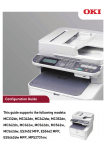
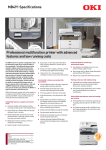

![[Script Editor basics - v1.5] 700 KB](http://vs1.manualzilla.com/store/data/005726068_1-0a14f792b169a78eb7f0605403a4865d-150x150.png)