1
NetSupport Manager v12.00
Connecting to a Control
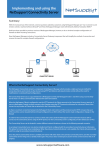
The Client Connect function only works for TCP/IP connections and is
intended to enable you to establish a connection across a Firewall or
Proxy Server.
Note: To enable a Client to call a Control, NetSupport Manager uses
TCP/IP port 5421. For the Client to connect through a
Firewall, you will need to configure the Firewall to use this
port.
To connect to a Control
Note: The Control must be running for a Client to connect.
1.
2.
3.
Choose {Commands}{Call Control} from the Client main window
drop down menus.
The Call Control dialog appears.
Enter the hostname or IP address of the Control you wish to
connect to.
Or,
Select from a list of the 10 most recently connected Controls.
Note: A maximum of 10 Controls can be stored, after which the
oldest is discarded.
The Control will receive a connecting message and either allow or
disallow the connection. If the connection is disallowed, the Control
and Client will be able to behave as normal.
108