1
USER MANUAL
SMART TOUCH - V1.0
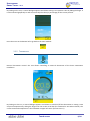
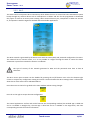
To select a theme to be included in the auto change sequence do click on the upper right corner of it.
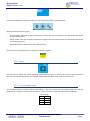
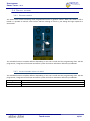
Then write the desired hour of change with the keyboard by clicking over the clock at the bottom of each theme.
Click ok at the bottom right corner of the keyboard to accept the settings and go back to the main window
saving changes with the arrow button.
2.3.3.2 Change by bus telegram
The appearance can also be changed by bus telegrams from any other device of the home automation system.
Ask the programmer / integrator for further information about the possibilities.
Touch screen
13/18