1
TV user guide
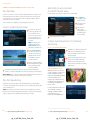
•Featured On Demand
•Subscription On Demand
Watch AT&T U-verse exclusive
programs and seasonal
favorites. Check back often
to see what’s new!
Want quality children’s
programming around the clock?
Do you like horror, anime, or
karaoke? Get unlimited access to
unique programming for a low
monthly fee with a Subscription
On Demand package! Once
you’ve called to subscribe, here’s
how to access your package:
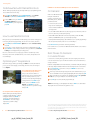
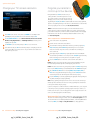
1 Press On Demand on your
remote control and use
ARROWS to select the
Featured category. A group
of Featured On Demand
programming options
will appear.
Select from the list using the DOWN ARROW and press OK to see
2 individual programs.
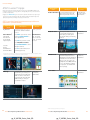
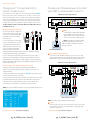
Press On Demand on your remote control, then use the ARROWS to select
1 Subscription. You’ll see all Subscription On Demand package listings.
Select from the list and press OK to see programming options.
2 Select what you want to watch and press OK. You’ll see a Program Info screen—
3 highlight Watch Preview and press OK, or highlight Rent and press OK. Press OK
again to confirm rental, and the program will begin.
•U-verse Movies
If you select a package that you’re subscribed to, press OK to choose a program
3 and begin watching. If you select a package that you’re not subscribed to, you can
browse titles and call customer support to access the package.
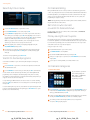
•Help On Demand
To access our entire library of
movies, movie extras, TV series,
and events, press On Demand
on your remote control, then use
ARROWS to select U-verse
Movies and choose the category
you want to browse. Press OK to
see each category’s listings.
Want to learn more about a
specific AT&T U-verse topic, your
equipment, or special features?
1 Press On Demand on your
remote control. Use ARROWS
to select Help/Ayuda, highlight
Help in English or Ayuda en
Español, then press OK. A
group of Help On Demand
programming options
will appear.
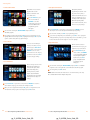
•Free On Demand
We have a huge selection of Free
On Demand programming in
categories like Sports, Movie
Extras, Kids-Family, Music,
Comedy Showcase, and En
Español. (Free On Demand
programming varies by package
subscription and is subject to
change.)
Select from the list using the DOWN ARROW, and press OK to see individual
2 programs. You’ll see a Program Info screen with details about the program.
Select Play, then press OK to watch.
3 Note: Channel 411 features an introduction to our extensive library of free help
videos available On Demand in English and Spanish.
Press On Demand on your remote control, then use ARROWS to select Free
1 Shows and the category you’re interested in viewing. Press OK.
Once you select a program title and press OK, you’ll see a Program Info screen
2 with details about the program. Select Play, then press OK to watch.
12
Visit att.com/uverse/newcustomer to learn more.
pg_12_UVE509_Starter_Guide_REL
Visit att.com/uverse/newcustomer to learn more.
pg_13_UVE509_Starter_Guide_REL
13