1
5. System
Summary
5.1 General Settings
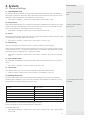
5.1.1 Adjusting Date/Time
The function of the terminal is to record time attendance and door access activities of
employees. Precision in time and date cannot be compromised for the system to work
efficiently. Adjust Date/Time according to your time zone.
•
* Ensure correct date &
time
Press Menu > Options > System Opt > Date/Time > Select Value > OK
5.1.2 Date Format
Date format differs based on countries for example in Malaysia the format used is, date
month year whereas in America, month comes first. Choose your date format according to your preference. The default format is dd-mm-yy.
•
* Ensure correct date &
time format
Press Menu > Options > System Opt > Fmt > Select Format > OK
5.1.3 Voice
The terminal has certain voice commands to guide users during enrolment and to notify
users during the identity verification process.
•
* Voice control ON/OFF
Press Menu > Options > System Opt > Adv Option > Voice > Y/N
5.1.4 Volume (%)
Voice Control lets you control the level of volume emitted by the terminal.
Adjust Volume: Default volume of the terminal’s voice is 65. The volume can go as high
as 100 and as low as 0. To sustain the performance of speaker in the terminal it’s recommended to stay at range 60-70. To adjust the volume
•
Press Menu > Options > System Opt > Adv Option > Adj VOL (%) > Set your number
> OK.
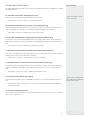
5.1.5 User Interface Style
The terminals offer different user interface style. Select your style based on your preference.
•
Press Menu > Options > UI Style > Select your style > OK
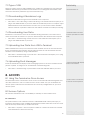
5.1.7 Auto Alarm
Auto Alarm allows you to connect the terminal to third party alarm system.
•
Menu > Options > System Opt > Adv Option > Auto Alarm > Y/N > OK
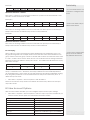
5.1.8 Defining Work Codes
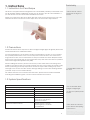
The terminal provides work code feature which allowing user to key in a predefined
numbers after verification. The work code numbers are predefined in software. The following table is showing examples of work codes.
Reasons
Work code
Check In
00
Check Out
01
OT start
04
Done
05
Sick Leave
10
Half-day Leave
12
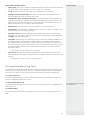
Workcode Mode 1: Verification followed by work code
Workcode Mode 2: Work code followed by verification
To disable: Select No
•
Press Menu > Options > System Opt > Adv Option > Work Code > OK > Select Preference > OK
11
* Customised work codes
available