1
2. Introduction of Device
Summary
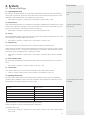
2.1 Overview of Device Functions
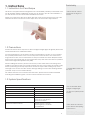
As an integrated access control device, our product can be connected with either an
electronic lock or an access controller. This device features simple and flexible operations and supports the use of management cards. The screen displays will guide you
through the operations. It supports access control function for a security management.
It supports multiple communication modes.
* Different user access
modes available on the
unit
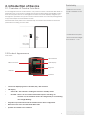
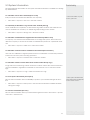
Attached the back plate on the wall securely and attach the terminal to the back
plate when mounting it on the wall.
* Install with back plate
* Recommended height
from the floor - 1.2m
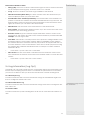
2.2 Product Appearance
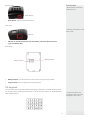
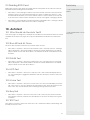
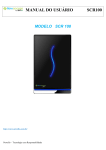
Front view:
LED indicator
RFID scan area
LCD Display
Keypad
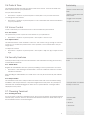
USB Port
Speaker
•
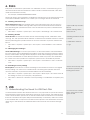
LCD Screen Displaying status of terminal, day, date and time.
•
LED Display
•
Green LED – The terminal is working fine and it is in standby mode.
•
Red LED – There is an error at the terminal that requires checking. For
first time use, the terminals need to be charged fully to avoid having
the red light blinking.
•
Keypad To input instructions into the terminal and to allow configuration.
•
RFID Card scan Area. Area that reads RFID cards.
•
Speaker For terminal voice emission.
4