1
The lock is shipped with the combination ‘0’ ‘0’ ‘0’. Please follow the directions on the
back of the lock box and change the combination. Please write this combination down
and keep in a safe place. The keys for the 2 locks on the security rack are secured with a
tie on the bottom of the rack. Clip the tie and store the keys in a safe place.
•
•
•
•
•
•
•
•
If you have the IDetect Snap Shot option, plug the camera in to the back of the
computer into the USB port.
If you have the IDetect License Camera Box, plug that camera into one of the side
USB ports, and then refer to the Installing License Camera Box instruction sheet.
Turn the system on. Each system has a different power switch location, but it
should be on top of the system near the screen. In some instances it may be on
the right side of the system on the side of the computer. Locate yours and power
the system on.
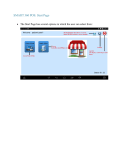
After the system boots up, IDetect will already be running. If the screen does not
show IDetect Copyright screen, click on the ‘IDetect - IDetect’ button to the right
of the ‘START’ button.
There is no password assigned yet, so just push ‘ENTER’.
Push ‘ENTER’ on ‘Admission Door’, ‘ENTER’ on password entry, and ‘ENTER’
on the welcome screen.
To scan an ID, place the barcode type id in the back slot of scanner with the
barcode facing down towards the green light.
Place the magnetic strip type id in the front of the scanner with the magnetic strip
down into the scanner facing the green light. Swipe the license through in any
direction. Slide the id quickly; this insures a more accurate scan. If the
scanner beeps but nothing comes up on the screen, push the
ENTER key and try again.
•
Follow the instructions in the Users Manual to review the system in more detail.
The User manual is on the IDetect system. Just double click on the IDetect
Manual Icon on the desktop.
•
If using a cash drawer from IDetect, after the system boots up,
push the cash drawer card that is located on the side of the
IDetect system out until you hear 2 beeps, then in again until 2
more beeps are heard. This starts the card for proper operation,
and must be done every time the system is turned on.