1
TeraStation Quick Setup
Having problems?
The TeraStation’s Ethernet port will automatically adjust to use either a Crossover or Patch cable, so you
may connect the TeraStation to your network with either type of Ethernet cable. Buffalo Technology doesn’t
recommend connecting the TeraStation directly to a PC.
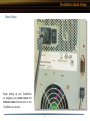
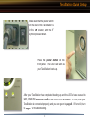
Verify that the LINK/ACT LED on the front of TeraStation is lit (see page 6’s picture). If it’s lit, go to page 8
to continue setting up TeraStation. If the LINK/ACT LED is still not lit, try the suggestions below to verify that
you’re not suffering from common setup problems.
Having problems? Make sure that:
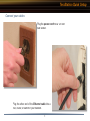
● the TeraStation and the router, hub or switch are both powered on,
● the Ethernet cable is securely plugged in at both ends, and
● the Ethernet cable is not damaged. Verify this by trying a different Ethernet cable.
If problems persist, contact our 24/7 technical support at 1(866) 752-6210.
7