1
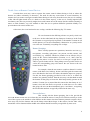
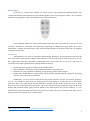
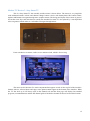
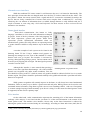
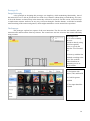
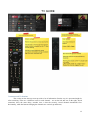
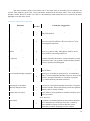
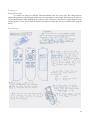
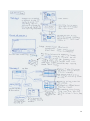
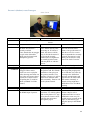
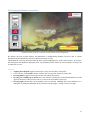
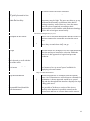
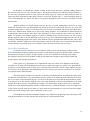
Button Shapes In the Sky TV remote above, buttons are mostly circular, with triangular navigational buttons. The volume and channel control buttons were also linked together to form one long button. There‟s also a common alternative to shaping the volume and channel control as presented below: A minimalistic remote 3 Using triangular buttons for volume and channel control provides a big tactile cue to the user as well as being a metaphor for “increment” and “decrement” depending on whether the triangle points up or down. Furthermore, combing the button shapes with similarly-shaped bumps on the button itself can also heighten recognition by the users. Conclusion Although these cues offer no significant functionalities themselves, having them there provides the users with various hints that may enhance their experience with using the remote in the long term; a nice-tohave, rather than a must-have. Regardless, coupling this with various visual cues we can give to the users, we can obtain some simple guidelines that will help inform our designs: Buttons should be grouped according to their functionalities Most commonly used buttons/group of buttons should be most prominent Different cues may contribute to defining a single group (colours, bumps, shapes) Button shape should reflect its functionality where possible (upward pointing triangle for increasing volumes or moving to the next channel) Furthermore, cues may also be broken down into general, and more specific cues. Button groupings, size, etc. may inform the users about the general purpose of the buttons in a particular area of the remote. Finer cues such as the small bumps and the differences in shape can then further inform the users of where they are precisely within that area of the remote. This is the step between [going from the whole remote to the number pad] and then further [going from the middle of the number pad to any specific numbers]. I.e. cues should always be present starting from the most general level where the users is looking at the whole remote and down the level of specificity to a single button. 3 http://shop.cnib.ca/images/items/Thumbnail/LIV0123220000.jpg 9