1
INTRODUCTION
The aim of the Macrophotography program is to facilitate the creation of spectacular images of small objects
such as: bugs, minerals, coins, stamps, etc., with dimensions from a few millimeters, to microns.
Currently, to be able to create this kind of image, you need a set of software and hardware. Specifically for
the software, it is necessary to have a program to remotely control the camera from the computer, a
hardware remote control program to photograph at exact intervals automatically, one or several imagestacking programs and, finally, a touch up photography program to adjust the photo's shade, etc., to the real
object. All this is a slow process forcing the photographer to go from one program to another to obtain best
results.
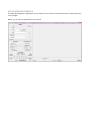
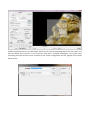
Macrophotography is a program that includes these five actions in only one application:
• Absolute control of the camera to adjust its parameters, take previews, use Live View, mirror lock,
etc.
• Absolute control over the hardware device so you can move forward or backwards as you need,
mark the beginning and ending of the sequence you are going to photograph, etc.
• Control over one or more stacking programs that you are going to use. You can choose from the
more popular stacking programs, like Helicon Focus, Combine ZP and Zerene Stacker, with your own
parameters.
• Production of more stacks. You can add to your sequence as many photos as you want, in case you
haven’t added enough photos to the sequence. You will be able to stack them again with any of the
programs mentioned before with the parameters you want, until you finally reach the expected
result.
• Basic touch up of the stack(s) generated, so the image is as close to the real object as possible.
At present, there are three versions of the program for reflex cameras:
• Canon DSLR cameras.
• Nikon DSLR cameras.
• Olympus DSLR cameras.
In order to know which models are supported by this application, consult the Compatibility section.
The application appears in English by default, unless you have your Windows setup in Spanish, German, or
Russian, then the application is shown automatically in these languages.