1
Data Sheet
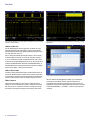
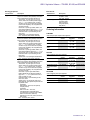
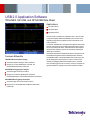
TDSUSB2 compliance test results.
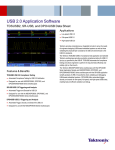
TDSUSB2 Automated USB eye diagram analysis.
TDSUSB2 – Automated USB 2.0 Physical
Layer Compliance Testing
USB compliance testing has some unique measurement challenges:
Designers must quickly and accurately perform all compliance tests
recommended by the USB Implementers Forum, Inc. (USB-IF) before
they can affix the “certified” USB-IF logo to their packaging
Characterization of these electrical signals includes mask testing and
parametric testing, for low-speed, full-speed, and high-speed hosts,
devices, and hubs
Signal speeds range from 1.5 Mb/s (low-speed) to 480 Mb/s
(high-speed)
The TDSUSB2 provides automated compliance testing for USB 2.0 serial
bus verification, including:
Fully compliant with USB-IF tests for USB 2.0 compliance testing
Automated eye diagram analysis verifies signal quality
Automated oscilloscope setups for various tests eliminate
time-consuming manual setups
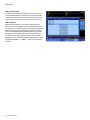
Measurement Select menu for the Signal Integrity test.
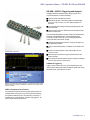
Comprehensive test fixture enables quick setup and signal access for a
wide range of tests
Quick Pass/Fail tests substantiated with results make the TDSUSB2
application the preferred solution for USB 2.0 physical-layer validation.
In-depth analysis is possible with the statistical information about the tests
performed. The user-defined measurement limits also help to perform
tolerance testing on a design.
High-speed tests: Signal Quality, Receiver Sensitivity, Chirp, Reset,
Resume, Suspend, Packet Parameter, and Monotonicity tests
Automatic rise and fall time measurements simplify tests
Automatic deskew for accurate measurements
Online help fully documents test procedures
User-configurable report formats for customization
User-configurable measurement limits for tolerance testing
2
www.tektronix.com
TDSUSB2 can be downloaded from www.tektronix.com and with the option
license you can easily install the software on your oscilloscope. After
installation, the application is accessible from the menu bar of the Tektronix
Windows oscilloscopes. The user manual and other documents are copied
at the application installation location on the oscilloscope's hard drive.