1
Implementation by Example
PaperCut MF is well known for its ease-of-use. It is a self-maintaining system with a simple to use web-based
interface. Apart from the initial set up, and the recommendation to incorporate the application's data into a backup
procedure, no further technical administration and support is required.
3.4.2.3. Requirement 2
Workgroup environments are common on small networks. They differ from a domain environment in that they are
not centrally authenticated via a server. Users may use a system that automatically logs in as "a user" or maybe
they just log in locally on their workstations. See Chapter 28, Running in a Workgroup Environment for more
information on the ways in which PaperCut MF can be installed in a workgroup environment.
3.4.2.4. Requirement 3
All users can be set up as "unrestricted". In this mode, users can start of with a zero balance and count down as
they print. Their balance indicates their printing value to date.
3.4.2.5. Requirement 4
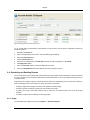
Shared accounts can be created to represent the current projects with sub-accounts used to represent areas under
these projects (sub-projects). The client popup software can be enabled on user accounts forcing users to allocate
printing to the project/client. In addition, the advanced client popup will allow premiums to be charged for special
printing such as reproduction of expensive mylar film.
Selected staff can run monthly or quarterly invoice reports at any time to quickly determine printing associated with a
given client/project. More information on shared accounts and reporting can be found in Chapter 8, Shared
Accounts.
3.4.2.6. Requirement 5
PaperCut MF records data in real-time. Full print logs and reports are available at any time and can be accessed
using a standard web browser. The manager can log into the administration interface and access the reports at any
time.
3.4.2.7. Requirement 6
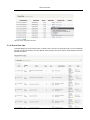
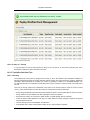
All reports and activity lists can be exported to Microsoft Excel. To access the Excel data, click on the small Excel
icon located next to the report name, or the icon at the bottom of the print log.
3.5. Scenario: The Medium to Large Business
SandComp is a large manufacturing company consisting of 3000 employees spread over 4 sites. All sites are
connected via a fast Wide Area Network (WAN). Printers are hosted on local servers with the largest site hosting
printers in a Microsoft Cluster environment.
3.5.1. Requirements
1.
Must support a Microsoft Cluster environment.
2.
Must centrally store print data on a server located at the main office.
3.
Must not cause disruption if the WAN link goes down between offices.
4.
The consulting division needs to be able to track printing by project (client/matter format) so costs can be
passed back to their clients.
5.
The finance department needs secure print release on their shared printers stored in the utility room.
3.5.2. Implementation
3.5.2.1. Initial Installation
The implementation of PaperCut MF in this environment would best be managed using staggered or step-by-step
45