1
Opensphere Message Detector
1. MESSAGE DETECTOR
1.1. INTRODUCTION
The Opensphere Message Detector is a program that detects messages of a certain type (Tibco
Rendezvous or JMS) and presents them to the user through different views. It provides powerful
message filtering functionality and lets one easily edit, store and re-send detected messages.
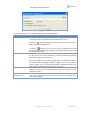
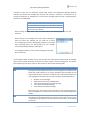
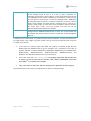
The Message Detector program gets started through the
appropriate menu group on the windows start menu.
Depending on the components that have been selected
during the installation procedure, different message listener
types can be chosen from the initial pop-up dialog shown
beside.
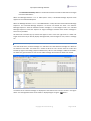
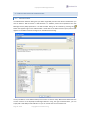
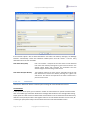
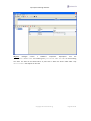
The Message Detector listens on one or several destinations (topics/queues/subjects or topic/subject
hierarchies) the user defines in the field located on the dialog tool bar. When defining Rendezvous
subjects, feel free to use the known wildcards such as the asterisk (*) that substitutes whole elements
or the greater-than (>), which matches all the elements remaining to the right. The field accepts
multiple topics/subject entries separated by the semicolon (;) each.
For each entered destination string (subjects, topics or queues), the Opensphere Message Detector
creates a separate listener regardless whether two destinations are identical or whether one
represents a subset of another destination. Every single listener reports received messages
independent from the other listeners. Therefore if for example you define the same destination twice
within the destination list, messages intercepted on that destination would be reported twice as well.
When the Message Detector gets started, it detects messages that are sent on the specified
destination (subject, topic or queue), buffers and displays them up to the configured buffer size.
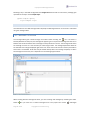
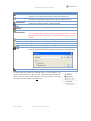
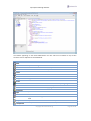
Buffered messages of the selected row can be displayed within a Message List Editor by pressing the
appropriate button from the tool bar (
). The messages may through that editor be modified
and saved to an XML formatted file for further use.
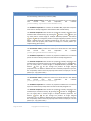
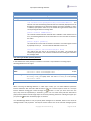
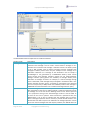
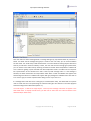
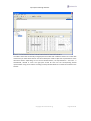
The Message Detector has two default views (tabs) on received messages:
The Message Sequence View on the other hand displays every single received message in a
chronological order; the last arrived on its bottom. When running the Message Detector in
“Tibco Rendezvous” or “JMS Topic” mode, all detected messages get displayed on the same
and unique Message Sequence View to clearly show the chronologically sequence of
detected messages.
Page 3 of 40
copyright © centeractive ag